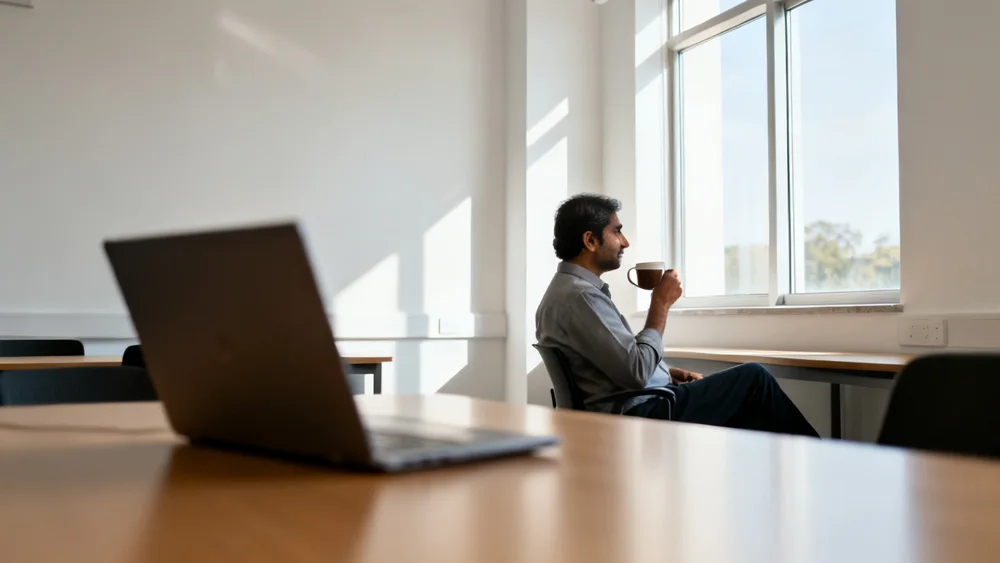
Here is the part of course production most faculty never want to see again.
The lecture is recorded. Then come the weeks of follow-up: the file sent to the media unit, the edit queue, the email asking for the slides again, the request to re-record the first ten minutes, the captions that need checking, the module page that still needs a summary and a quiz. By the time the course is live, the professor has spent more hours on the video than on the teaching.
It should work the other way round. The professor teaches. Then they put the kettle on.
The way you already do — Zoom, a classroom camera, a studio.
- Dead air and false starts removed, studio sound
- Topics found, chapters marked
- Teaching visuals placed where an idea is easier to see
- Captions, transcript, objectives and takeaways
- Your institution's brand on every frame
Nothing reaches students until you say so.
To be honest about the metaphor: it takes longer than one coffee. A produced cut comes back within 24 hours. But none of those hours are yours. And what comes back is not just a better video — which is the more important part of this story.
Watch what a student actually does with a recorded lecture the night before an exam.
They open a 52-minute file. They scrub. They guess where the professor explained motivation, land in the middle of an anecdote, scrub back, give up and start from the beginning at double speed. They want one definition and one worked example, and the only way in is the whole hour.
Nothing was wrong with the teaching. The problem is the packaging. A lecture recording is a single, undivided block, and it is being asked to do the jobs of a textbook chapter, a revision sheet, a glossary and a practice test all at once. It can't. So it mostly sits in the LMS, watched once by some students and not at all by most.
The recording is not the product. It is the raw material. Inside every lecture your faculty have already given is a set of learning objects nobody has taken out of the box.
Change the story, not just the video
For a decade, the promise of lecture video tools has been the same: take a rough recording, give back a better-looking recording. It is a useful promise and a small one.
Raw recording → produced video
Raw lecture → finished learning experience
The second story is the one universities are actually trying to tell. Nobody enrols in a programme to watch video. They enrol to learn a subject, and video is one of several ways in. The question is not "how do we make this recording look better?" but "what should a student receive when a professor finishes teaching this topic?"
What a single lecture actually contains
Take one lecture apart and you find eleven things a student could use. Some are already sitting in the recording, waiting to be lifted out. Others are one careful step away. Here is the full set, and where Lecture Studio is with each.
Video
The produced lecture: clean sound, structure, visuals, captions, the institution's brand.
Transcript
The full, searchable text of what was said — and what makes everything else possible.
Chapters
Structured sections at real topic boundaries, so a student can jump to the part they need.
Learning objectives
What the student should be able to do after watching, stated at the start.
Key takeaways
The handful of points that matter most, gathered at the end.
Glossary
The important terms of the lecture, defined the way the professor defined them.
Diagrams
The teaching diagrams built for the video, available on their own for notes and revision.
Slides
A deck of the supporting visuals, downloadable as a study companion.
Quiz
Five to ten questions drawn from the lecture, reviewed by the faculty member before release.
Flashcards
Optional: the glossary and key facts as cards for spaced revision.
Reading references
When faculty supply readings, linked to the moment in the lecture they support.
Look at that list from a student's side and the recording stops being the centre of gravity. It becomes one object among eleven — the richest one, the one everything else is built from, but rarely the one they reach for first when revising.
The 52-minute problem
There is a second thing hiding in most recordings: a better structure than the one they were delivered in. Professors teach in a live room, in one sitting, with the clock on the wall. Students learn in short sessions, on phones, out of order. Those are different shapes.
Here is what that looks like for a typical marketing lecture. The example is illustrative, but every number in it is the kind of thing a real recording produces.
- Introduction2:14
- Perception7:31
- Motivation8:02
- Learning9:15
- Attitudes10:23
- Application8:41
- Removed6:08 of setup, repeats and dead air
Same professor, same words, same teaching. But now there are six units a student can find, finish and come back to, each with a clear title, and each one usable on its own in another course. "Motivation" from this lecture can sit in an MBA elective and an undergraduate psychology module without anyone recording it twice.
This is the step we call lecture restructuring, and it is what separates editing from courseware. Today Lecture Studio finds those topic boundaries and marks them as chapters inside the produced video. Publishing each section as its own titled unit, ready to drop into a module, is in development.
Stop calling it b-roll
The visuals inside the video need the same rethink. "AI b-roll" is how the whole generative video industry describes footage laid over talking. It sounds like decoration, and decoration is the wrong goal for a lecture.
We think of them as teaching visuals, and the rule for them is simple:
When the professor says something that is easier to understand visually, put the right visual there. When they don't, don't.
That last row matters as much as the others. A visual that interrupts the moment a student is following the professor's hand is worse than no visual. The measure of a teaching visual is not how impressive it looks; it is whether the idea lands faster with it than without it.
The new shape of a lecture
Put all of this together and the output of a single lecture looks less like a video file and more like a small course unit.
The professor's part does not change. They teach, they review, they approve. Everything between their recording and the student's screen is produced around them.
What this changes for a university
The archive becomes an asset. Years of recorded teaching stop being storage and start being a catalogue of course units that can be searched, reused and republished.
Revision gets easier. Students go to the six minutes they need, with the definitions and the questions beside them, instead of re-watching the hour.
Accessibility is built in. Captions and transcripts are not an extra compliance project; they are part of every lecture by default.
Teaching is reused, not re-recorded. A well-taught segment can serve several programmes without asking the professor to give it again.
Faculty stay at the centre. Every learning object comes from their own lecture, and nothing reaches students until they have approved it.
Not video editing. Lecture to courseware.
If you are evaluating tools for recorded teaching, it is worth asking each one a single question: what does a student get when this is done? If the answer is "a nicer video", you are buying editing. If the answer is a structured unit with the video, the text, the chapters and the study materials around it, you are buying courseware — a much bigger thing, and the thing your programmes are actually made of.
We are building Lecture Studio toward the second answer, one learning object at a time, and we mark each one honestly as it ships. Five of the eleven are in every lecture today.
Send us one recorded lecture. See it produced in one click, with its transcript, chapters, objectives and takeaways — and show you where the units inside it are. Send a lecture →