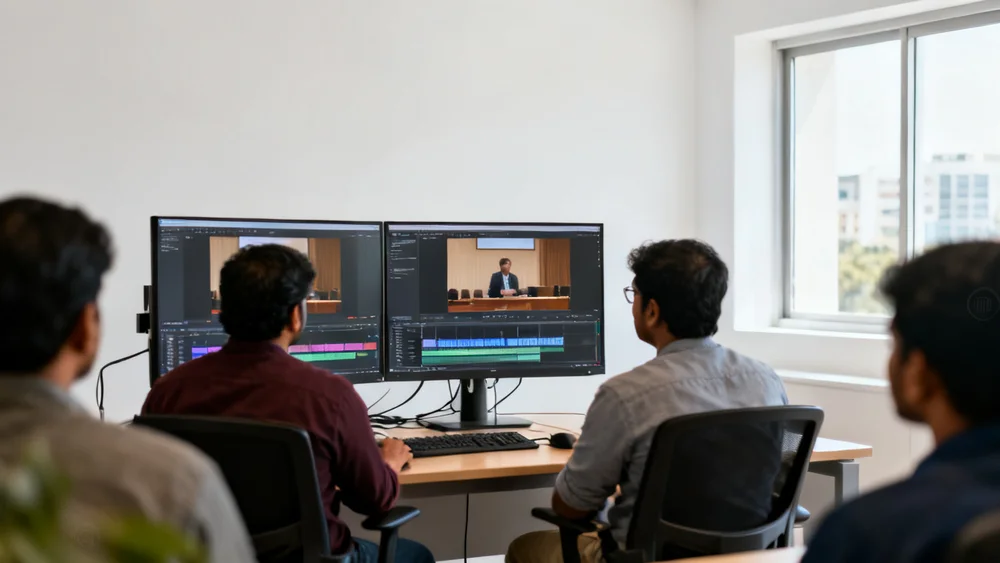
No university is short of video software. What it is short of is finished video.
Walk into the IT office of almost any university and you will find the same layers. A video conferencing tool that faculty record on. A lecture-capture platform wired into the classrooms. A learning management system that students log into every day. Some editing licences in the media unit. And, increasingly, a sales deck in someone's inbox promising that an AI avatar can deliver the whole course instead.
Each of those tools was bought for a good reason, and each was a procurement, a security review and a training programme. The last thing a university needs is another standalone platform that asks faculty to learn a new way of recording and asks IT to move its video somewhere else.
That is why Lecture Studio was designed the other way around. It takes the recordings a university already makes, on the tools it already uses, and returns produced lectures in the formats those same tools already accept. Nothing gets replaced. Something that was missing gets added.
Your faculty teach. Lecture Studio produces. Everything you already own keeps doing its job — and gets better video to do it with.
The stack, and the gap in the middle
Draw the video life of a university lecture as a line and you get three stages. It is recorded, something happens to it, and it is delivered to students. The first and last stages are well served. The middle one, for most institutions, is empty.
Where teaching is captured
Well served. Most universities can record every lecture they want to, and many already do.
Where a recording becomes a lesson
The empty stage. Sound, structure, visuals, captions, branding and review — done today by a small media team for a handful of flagship courses, and by nobody for everything else.
Where students watch
Well served. Students already know where to find their course.
When the middle stage is empty, whatever is recorded is what is delivered: room echo, the minute of setting up, slides that are unreadable on a phone, forty minutes with no chapters. Students compare that with the polished explainers they watch for free, and the comparison costs completions. Filling the middle is the entire job.
Three levels of competition — and why none of them is a fight
When a university evaluates Lecture Studio, the alternatives it has in mind fall into three groups. Each group is good at something real. None of them does the job in the middle, and Lecture Studio does not ask anyone to give them up.
Editors
What they do well. Premiere Pro and Final Cut Pro are professional editing suites; in the right hands they can make anything. Descript changed editing by letting people cut video by editing a transcript, and adds AI tools for filler words and sound. Eddie AI is an AI assistant editor that logs footage and assembles rough cuts for the editor to finish.
The limit, for a university. Every one of them is a tool for an editor. The output still depends on a skilled person spending hours per lecture, and none of them knows what a learning objective is, which discipline it is looking at, or when a cutaway would interrupt a derivation. At the scale of a whole programme — hundreds of hours a semester — the editor is the bottleneck, not the software.
The pipeline does the production work that would otherwise need one, with academic rules built in. If you have a media team, they stop spending their week on routine cleanup and spend it on the flagship pieces that deserve a human hand.
Lecture platforms
What they do well. These are the systems of record for university video. Panopto captures, manages, searches and delivers lecture video across a campus. EchoVideo, Echo360's video platform, records and manages lectures, adds interactive quizzing and study aids, and syncs with the LMS through LTI. Both are deeply embedded: in classrooms, in the LMS, in faculty habits. Panopto has also moved toward generated video, acquiring the AI video company Elai in 2024.
The limit, for a university. A capture platform's job is to record what happened in the room faithfully and make it easy to find. It is not built to rethink the lecture: to rebuild a text-heavy slide as an animation, choose a diagram over a photograph for a particular concept, or apply one institution-wide visual system to forty faculty members' recordings. Their editing tools trim and splice; production is a different job.
Lecture Studio is a production layer on top. A recording comes out of the capture platform, a produced lecture with captions and chapters goes back in, and the platform keeps doing what it is good at — hosting, search, analytics and LMS delivery — with a better video in it.
AI video generators and avatars
What they do well. Synthesia and HeyGen generate presenter-led video from a script, using a synthetic or cloned avatar and voice. For compliance modules, product updates and anything that needs to be produced in twenty languages by Friday, they are remarkably efficient.
The limit, for a university. A degree is not a compliance module. Students enrol for the people who teach them, and an avatar reading a script removes the one thing the institution is actually selling: its faculty. It also raises questions a university has to answer — faculty consent, academic ownership, and what students were told they were paying for.
Lecture Studio starts from a real lecturer and keeps them: their face, their voice, their examples. The production is added around the teaching, not instead of it.
The whole landscape on one page
Put side by side, the market looks crowded until you ask what each product actually starts from and produces. Then the open space is obvious.
| Product or category | What it does | Where Lecture Studio fits |
|---|---|---|
| ZoomVideo conferencing | Where a large share of recorded teaching now starts, often as a cloud recording | Recordings go straight in, no re-recording |
| PanoptoVideo platform | Capture, manage, search and deliver | Production layer on top |
| EchoVideoEcho360 | Lecture capture and education video, LMS-integrated | Production layer on top |
| Adobe Premiere ProEditing suite | Professional editing by a skilled editor | No editor required |
| Final Cut ProEditing suite | Professional editing on the Mac | No editor required |
| DescriptAI editing | Text-based editing with AI clean-up tools | Academic-specific automation |
| Eddie AIAI assistant editor | Logs footage and builds rough cuts for editors | Academic production specialisation |
| AI video generatorsText-to-video | Generate new video from a prompt or script | Preserve real faculty teaching |
| Avatar toolsSynthesia, HeyGen | A synthetic presenter delivers a script | Keep authentic faculty |
| Canvas, Moodle, BlackboardLMS | Deliver courses to students | Receive finished, accessible lectures |
| Lecture StudioAcademic post-production | An existing lecture in, produced courseware out | The category of its own |
Read the right-hand column again and notice that almost every entry is additive. The only things Lecture Studio removes are the editing hours and the avatar. Everything else in the stack gets a better input.
How it plugs in today
"Works with" can mean anything from a deep integration to "you can download a file", so here is exactly what it means now.
Any recording you already have
- A Zoom cloud or local recording
- A download or share link from Panopto or EchoVideo
- A classroom camera file, a webcam, a phone
- Slides or notes, where they exist
- A link to a file is enough — no new recording kit
Standard files every platform accepts
- An MP4 of the produced lecture
- VTT and SRT caption files
- A full transcript
- Chapters, objectives and takeaways
- Ready to upload to Canvas, Moodle, Blackboard, Panopto or EchoVideo
Because the output is plain, standard files, the produced lecture can go back wherever the original lived. Upload it to the capture platform and its search, analytics and LMS links keep working. Upload it to the LMS directly and students see it in the course they already use. Nobody has to change where they look.
One thing to be precise about: cleanup, studio sound, captions, transcripts, chapters and branding work on any of those recordings. The full visual toolkit — presenter layouts, animated slides and cutaways — is at its best on green-screen recordings today, and extending it to ordinary rooms is what we are building next.
Where the integrations are going
Files work everywhere, but files still need a person to move them. The more Lecture Studio sits inside a university's existing infrastructure, the less it looks like another tool and the more it looks like part of the plumbing. This is the integration roadmap, in the order universities ask for it. None of it is live yet, and we will mark each item as it ships.
Approve a lecture and it appears in the right course module.
The same, for Moodle courses.
The same, for Blackboard Learn.
Lecture Studio inside the LMS, with single sign-on for faculty.
Pick recordings from a Panopto folder, send them back produced.
The same round trip for Echo360 libraries.
Watch a folder; produced lectures land next to the originals.
Whole programmes in and out, for archives and for agencies.
Why the ecosystem approach is the right one
Nothing to migrate. The video stays where it is. There is no new library to populate and no old one to retire.
Nothing for faculty to learn. They record the way they already record. The only new step is approving the produced cut.
An easier yes from IT. A service that reads a file and returns a file is a much smaller security and procurement question than a new platform.
Existing investments are worth more. The capture platform and the LMS were bought to serve students. Better video makes both of them do that job better.
Scale without headcount. Production is no longer limited to the courses a media team has time for. It covers the whole catalogue.
The position, in one line
If we had to put all of this on a single slide, it would read like this.
Lecture Studio
The AI post-production engine for university teaching.
Turn faculty recordings into finished learning videos — without re-recording, editing teams or new hardware.
Underneath it, three lines we keep coming back to. Your faculty teach. Lecture Studio produces. Keep the professor. Lose the production bottleneck. And the one that matters most to an institution: from faculty recording to finished courseware.
Send us one recording from whichever platform you use today — a Zoom file, a Panopto link, a phone video. A studio-quality cut comes back in one click, in files your LMS will accept. Send a lecture →
Zoom, Panopto, Echo360 and EchoVideo, Canvas, Moodle, Blackboard, Adobe Premiere Pro, Final Cut Pro, Descript, Eddie AI, Synthesia and HeyGen are trademarks of their respective owners. They are named here to describe the landscape; Lecture Studio is not affiliated with, endorsed by or partnered with any of them. Descriptions of other products reflect their public materials as of October 2026.