Engine/Effects/Branding

Background Image

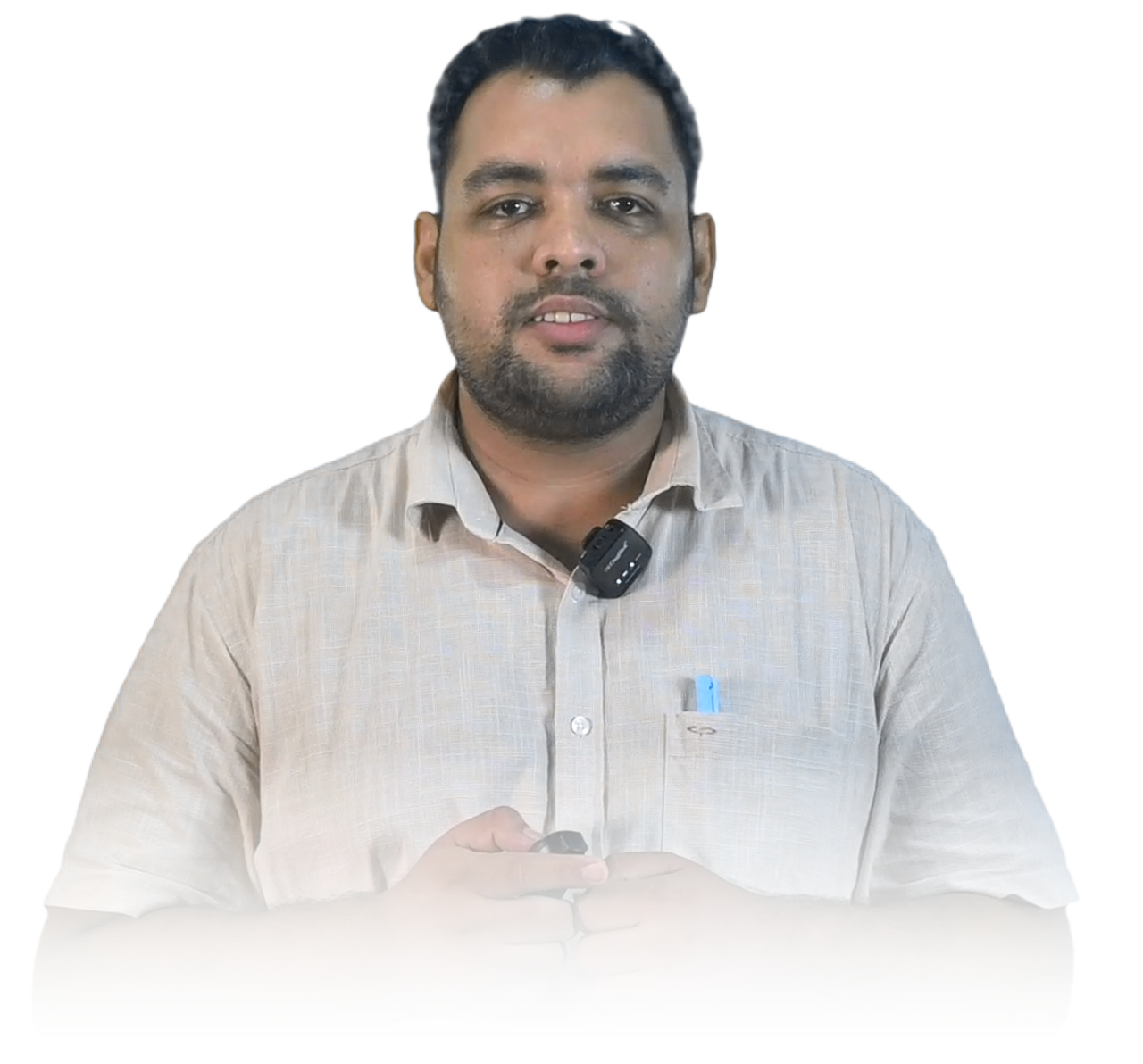
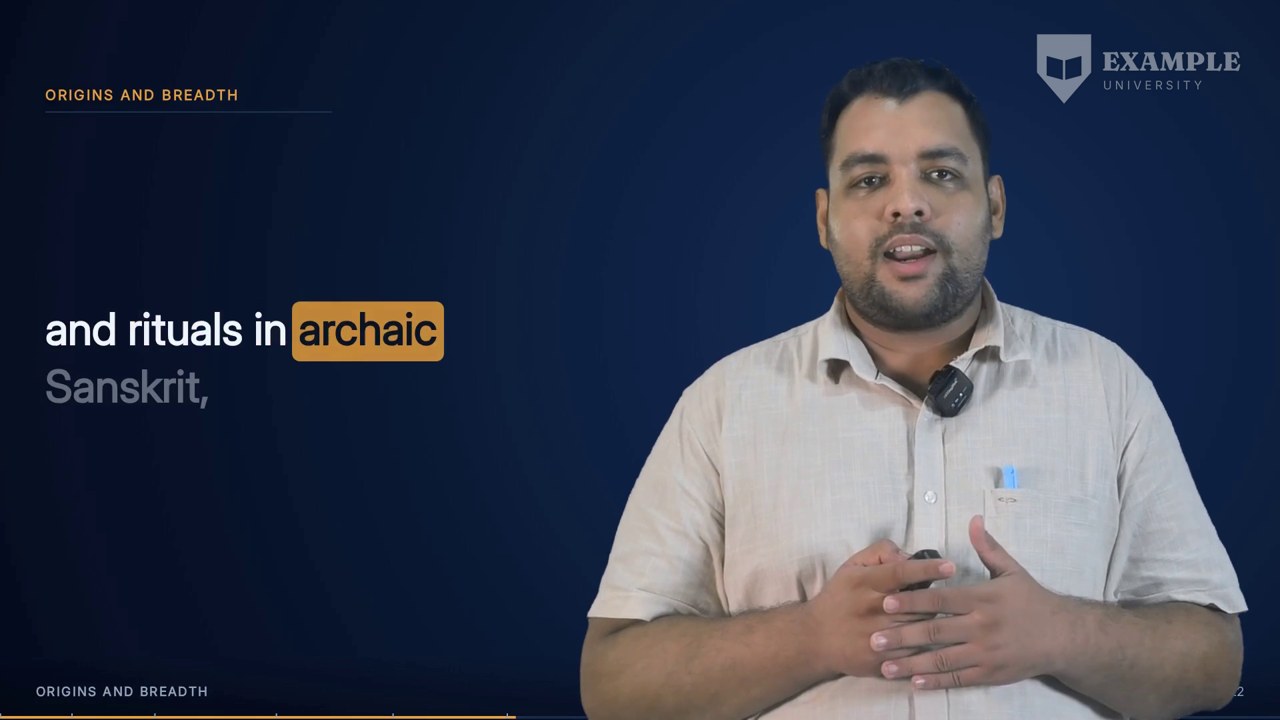
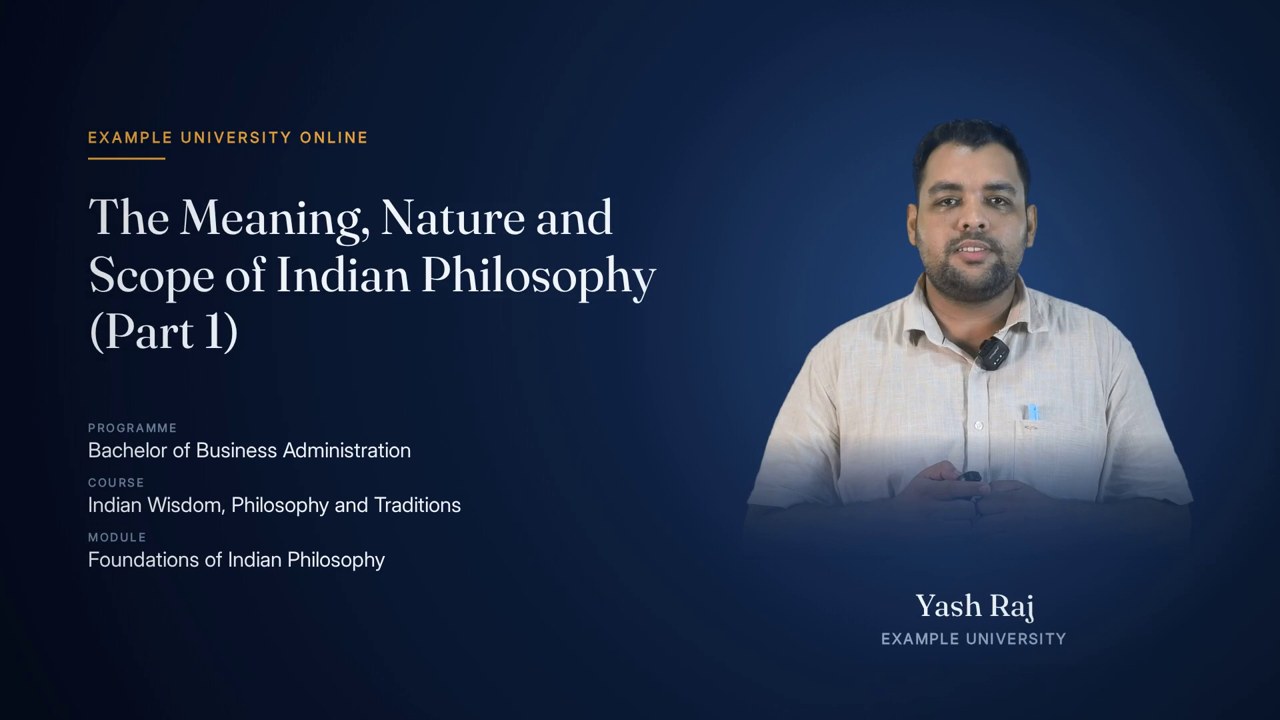
The presenter is lifted off the green screen they were recorded against and set on a branded stage: a dark radial ground in the course's own stage colour, lightest where the presenter stands. The same ground sits behind every presenter layout and every framing card, so cutting between them reads as three camera angles on one set rather than three designs.

keyed presenter · one stage · three plates

The finished effect

What it looks like when it is done.

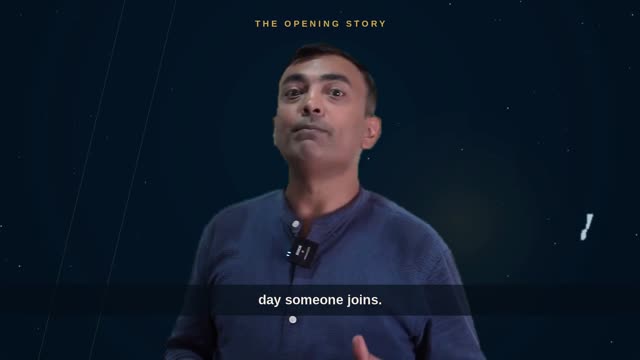
Fourteen seconds of the 22-minute Indian Wisdom lecture used throughout this page: the presenter, recorded against green, keyed and standing on the branded plate rather than on the wall of the room they were filmed in.

14 s · 1920 × 1080 · with sound

Overview

What it is, and why it exists.

A lecture recorded in a studio arrives with the presenter standing in front of a green cloth, and green is the one thing that must never reach a student. The background effect replaces it. It measures this recording's own backing colour, keys it out, gently opens up the shadow side of the presenter's face, and composites them onto a stage plate drawn for the layout they appear in.

The stage is not a photograph of a campus or a stock set. It is a smooth radial gradient in three stops, darkest at the edges and lifting toward a pool of light behind the presenter, with colours taken from the lecture's template style. In the default Scholar style that is a deep navy: edge #060D1E, mid #0C1B36, core #173058. Using one ground everywhere is deliberate. The film cuts between layouts dozens of times; if each had its own backdrop, every cut would read as a change of location.

Three stills are drawn once per lecture and reused for every frame: the two-card stage behind Presenter + Animated, the centred stage behind Presenter Centred, and the rounded-corner masks for the two cards. The same gradient is painted live by the renderer behind the caption column and behind the welcome and end-note cards, from the same three numbers, so a painted frame and a drawn still meet at a cut without a colour step.

It depends on the cleaned recording (the presenter footage on the lecture's master timeline), the measured key, and the measured presenter box, which says where in the frame the presenter actually moves across the whole lecture.

Three-stop radial, style colourGround
#060D1E · #0C1B36 · #173058Scholar stage
2 stages + 2 card masks, once per lecturePlates drawn
26 pxCard corner radius
Measured per recordingKey
8 values, 0.06 to 0.24Reach ladder
0.35 defaultShadow lift
1920×1080, 30 fpsFrame

How it is made

Step by step, in the order the engine runs it.

Read the stage colour from the template style

Each of the eighteen template styles carries a stage entry of three colours: edge, mid and core. Scholar is navy (#060D1E, #0C1B36, #173058); Lattice is near-black blue-grey (#04070A, #0A131B, #12212E); Folio is a warm brown (#171009, #251A10, #3A2A1A); Beacon is a dark violet-black (#08080E, #14141F, #232338); Slate is a cool slate (#0E141A, #18212A, #26323E). The maroon family: Regalia is a deep maroon (#14050A, #2A0A11, #5E1220); Garnet is a near-black wine (#0A0305, #1A080D, #3D1018); Vellum is a warm oxblood (#12060A, #24101A, #3D1820); Ledger is a quiet maroon-charcoal (#12070A, #1F0D12, #351B20). Vibrance is a bright navy (#152348, #1F3260, #2E4A85). Lilac is a pale lavender (#DCD3F7, #EAE5FB, #FAF9FF). Cobalt is a pale grey (#D5D7E0, #E6E7EC, #F7F7F9). Blossom is a soft white-grey (#E4E4E7, #EEEEF0, #F9F9FA). Crayon is a cool light grey (#E2E2E8, #ECECF1, #F8F8FA). Azure is a pale blue-grey (#DDE2EA, #E9EDF3, #F7F9FC). Onyx is a neutral light grey (#D9D9D9, #E6E6E6, #F6F6F6). Bulletin is a plain light grey (#D7D7D7, #E5E5E5, #F5F5F5). Tangerine is a warm light grey (#E6E3E0, #EFEDEB, #FAF9F8). Both the still plates and the live renderer read the same three values, so they always agree.

Draw the Presenter + Animated stage

A full-frame radial gradient centred at (1500, 430) with a 1500-pixel radius puts the pool of light behind the presenter's card, right of centre. Each point blends core to mid over the first half of the radius and mid to edge over the second, through a smoothstep ease so no banding ring appears. It is drawn at one sixth of full size, scaled up smoothly and blurred by 3 pixels, which makes it both fast and seamless.

Cast the cards' shadows

Under each card's position a rounded rectangle is drawn, offset 6 pixels right and 16 to 18 pixels down, with a 30-pixel radius, blurred by 28 pixels and used to darken the stage toward a near-black #020610. The cards then look as if they sit slightly in front of the ground rather than printed on it.

Paint the presenter's card well

The presenter's card, 498×736 at (1387, 168), gets its own small radial, a step lighter than the stage in the same hue: its edge is the stage edge ×1.35 and its centre the stage core ×1.18, centred a third of the way down the card where the head will be. It is cut to a 26-pixel rounded corner and pasted onto the stage.

Draw the Presenter Centred stage

A second full-frame radial, centred low at (960, 560) with a 1250-pixel radius, and on top of it a very soft ellipse of light (from x 340 to 1580, y 210 to the bottom edge, blurred by 170 pixels) in the card's centre colour. The presenter stands in that pool, centred, with the captions running across the bottom.

Cut the corner masks

Two greyscale masks with 26-pixel rounded corners are drawn at the exact card sizes, 1310×736 for the slide and 498×736 for the presenter. The compositor applies them to give both cards their rounded corners, since the video tools have no rounded rectangle of their own.

Measure the green

Nine frames are sampled from 5% to 95% of the recording. Backing pixels are found by shape rather than hue (green exceeds red by 40, exceeds blue by 60 and is above 90), which holds whether the cloth is lit warm or cool. The key colour is the median of all of them.

Try the key's reach instead of guessing it

For each of eight reach values (0.06, 0.08, 0.10, 0.12, 0.14, 0.17, 0.20, 0.24) the real matte is formed by the same filter the render uses, and scored on two questions: is the certain backing gone (at most 0.05% may survive), and is the certain presenter still all there. The smallest reach that clears the backing without costing the presenter more than 0.2% is chosen, then moved one rung wider only if that rung is free. Green spill on hair and shoulders is neutralised at half strength.

Open up the shadow side

A studio key light with no fill leaves the far cheek two or three stops down, which reads as modelling against green and as a hole against a dark card. A gentle tone curve lifts the bottom of the range, leaves the midtones almost alone and the highlights exactly alone. At the default strength of 0.35 the black point rises to about 0.04, the quarter-tone from 0.20 to about 0.28, and the curve is back on the diagonal by the top.

Composite each layout

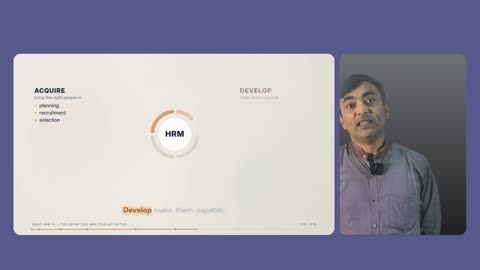
Presenter + Animated: the slide goes into its rounded card, the keyed presenter is scaled to cover his card and centre-cropped with his feet kept, and only the finished card is masked. Presenter Centred: the keyed presenter is scaled to 960 pixels tall and positioned so his measured head line falls on the frame's centre. Presenter + Captions: the presenter is scaled to 1004 pixels tall on the right, over the painted caption plate. Every layout uses one shared key-and-look string, so the presenter never changes complexion at a cut.
Elements

Everything this effect puts on screen, one piece at a time.

Each element below is shown as the engine actually produced it, in the real lecture, with its parts, and the rules that govern it.

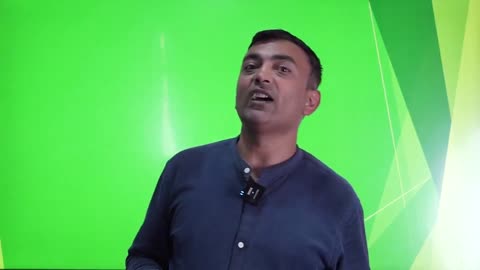
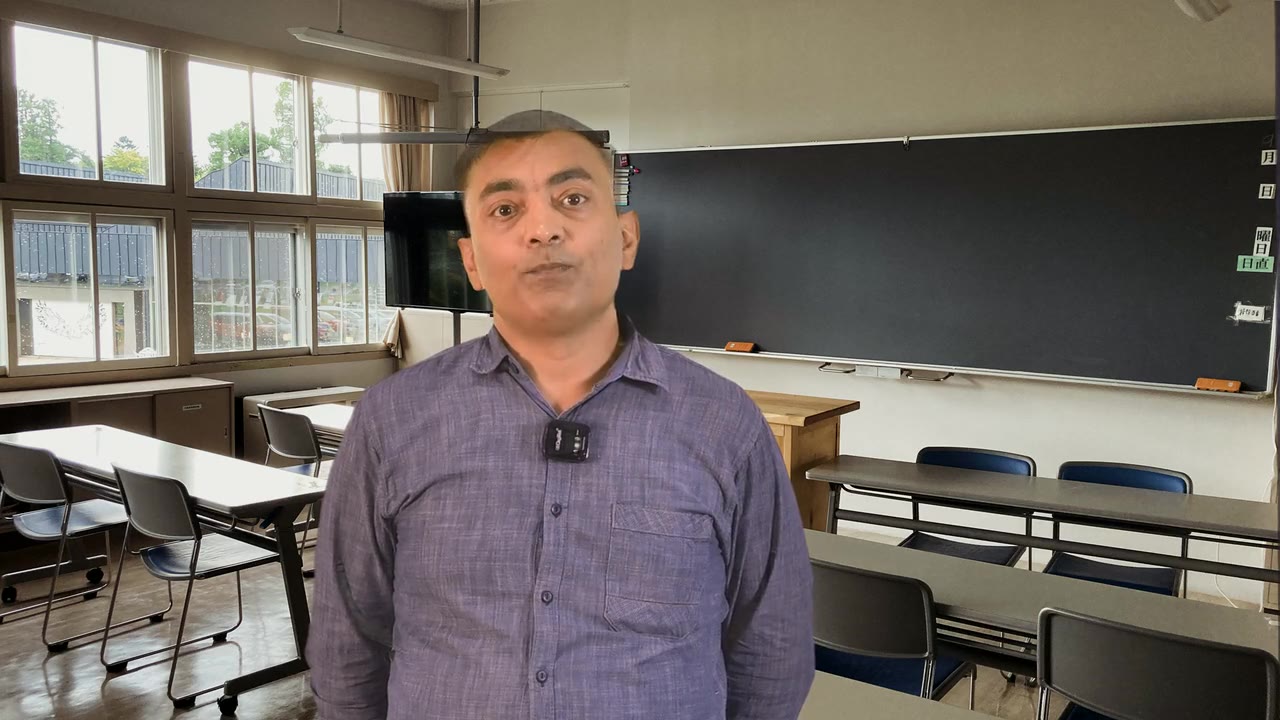
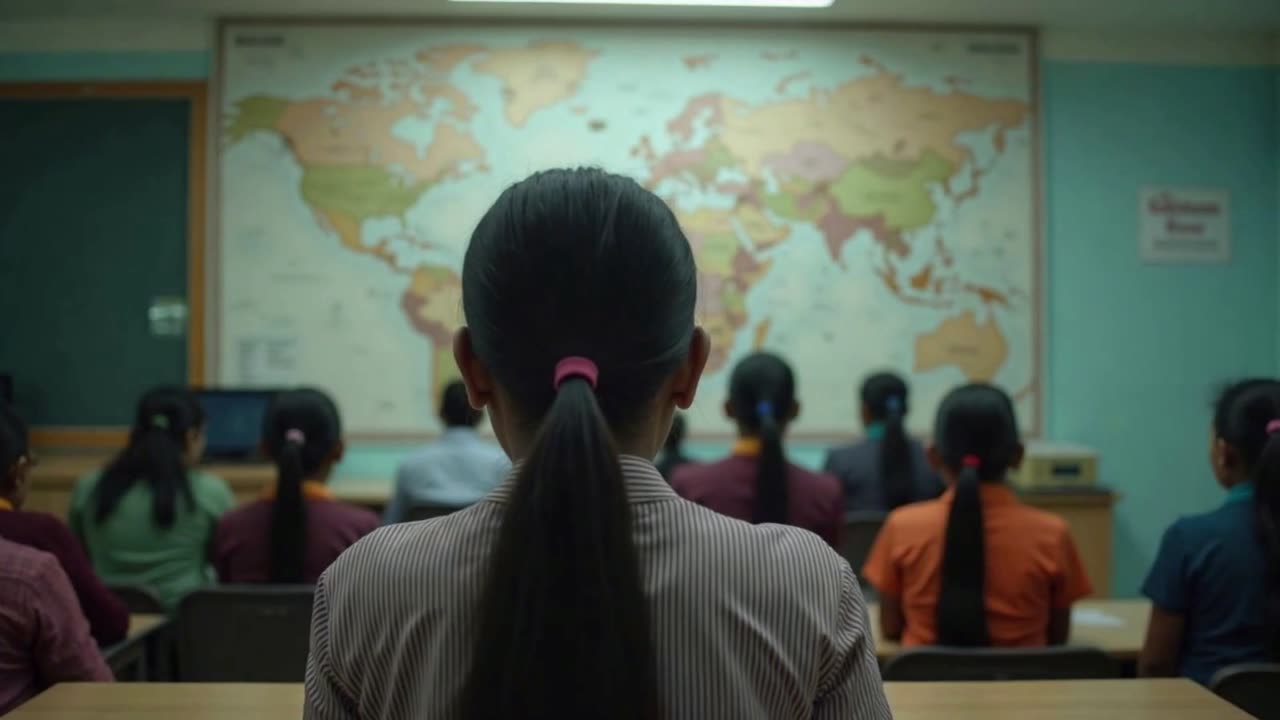
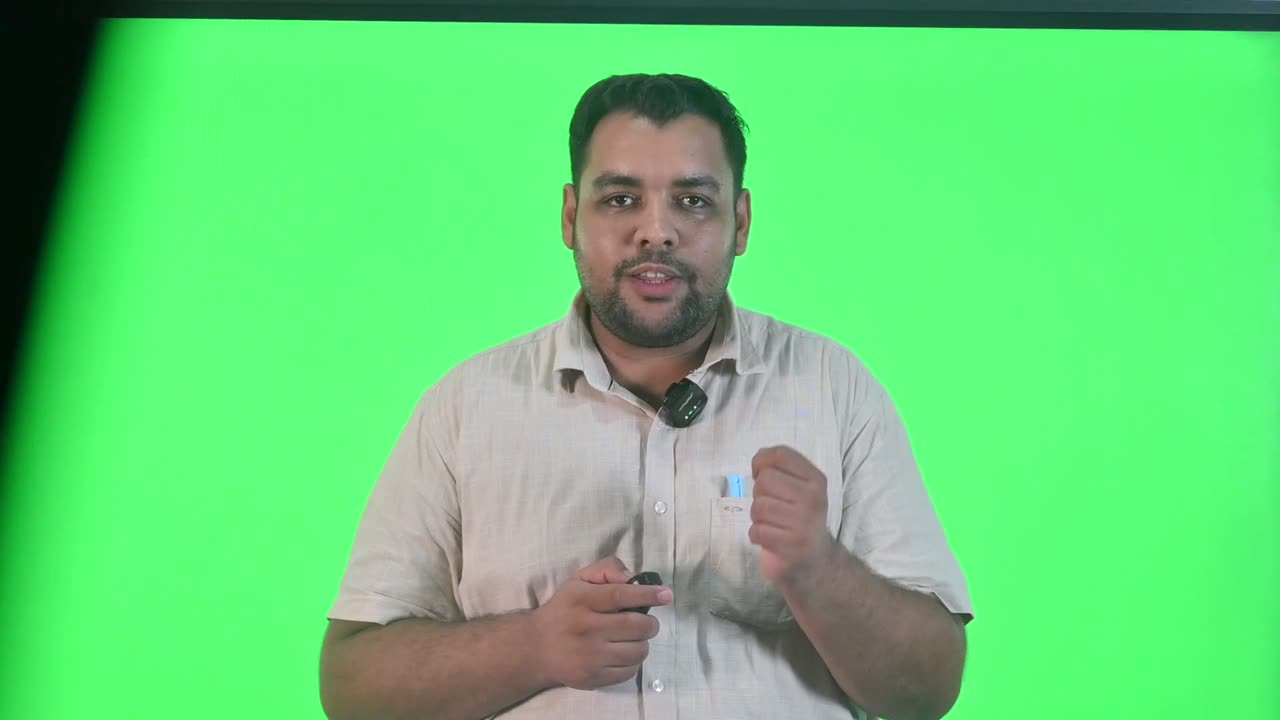
A raw frame from the lecture: the presenter against the studio's green backing.
01

The raw green-screen frame

What arrives from the studio.

The recording is a presenter standing in front of a green cloth that rarely reaches the frame's edges and is never lit perfectly evenly. The strip of studio wall past the cloth, the creases and the hot spots are all things the background effect has to deal with before a student sees anything. The measurement stage deliberately ignores the outer twentieth of the frame when finding the presenter, because that strip of wall keys as foreground and used to drag the crop half a frame wide.

Anatomy
  • Green backing behind the presenter
  • Studio wall visible past the cloth at the edges
  • Uneven lighting across the cloth
Rules
  • The backing colour is measured from this recording, never assumed
  • The outer 5% of the frame is set aside when locating the presenter
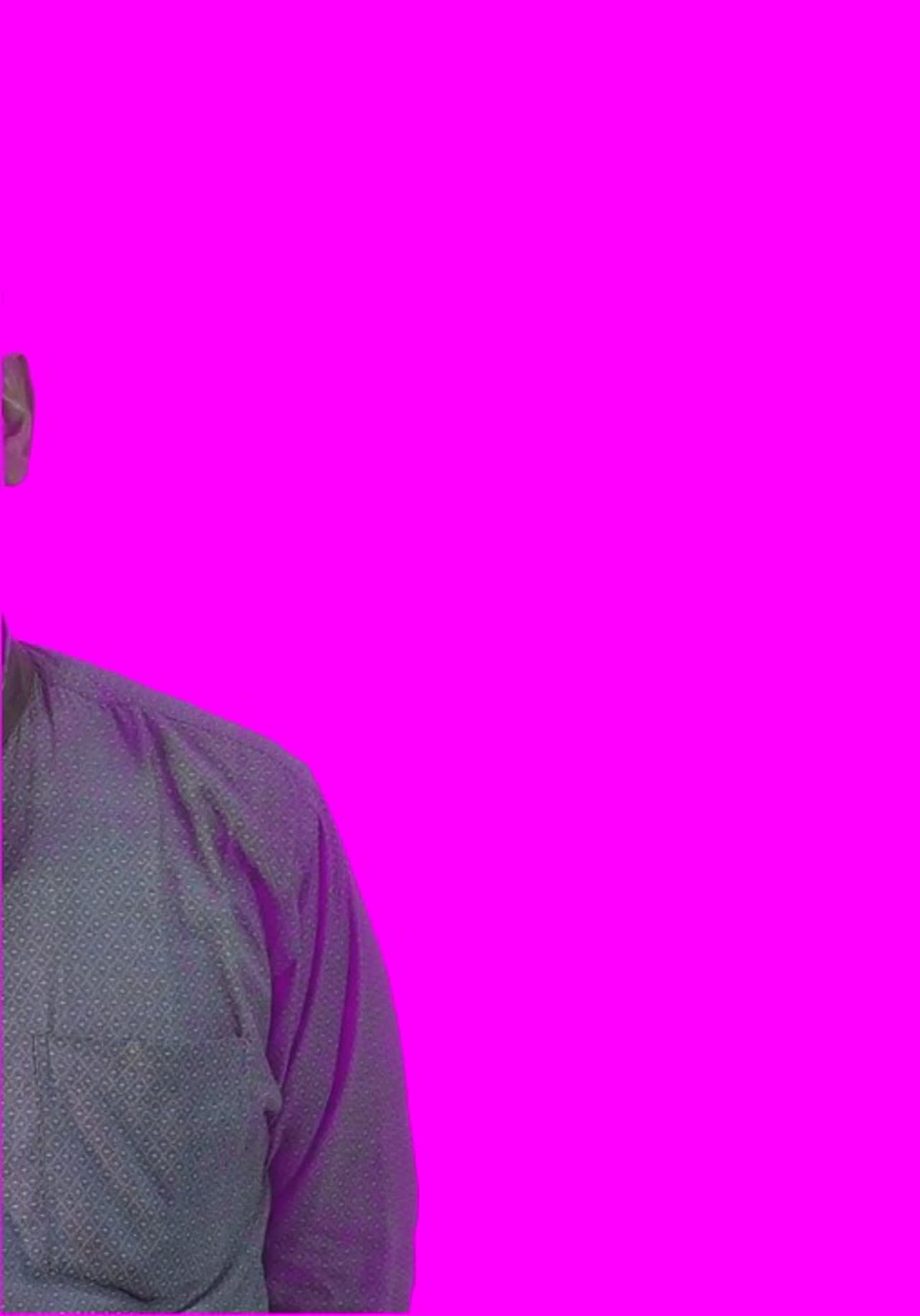
The keyed presenter over magenta, the test that exposes green fringing or holes at full resolution.
02

The measured key

The green removed, the presenter kept whole.

A key is three numbers: the backing colour, how far from it still counts as backing, and how soft the edge is. All three belong to the recording. The reach is the one that matters, and it is found by trial: the actual matte is formed at eight candidate values and scored for backing left behind and presenter lost. The proof is compositing the keyed presenter over saturated magenta at full resolution, where any leftover green or any hole in hair or shoulders is impossible to miss.

Anatomy
  • Key colour: median of backing pixels across 9 frames
  • Reach: the smallest of 8 tried values that clears the backing
  • Edge softness: 0.06 by default
  • Green spill neutralised at 50%
Rules
  • At most 0.05% of certain-backing pixels may survive
  • A wider reach may cost the presenter no more than 0.2%
  • Without a measured key the build stops rather than borrow another lecture's
The presenter cut out of his own recording, with the backing removed and the shadow side opened up.
03

The keyed presenter layer

The person, cut out, with the shadow side lifted.

Once keyed, the presenter is treated as one photographic layer shared by every layout: the same key, the same spill suppression and the same shadow lift, applied from one definition. If two layouts carried slightly different treatments, the presenter's complexion would change at every cut. The crop is taken from the presenter box measured across 48 frames of the whole lecture, at the 4th and 96th percentiles, so a wide gesture is kept and a few frames of key noise are not allowed to decide the framing.

Anatomy
  • One key-and-look definition for all layouts
  • Crop from the measured motion box, not one frame
  • Shadow lift 0.35 by default, adjustable per recording from 0 to 1
Rules
  • Every layout composites the identical presenter treatment
  • The crop is measured on the same footage it is applied to
The empty Presenter + Animated stage: two card wells with soft shadows, light pooled behind the presenter's side.
04

The Presenter + Animated stage

The plate behind the slide card and presenter card.

A single still, drawn once, that every Presenter + Animated frame is built on. The pool of light sits right of centre, behind the presenter's card, so the eye goes to the person. Both cards cast a soft shadow down and to the right, and the presenter's own card is painted a step lighter than the stage in the same hue, so he stands in a lit panel rather than a hole in the set.

Anatomy
  • Radial centred at (1500, 430), radius 1500 px
  • Core → mid → edge with a smoothstep ease
  • Card shadows: offset +6 / +16 px, 30 px radius, 28 px blur
  • Presenter card well: edge ×1.35, core ×1.18 of the stage colours
Rules
  • Colours come only from the template style's stage entry
  • Drawn once per lecture and reused for every frame
The slide card's mask: white is kept, black is stage.
05

The slide card mask

Rounded corners for the deck.

The animated deck is scaled into a 1310×736 card at (54, 168) and given 26-pixel rounded corners by this mask. The card keeps the deck's own 16:9 shape to within a pixel, so the slide is never stretched, and the rounded corner is what makes it read as a card on a set rather than a video in a box.

Anatomy
  • 1310×736 px
  • 26 px corner radius
  • Placed at x 54, y 168
Rules
  • The slide is scaled, never cropped, into its card
The presenter card's mask, the tall panel on the right of the stage.
06

The presenter card mask

Rounded corners for the presenter's panel.

The presenter is first laid onto his card, cut from the same stage the rest of the frame is drawn on, and only then is the finished card masked. The order matters: masking the keyed presenter directly replaced his transparency with the card shape and brought the green back as a flat colour. The presenter is scaled to cover the card and centre-cropped, keeping his feet and trimming headroom, so the panel is filled the way a framed camera shot fills it.

Anatomy
  • 498×736 px
  • 26 px corner radius
  • Placed at x 1387, y 168, 23 px right of the slide card
Rules
  • Presenter composited onto the card before the corners are applied
  • Scaled to cover, never letterboxed, inside the card
The Presenter Centred stage, with the pool of light where the presenter will stand.
07

The Presenter Centred stage

One pool of light, low and central.

The third framing puts the presenter in the middle of the ground with the captions across the bottom. It exists so that a cut away from an empty slide is not always the same shot. The light is a radial centred low at (960, 560) plus a very soft ellipse in the card colour, so the presenter appears to stand in light rather than be pasted on a gradient.

Anatomy
  • Radial centred at (960, 560), radius 1250 px
  • Soft ellipse from x 340 to 1580, y 210 to 1080, blurred 170 px
  • Presenter 960 px tall, head line on the frame centre
Rules
  • Head placed from the measured head line, not the middle of the crop
08

The painted caption plate

The same ground, drawn live behind the caption column.

Presenter + Captions is rendered frame by frame, so its ground is painted by the renderer rather than stored as a still: a radial centred at (1380, 470) with a 1500-pixel radius, with colour stops at 0, 0.5 and 1 in core, mid and edge. The caption column keeps the chapter's amber accent over it. Because both drawings read the same three numbers from the style, the cut between Presenter + Captions and Presenter + Animated shows no colour step.

Anatomy
  • Radial at (1380, 470), radius 1500 px
  • Stops: core at 0, mid at 0.5, edge at 1
  • Caption column text in #F2F5F9 with an #E8A03A accent
Rules
  • Painted and still grounds must use identical colours
09

The card ground

The stage behind the welcome and end-note cards.

The welcome and end-note cards stand on the same ground as the presenter, centred at (1430, 430) with a 1560-pixel radius, plus a light vignette that darkens the corners by 24%. No progress bar or clock is drawn over it: those belong to the lecture, and a title card is not part of its length.

Anatomy
  • Radial at (1430, 430), radius 1560 px
  • Vignette from 560 px to 1180 px radius, 24% at the edge
Rules
  • No lecture chrome on the cards
The earlier neutral grey backdrop, replaced by the style-coloured stage.
10

The retired grey studio backdrop

What the engine used before the stage.

The first version of this effect put the presenter on a neutral grey vertical gradient, #707376 at the top to #202224 at the bottom, inside a card on a violet stage. It read as a real studio wall, but it made every presenter layout a different place from the navy deck around it, and the grey panel next to a dark slide looked like an unfinished colour match. It was replaced by the single style-coloured stage so that presenter, deck and cards share one set.

Anatomy
  • Vertical gradient #707376 → #202224
  • Used on a violet #54517E stage
Rules
  • Superseded; kept here to explain the choice
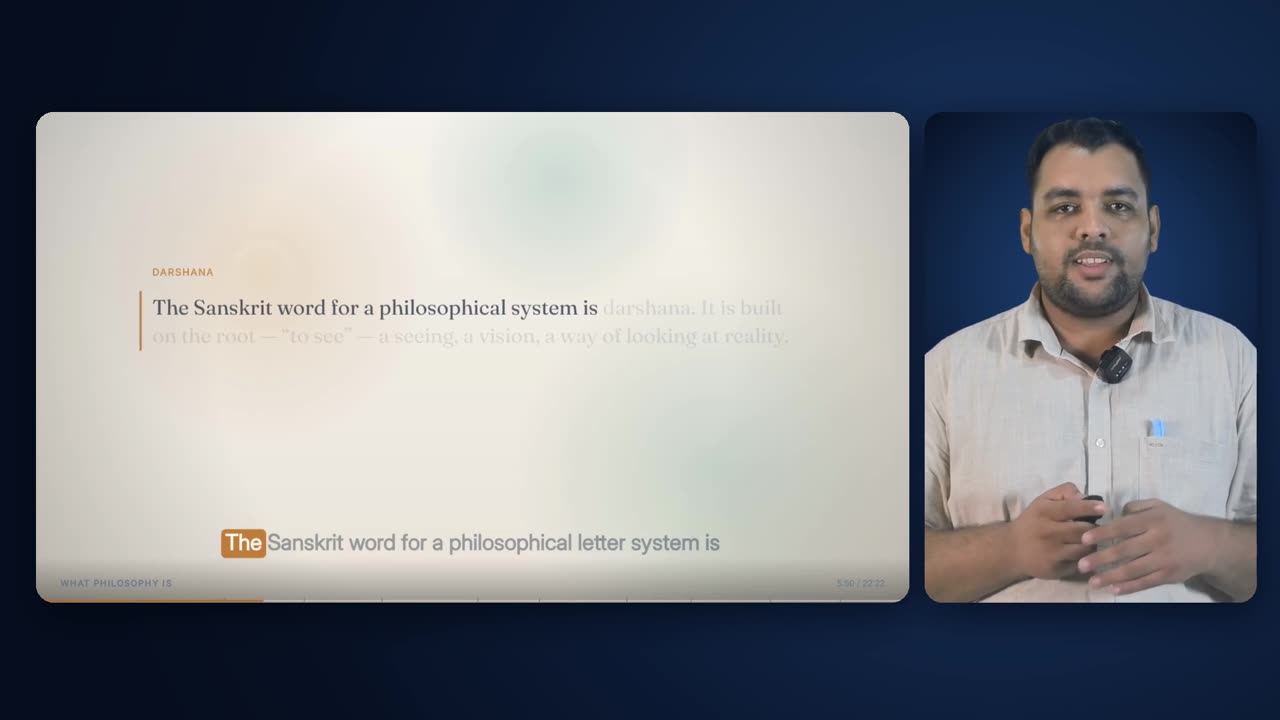
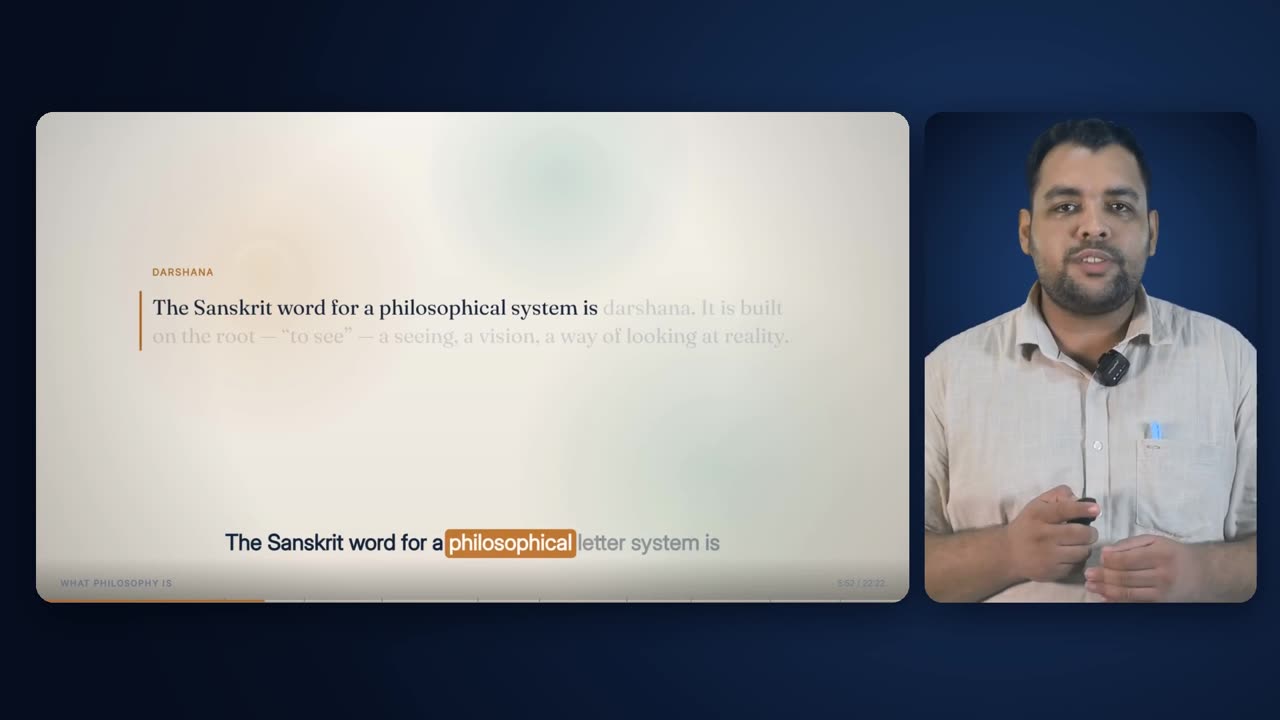
A finished Presenter + Animated frame from the lecture.
11

Presenter + Animated, delivered

The stage, the slide and the presenter together.

The finished frame: stage, slide card with its shadow, and the presenter filling his lit panel. The pool of light behind his card and the slightly lighter card well together keep a dark-suited presenter from sinking into a dark ground.

Anatomy
  • Slide 1310×736 at (54, 168)
  • Presenter 498×736 at (1387, 168)
  • 23 px gutter between cards
Rules
  • Presenter always on the right
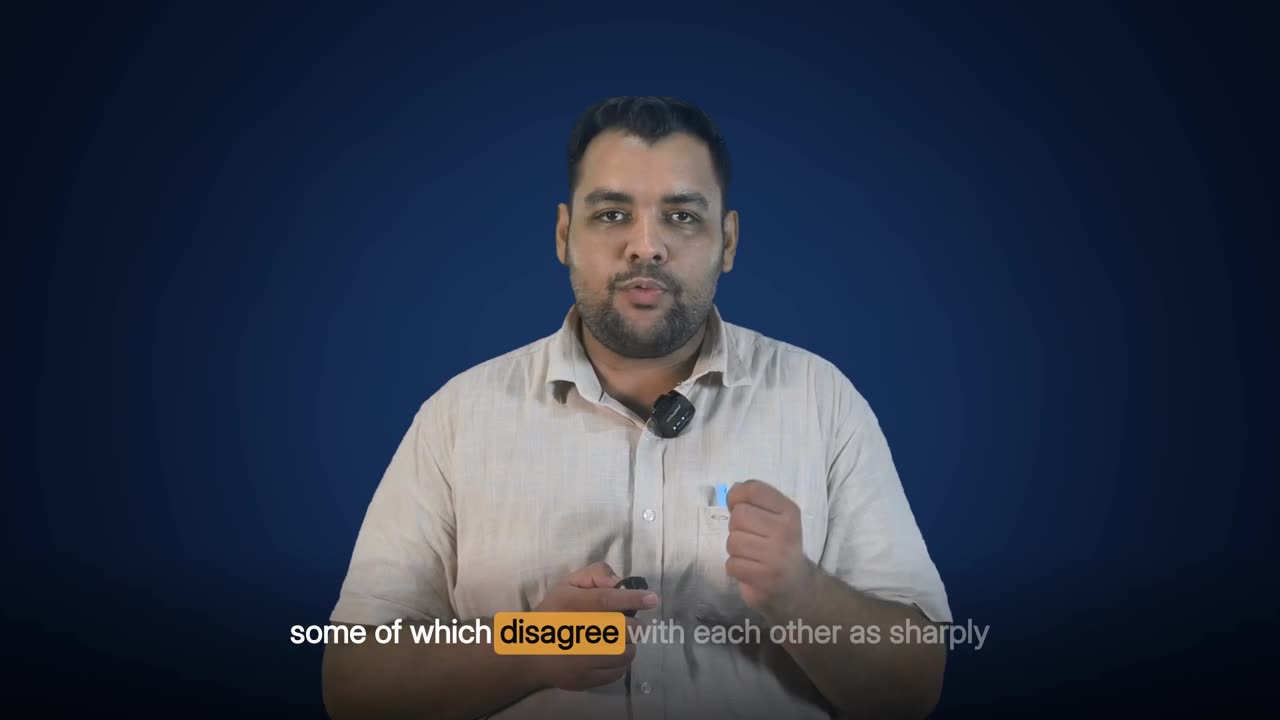
A finished Presenter Centred frame from the lecture.
12

Presenter Centred, delivered

The presenter in the middle of the set.

The finished Presenter Centred frame, with the captions across the bottom and the presenter standing in the pool of light. It is the same ground, the same presenter treatment and the same key as every other layout, which is why a cut into it reads as a new angle rather than a new place.

Anatomy
  • Presenter 960 px tall, head centred
  • Caption band across the bottom
Rules
  • Same presenter treatment as every other layout

Rules

The rules, and the reason for each.

Hard rules are checked by the engine and stop delivery if they fail. Guides steer the choice but can give way when the lecture needs it.

TypeRuleWhy
HardOne ground for every presenter layout and both framing cards.Cuts between layouts read as angles on one set, not as changes of location.
HardThe ground's colours come only from the template style's stage entry.A new institution's look is a new style entry, not a new build.
HardStill plates and live-painted frames use the same three colour values.They meet at every cut; a colour step there is the most visible fault in a film.
HardThe backing colour is measured from each recording.Two lectures from the same studio came in a full shade apart; carrying one key to the other eats a sleeve or leaves a halo, silently.
HardThe key's reach is tried on real mattes, not estimated.An estimated reach once took a presenter's hair with it, and nothing in the build noticed because the matte was well formed.
GuideThe smallest reach that clears the backing wins, with one rung of headroom only if it costs nothing.A wider reach never helps once the backing is gone; it can only start eating the presenter.
HardWithout a measured key the build stops.Keying one lecture with another's green fails quietly for 25 minutes.
HardEvery layout uses one shared key-and-look definition.A copy that drifts by one control point changes the presenter's complexion at a cut.
GuideThe shadow side is lifted, highlights are left exactly alone.Keeps the face's shape while stopping the dark side from reading as a hole against a dark card.
HardThe presenter's crop is measured across the whole lecture, at the 4th and 96th percentiles.A crop from one frame clips the head the moment the presenter steps; a percentile keeps real gestures and ignores key noise.
HardThe outer 5% of the frame is ignored when locating the presenter.The studio wall beyond the cloth keys as foreground and once widened the crop from 950 to 1,410 pixels.
HardIn Presenter + Animated the presenter is composited onto his card before its corners are masked.Masking the keyed layer directly replaced its transparency and brought the backing back as a flat wall.
GuideThe presenter fills his card (cover), keeping his feet and trimming headroom.A framed shot fills its panel; a figure floating in a box looks like a mistake.
HardThe presenter stands on the right in both side-by-side layouts.The eye lands on the same side whether the other half is the deck or the captions.
GuideIn Presenter Centred the head line, not the crop, is centred.A presenter who stands left of his own crop would otherwise sit off-centre.
HardEvery looped still is read at 30 fps.A still read at the default 25 fps makes the whole piece encode at 25 and slides every later piece out of sync with the audio.
GuideCard corners are 26 px, drawn as masks rather than in the filter graph.Consistent, antialiased corners at no per-frame cost.
GuideThe stage is not tinted to the slide or recoloured per chapter.The presenter is lit the same way in every layout.
GuideNo campus photograph or stock set is used behind the presenter.A photograph behind a keyed person reads as a composite; a soft ground reads as a set.

Settings

Every setting, with its value.

These are the values the engine runs with today. The name in small type is the setting as it appears in the engine, for anyone comparing notes with a producer.

SettingValueWhat it does
Stage coloursstageScholar #060D1E / #0C1B36 / #173058Edge, mid and core of the radial ground, per template style.
Card corner radiusR26 pxRounded corners of the slide and presenter cards.
Slide cardPA_SLIDE1310×736 at (54, 168)Where the deck sits in Presenter + Animated.
Presenter cardPA_PRES498×736 at (1387, 168)Where the presenter sits in Presenter + Animated.
Presenter card brightnessedge ×1.35, core ×1.18How much lighter the presenter's panel is than the stage behind it.
Presenter + Animated light poolcentre (1500, 430), radius 1500 pxWhere the stage is lightest.
Presenter Centred light poolcentre (960, 560), radius 1250 px, plus a 170 px-blurred ellipseThe pool the centred presenter stands in.
Presenter height, Presenter + CaptionsPC_PRES_H1004 pxVery nearly full frame height, standing on the right.
Presenter height, Presenter CentredPCC_PRES_H960 pxHead centred on the frame.
Key frames sampledN9, from 5% to 95% of the takeFrames used to measure the backing colour and test the reach.
Reach ladderLADDER0.06, 0.08, 0.10, 0.12, 0.14, 0.17, 0.20, 0.24The candidate reaches tried on real mattes.
Backing allowed to surviveRESIDUE_OK0.05%Share of certain-backing pixels that may remain for a reach to count as clean.
Presenter a wider reach may costKEEP_DROP0.2%How much of the certain presenter a reach may lose before it is rejected.
Edge softnessBLEND0.06The key's soft edge.
Spill suppression50%Green spill on hair and shoulders neutralised at half strength.
Shadow liftshadow_lift0.35 (range 0 to 1)How far the presenter's shadow side is opened up; zero switches the grade off. Can be set per recording.
Presenter box samplingN / EDGE_GUARD48 frames / 5%Frames measured to find the presenter's range of motion, and the frame edge set aside as studio wall.
Crop percentiles4th and 96thKeeps frequent gestures, ignores rare key noise.
Frame and rateW, H, FPS1920×1080, 30 fpsEvery plate and composite is built at this size and rate.

Checks

What is verified before it ships.

The key clears the backing

At most 0.05% of certain-backing pixels may survive the chosen reach, measured on real mattes.

The key keeps the presenter

The share of the certain presenter kept is recorded with the key and re-checked by the delivery guard.

The key was measured on the footage it keys

The delivery guard confirms the key and the crop were both measured on the same cleaned recording the film is built from.

Magenta test

The keyed presenter is composited over magenta at full resolution and inspected at the hairline and shoulders.

Every piece matches what it was drawn from

Each assembled piece records a fingerprint of its footage, key, crop and look; a piece whose inputs have changed since is rebuilt, never reused.

Every piece is the right length

Frame counts are checked against the plan within 2 frames before anything is joined, which catches a still read at the wrong frame rate.

Frames across the whole runtime

Frames from the start, middle and end are pulled to confirm the presenter is inside his card throughout.

Worked example

In a real lecture

The Indian philosophy lecture was recorded against a bright green backing measured at #4CF075 (red 76, green 240, blue 117), with the cloth varying by about 12.7% across the take, measured over 9 frames.

This lecture is also the reason the reach is now tried rather than inferred. The earlier automatic calibration picked a reach of 0.22 with an edge of 0.06, which left large parts of the presenter semi-transparent once composited: his shirt at an alpha of about 11 out of 255 and his face at 70 to 90. It was corrected after measuring the alpha directly against the raw footage, to a reach of 0.14 and an edge of 0.04, and the keyer was rebuilt to score real mattes so the same failure cannot recur.

His measured motion box is 1062×992 pixels starting at (461, 87), with a tighter 998-pixel-wide box for the card crop and his head centred at x 975. In Presenter + Animated he is scaled to cover the 498×736 card, which puts him at about 740 pixels wide before the centre crop. In Presenter + Captions he stands 1004 pixels tall at the right edge; in Presenter Centred he is 960 pixels tall with his head line on the frame centre.

The lecture's 45 layout runs put him on this stage in 21 of them: 8 in Presenter + Captions, 8 in Presenter Centred and 5 in Presenter + Animated, all on the Scholar navy ground.

#4CF075Backing
0.14 / 0.04Reach / edge used
0.22 / 0.06Auto value that failed
1062×992 at (461, 87)Presenter box
21 of 45Presenter layout runs
ScholarStyle

Limits

What it deliberately does not do.

  • It needs a green-screen recording; a lecture filmed against a real wall has no matte, and the engine does not cut a person out of an ordinary room.
  • It cannot restore detail the camera never captured: a presenter lit very flat or very dark is lifted gently, not relit.
  • It does not use campus photography, department imagery or a custom 3D set behind the presenter; the ground is the style's stage colour.
  • It does not change the stage colour per chapter or per slide.
  • It will not guess a key when none has been measured; the build stops instead.
  • Fine flyaway hair against a badly creased or unevenly lit backing may still soften slightly at the edge; the key favours keeping the person over removing the last trace of backing.

Works with

How it meets the other effects.

Questions

What educators ask about it.

Can we use a photograph of our campus behind the presenter?

Not in the current engine. A keyed person over a photograph reads as a composite; the soft stage reads as a set, and it matches the deck and cards. Your colours can be carried in a template style entry instead.

Can the background be in our university colours?

Yes. The stage is three colours in the template style, and a new institution's style is a new entry, not a new build.

We did not record on green. Can you still do this?

No. The effect needs the backing to key against. Without it the lecture can still use the full animated layout, cutaways and captions.

Why does the presenter look slightly brighter than in the raw video?

The shadow side is gently lifted, by default 0.35 on a 0-to-1 scale, because a face lit for a green screen looks flatter and darker once it is on a dark card. Highlights are not touched, and the lift can be changed or switched off per recording.

What happens if the presenter walks around?

The crop is measured across 48 frames of the whole lecture, not from one frame, so the presenter's full range of movement is inside it.

All effects

Every effect has a page like this one.

See this effect on your own lecture.

Send a recording and we'll run it through the pipeline as a pilot — one free sample per institution.