Engine/Effects/Pre-Processing

Video Cleanup

Video Cleanup turns an unedited take into a clean, continuous lecture and a timeline every later effect can trust. It transcribes the recording to the word, removes what was said for the camera rather than the student, brings dead air down to a natural half-second pause, and measures the frame: where the presenter stands, how far they move and where their head sits.

Normalise · transcribe · cut · survey the frame

The finished effect

What it looks like when it is done.

The cleanup pass on a real recording: dead air and over-long pauses taken out on phrase boundaries, the breath before each sentence kept, so the lecture tightens without sounding cut.

12 s · 1920 × 1080 · with sound

Overview

What it is, and why it exists.

A recorded lecture arrives as one long file. Some of what is in it is not teaching: seconds of dead air before the first word, a slide heading read aloud from the script, a question to whoever is running the camera, a restarted sentence, a pause while the lecturer finds their place. None of it is addressed to the learner, and all of it would otherwise be timed, captioned and animated along with everything else.

Video Cleanup is a subtractive, corrective pass. It removes spans that do not belong and corrects technical faults in how the picture was recorded. It never rewrites or reorders what the speaker said. It adds no graphics or captions, and it does not touch sound quality, which is Studio Sound's job. Cutting comes first because every later effect is timed against the cut: remove one second after the captions exist and every caption, cue, cutaway and sync point after it moves.

It is also where the engine surveys the frame. The presenter's full range of motion is measured across the whole lecture: the widest box that holds every gesture, a tighter box for the small panel, and the horizontal line through the centre of the head. Every presenter layout, the title-card portrait and the keyed composites read these measurements, so none of them has to guess where the person is.

What it hands on is a cut picture, a cut voice track, a word-level transcript renumbered to the new, shorter timeline, and a plan that records every stretch kept and every span removed, with the reason. Studio Sound runs next, on the cut voice track, never on the raw recording.

longer than 1.20 sDead air threshold
0.50 sPause kept after a trim
50 ms each sidePad around a cut word
20 msFade at every join
0.45 sKept before the first word
1.00 sKept after the last word
48 across the whole takeFrames sampled for the presenter survey
within 2 frames, or the build stopsCut picture vs cut sound

What cleanup took out of one real recording

The raw recording ran 22:41.7; cleanup kept 22:23.3. 8 spans came out — 18.3 s in all: the dead air before the first word and after the last, and six pauses longer than 1.2 s, each trimmed to half a second rather than removed. Hover a mark for its reason.

0:002:004:006:008:0010:0012:0014:0016:0018:0020:0022:00
KeptRemoved

How it is made

Step by step, in the order the engine runs it.

Normalise the master

The camera file is converted once into a working master: 1920×1080, square pixels, a constant 30 frames a second (the studio cameras record 59.94 fps with uncompressed audio, which nothing downstream wants), high-quality video and 192 kbit/s audio. It is written under a temporary name and moved into place only when complete. On every later run its length is compared with the original, and if they differ by 2 seconds or more it is treated as truncated and made again. A half-written file that looks finished has caused real faults before.

Transcribe to the word

A 16 kHz mono copy of the sound goes through speech recognition in chunks of about 24 seconds. Each chunk boundary is placed on a real pause where one exists: a silence of at least 0.28 s below −28 dB, chosen between 12 and 32 seconds after the previous boundary. Where no such pause exists the boundary falls at the 24-second mark. Word pieces are joined into words, each word gets a start and an end time, and no word is allowed to overlap the next or last less than 60 ms. Every decision after this point is read from the transcript and its timestamps, not by ear.

Find the talk that is not the lecture

An automatic pass reads the transcript for speech that is not the lecture. It splits the speech into islands, meaning runs of words bounded by at least 1.10 s of silence, and scores any island of 14 words or fewer. Recording talk such as 'are we rolling', 'can you hear me' or 'let me take that again' scores 3. Words about the recording addressed to someone in the room score 2. An island standing outside the first or last line across a pause of 2 s or more scores 2, and one simply inside the first or last 25 s scores 1. A short question of 6 words or fewer on its own scores 1. An island is cut at a score of 3. Slide headings read from the script ('slide two', 'next slide', 'slide three of nine') are matched wherever they occur, even mid-sentence, along with the short verbless title lines around them.

Add the cuts that need judgement

Retakes, false starts and stutters are correct English in the middle of correct English, and only the meaning shows that they are a second attempt. The engine does not detect them automatically. They come from a hand-written cut list, prepared by a person reading the transcript or by the script-repair pass. Each entry names the first and last word index, a category and the quoted words. The build refuses a cut list that points at words outside the transcript.

Plan the cut

Every word-level cut is widened by 50 ms either side so a plosive or a breath next to it is not sliced. The head is trimmed to 0.45 s before the first surviving word and the tail to 1.00 s after the last. Both are measured from the words that survive, so a mic check before the first sentence takes its surrounding silence with it. Any pause between surviving words longer than 1.20 s is cut from its middle down to 0.50 s. Overlapping removals are merged, and the stretches left between them become the kept segments: the master timeline.

Renumber the words

Every surviving word is moved onto the new, shorter timeline by subtracting everything removed before it. A word squeezed to nothing gets 60 ms, and overlaps are clamped to the next word's start. This renumbered transcript is what captions, the animated deck, the cutaway planner and the bookends all read. After spelling repairs from the lecturer's own script, it is grouped into caption phrases: up to 9 words for the band, 6 for the column, broken at punctuation, at any gap over 0.42 s, or at 3.6 s of running phrase.

Cut the sound, sample-exact

The voice track is cut in one pass directly from the plan, with a 20 ms fade in and out at every join so no cut clicks. It comes out as mono, 48 kHz, 16-bit, and it is the only input Studio Sound ever sees.

Cut the picture, segment by segment

The picture is cut one kept segment at a time and the segments are joined afterwards, because a single edit across 25 minutes of 1080p is slow and will be killed for memory. Each segment is found with a two-stage seek: a coarse jump to 4 seconds before the cut, then an exact seek from there. It is ended by frame count rather than duration, so rounding cannot build up across segments. Each segment is then measured. One that misses its length by more than 1.5 frames stops the build. Each segment is stamped with the start and end it was cut from and reused on a later run only if the plan still asks for exactly that. Segments from an older, longer plan are moved aside, not joined.

Measure the backing and the presenter

On the cut picture, the green backing's real colour is measured across 9 frames and the key's reach is chosen by trying it. The presenter survey then keys 48 frames spread across the whole lecture with that same key, ignores the outer twentieth of the frame on each side, and keeps the person rather than the scenery. It records a wide box that holds every gesture, a tight box for the small panel, and the median centre of the head. These measurements are written once and read by every presenter layout.

Check the relationships before anything is built on them

The last step of ingest is the job doctor. It checks that the cut sound matches the plan's length, that the cut picture matches the cut sound to within 2 frames, and that every segment is stamped with the current plan. It also checks that the key and the presenter survey were both measured on the cut footage they will be used on. A failure stops the job before any deck, plan or render is made against a timeline that is wrong.

Elements

Everything this effect puts on screen, one piece at a time.

Each element below is shown as the engine actually produced it, in the real lecture, with its parts, and the rules that govern it.

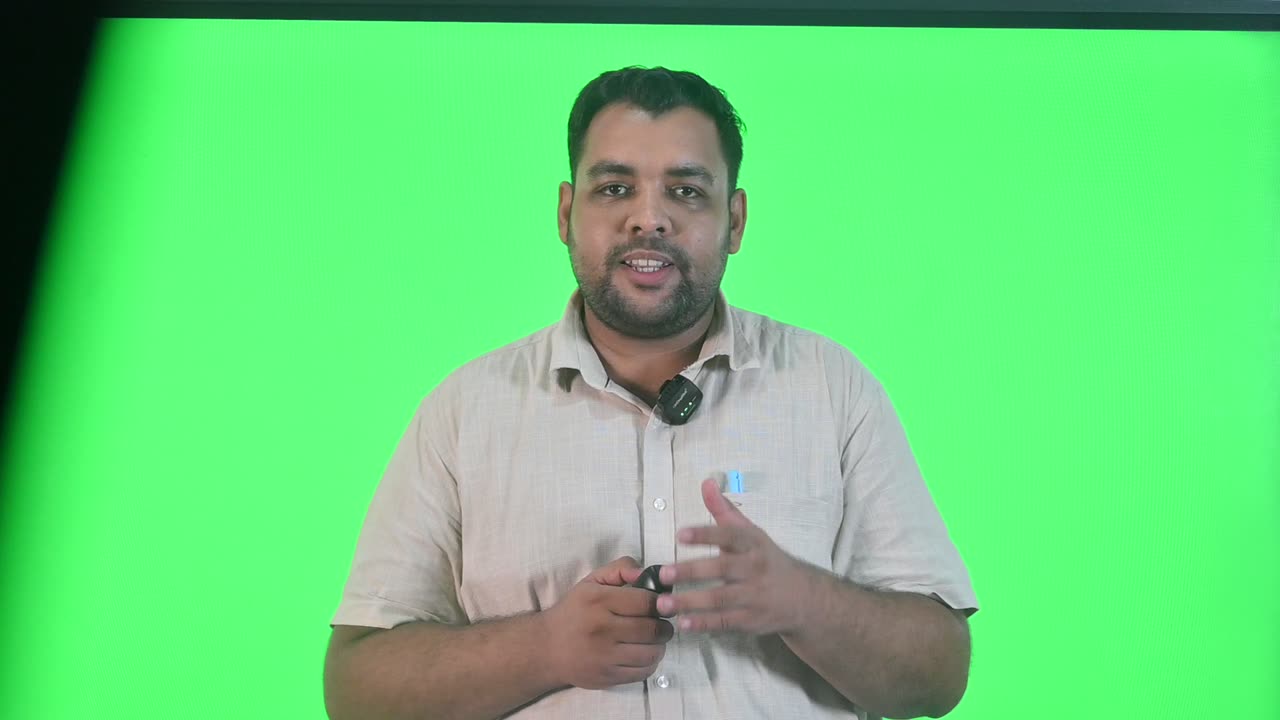
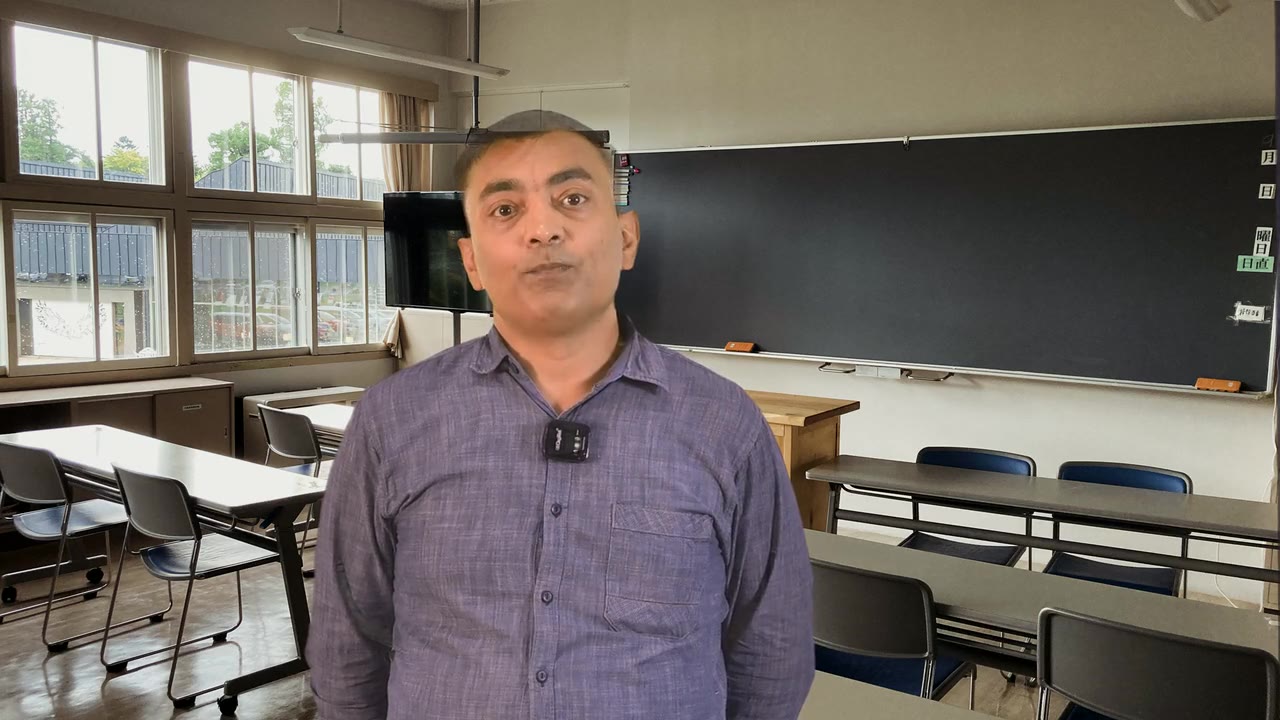
A frame from the working master at 6:40, before cleanup: the presenter against the green backing, exactly as the camera recorded him.
01

Working master

The recording, normalised once so every later step can be exact.

The file the camera wrote is not the file anything is built from. It is converted once into a working master: 1920×1080 with square pixels, a constant 30 frames a second on a fixed time base, high-quality video and AAC audio. A constant frame rate matters because every frame-exact operation later on assumes it, and the studio's cameras record 59.94 fps with uncompressed audio. The master is written under a scratch name and moved into place only once it is complete. On later runs it is re-measured against the original, so a truncated master is never mistaken for a finished one.

Anatomy
  • 1920×1080, pixel aspect 1:1
  • Constant 30 fps, 30000-tick time base
  • Video: high-quality setting (CRF 18), 4:2:0
  • Audio: AAC at 192 kbit/s
  • Written as a partial file, renamed only on completion
Rules
  • Remade if its length differs from the original by 2 s or more
  • Never trimmed, graded or sharpened at this stage: it is the source of truth for timing
02

Word-level transcript

Every word with its start and end time, the basis for every cut.

Speech recognition runs on a 16 kHz mono copy of the sound, in chunks of about 24 seconds. Where it can, each chunk ends on a real pause, because recognition makes its worst mistakes at chunk boundaries and a word split across two chunks can come back as a stutter that never happened. Word pieces are joined into words. Each word ends 0.24 s after its last piece unless the next word starts sooner, and no word lasts less than 60 ms. This raw transcript never reaches the screen. It is the evidence the cut is planned from.

Anatomy
  • Chunk target 24 s; boundary chosen 12–32 s after the last one
  • Pause detection: at least 0.28 s below −28 dB
  • Word end = last piece + 0.24 s, clamped to the next word's start
  • Minimum word length 60 ms
Rules
  • Every removal is cut on word boundaries from this transcript, never by ear
  • A stretch with no words is investigated before it is treated as silence: a chunk that failed to decode looks exactly like a pause
03

Off-lecture detector

Finds speech addressed to the crew or read off the script, and marks it for the cut.

Keywords alone lose real content. 'Are you sure?' is studio talk after the last line of a take, and ordinary rhetoric in the middle of an argument. So the detector judges where a phrase sits as well as what it says. Its unit is the island: a run of speech bounded by at least 1.10 s of silence. Only islands of 14 words or fewer are considered, and an island is cut only at a score of 3 or more. The script's own headings are a separate case. A presenter reading from a document says 'Slide five' mid-sentence with no pause around it, and that shape, the word 'slide' followed by a number, never appears in teaching.

Anatomy
  • Island gap GAP = 1.10 s; longest island considered MAX_WORDS = 14
  • Recording talk (for example 'are we rolling', 'mic check', 'take two', 'that's a wrap'): +3
  • About the recording AND addressed to the room: +2
  • First or last island standing off the lecture across a pause of 2.00 s or more: +2; otherwise inside the first or last 25 s: +1
  • A short question of 6 words or fewer: +1
  • Cut at a score of 3 (SCORE_CUT)
Rules
  • 'Slide' on its own is left alone; only 'slide' plus a number, 'slide N of M' or 'next slide' is a heading
  • The first heading also takes the title read just before it, if that heading falls within the first 12 words and the first 25 s
  • Up to 2 following title lines of 14 words or fewer are taken, and only if they contain no finite verb ('is', 'was', 'think', 'let's' and similar), because a line that asserts something is narration
  • The opening heading never absorbs what follows it, so 'Welcome back to…' is never swallowed
04

Judgement cut list

Retakes, false starts and stutters, which only meaning can identify.

A retake is a correct sentence followed by the same correct sentence, and nothing in the timing gives it away. The engine does not guess. Retakes, false starts and doubled words are listed by a person reading the transcript, or by the pass that aligns the transcript to the lecturer's script, as ranges of word indices with a category and the quoted words. Only the final clean attempt stays, and earlier attempts are removed in full rather than trimmed. Where a second, narrower decode suggests the 'retake' was a recognition error at a chunk boundary, or it is simply unclear, the span is left in and flagged.

Anatomy
  • Each entry: first word, last word, category (retake or filler/stutter), the quoted words
  • Read alongside the automatic off-lecture list; a person can add to or override it
Rules
  • A cut list that refers to a word outside the transcript stops the build
  • Every word cut must leave the rest intact, and at least one word must survive
  • Fillers are trimmed lightly, never chased to zero: an occasional 'um' is less noticeable than a jump-cut stutter
  • Cuts closer together than about one per 1.5 s of remaining speech mean the stretch needs a human re-record, not more cutting
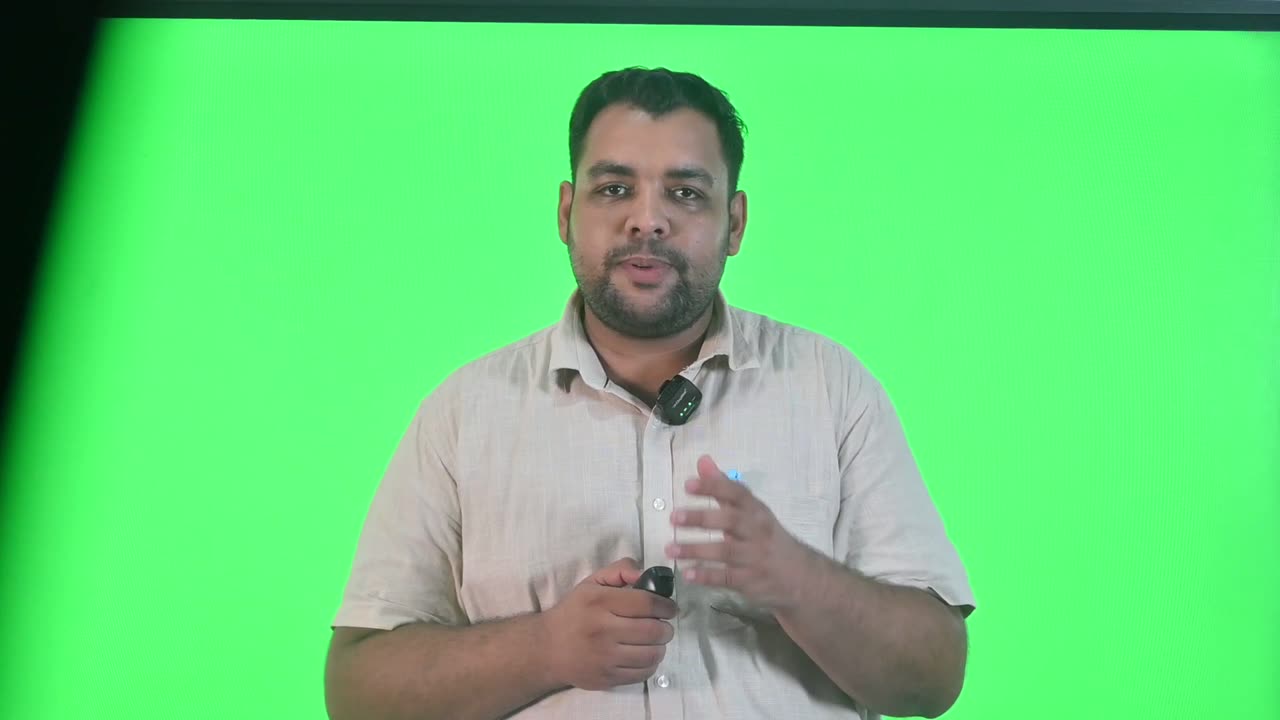
The first 6 seconds of the raw recording: about 3 seconds of dead air before 'Hello, and a very warm welcome'.
05

Lead-in trim

Removes the dead air before the first word.

Recordings start before the lecturer does. The camera is rolling, the presenter settles and takes a breath, and the first word arrives a few seconds in. Cleanup keeps 0.45 s before the first surviving word, enough that the opening does not sound clipped, and removes everything before it. The first surviving word is used rather than the first word heard, so a mic check or slate before the lecture proper is taken out with the silence around it, rather than leaving that silence behind at the start of the lecture.

Anatomy
  • HEAD_KEEP = 0.45 s kept before the first surviving word
  • Applied only if more than 0.05 s would be removed
Rules
  • Measured from the surviving words, not the raw transcript
The same opening after cleanup: the lecture starts on its first word, with a natural beat before it.
06

Clean opening

The lecture now starts on its first word.

After the trim the lecture opens 0.45 s before its first word, and the rest of the film is built around that opening. Within the first seconds, the presenter-only opening, the welcome bookend before it and the caption timing all line up against this point. In this lecture 'Hello,' now begins at 0.45 s on the cleaned timeline, where it was at 3.44 s in the raw take.

Anatomy
  • First word at 0.45 s on the cleaned timeline
  • Audio fades in over 20 ms at the join
Rules
  • Nothing is added at the head: no slate, no fade-from-black. The bookends are a separate effect
The raw recording across a 2.00-second pause at 16:15.
07

Pause trim

Brings dead air down to a natural pause without removing the breath.

A pause under 1.2 seconds is a breath or a moment of emphasis, not a fault. Removing it is what makes over-edited narration sound rushed and synthetic. Only a pause longer than 1.20 s is trimmed, and only down to 0.50 s, not to zero, so the join sounds like someone pausing rather than a splice. The removed stretch is taken from the middle of the gap, so the end of one word and the start of the next keep their natural decay and onset.

Anatomy
  • SIL_THRESH = 1.20 s: anything longer is dead air
  • SIL_KEEP = 0.50 s: what remains after the trim
  • The excess is removed from the centre of the gap
Rules
  • A pause that touches a word-level cut is not trimmed again, because doubly tightened gaps are where a cut starts to sound amputated
  • Pauses at or under 1.20 s are never touched
The same moment after cleanup: the 2.00-second pause is now 0.50 s, and the join cannot be heard.
08

The join

A cut that should not be heard or noticed.

Every kept segment fades in and out over 20 ms: long enough to prevent a click, too short to hear as a fade. The picture cuts hard at the same instant. On a talking-head recording, a small jump in pose across a join is expected and acceptable at this stage. In the finished film most joins are also covered by a change of layout or a cutaway. A cut that lands mid-blink or at the far point of a gesture is noted so a later pass can nudge it by a frame.

Anatomy
  • FADE = 0.020 s at both sides of every join
  • Picture: hard cut at the same timestamp as the sound
Rules
  • No cross-dissolves or morph cuts. This pass fixes content and timing, not visual smoothing
09

Tail trim

Ends the lecture one second after its last word.

After the last line, recordings run on. The presenter holds, someone off camera speaks, and the camera is reached for. Cleanup keeps 1.00 s after the last surviving word, a slightly longer beat than at the head so the final sentence can land, and removes the rest. Like the head, it is measured from the words that survive, so an aside after the last line leaves with its silence.

Anatomy
  • TAIL_KEEP = 1.00 s after the last surviving word
  • Applied only if more than 0.05 s would be removed
Rules
  • The source's true length is read from the recording itself, never assumed. A hard-coded length once produced a wrong tail on every other lecture
10

Cleanup plan (the master timeline)

The kept stretches: the one timeline everything else is cut against.

The plan lists the stretches kept, the spans removed with their category and words, and the source and cleaned durations. It is measured from the recording and written by the engine, never edited by hand: to change it, re-run the stage. Everything downstream relates back to it. The cut picture and cut sound are checked against it, each picture segment is stamped with the stretch it came from, and the finished film's sound is traced back through it.

Anatomy
  • Kept stretches as start and end pairs, in source seconds
  • Removals: start, end, category (dead air, heading, off-lecture, retake, filler) and the words or pause length
  • Source duration and cleaned duration
Rules
  • Kept stretches shorter than 20 ms are dropped
  • Overlapping removals are merged into one span, with both reasons recorded
11

Clean word timeline

The surviving words, renumbered to the cleaned timeline.

The transcript every later effect reads, shifted so that each surviving word sits where it now falls in the cleaned lecture. Captions highlight against it, animated elements are anchored to its phrases, cutaway windows start and end on its phrase boundaries, and the objectives and takeaways are matched to its words. Spelling repairs from the lecturer's own script replace one word with one word and never re-time anything, so nothing downstream has to re-align.

Anatomy
  • One entry per surviving word: text, start, end (seconds on the cleaned timeline)
  • Caption phrases derived from it: 9 words maximum for the band, 6 for the column, break on punctuation, on a gap over 0.42 s, or at 3.6 s
Rules
  • No downstream effect re-transcribes the lecture; they all read this timeline
  • A repair may reach at most 6 words, change the word count by at most 1, and needs 2 matching words either side
12

Cut voice track

The lecture's sound, cut to the plan, ready for Studio Sound.

The sound is cut in a single sample-exact pass from the plan, with the 20 ms fades at every join, and written as mono at 48 kHz. It is deliberately left as recorded: no noise reduction, no EQ, no levelling. Studio Sound profiles the room from this exact track, and a profile taken before the cuts would describe material that is about to be thrown away. The speech envelope that drives the animated lecture's motion is also read from this track, at 30 values a second.

Anatomy
  • Mono, 48 kHz, 16-bit
  • Length equals the sum of the kept stretches, within 0.05 s
Rules
  • Sound quality is never changed here
The same moment in the cleaned master: cleanup changes timing, not the look. No sharpening, contrast or grade has been added.
13

Cleaned presenter master

The picture, cut segment by segment and joined without drift.

The picture is cut one kept stretch at a time. Each segment is seeked in two stages, ended by frame count, measured on disk and stamped with the stretch it was cut from. The segments are then joined without re-encoding. The result keeps the resolution of the working master and runs at 59.94 frames a second, exactly double the 30 fps source, so segment boundaries land on exact frames. The key, the presenter survey, the portrait and every presenter layout use this file.

Anatomy
  • 1920×1080, 60000/1001 fps, high quality (CRF 19), 4:2:0
  • Audio in each segment: AAC 160 kbit/s, 48 kHz, stereo, 20 ms fades
  • Two-stage seek: coarse to 4.0 s before the cut (PREROLL), then exact
  • Each segment carries a stamp of its start, end, frame count and measured length
Rules
  • A segment more than 1.5 frames from its intended length stops the build (TOL)
  • The joined picture must agree with the cut sound to within 1.5 frames per segment
  • A stale or unstamped segment is re-cut, never reused
  • Leftover segments from an older plan are moved aside, not joined or deleted
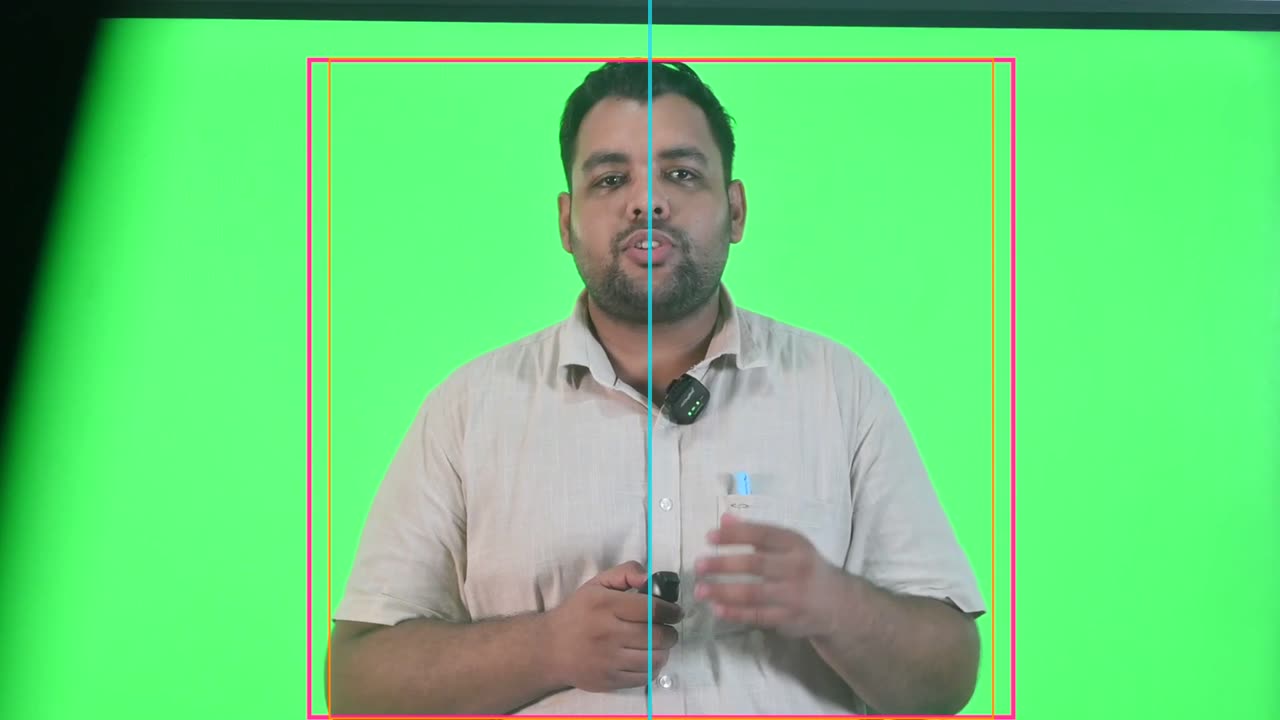
The frame survey drawn over the cleaned master: the motion box in pink, the tight box in orange, and the head-centre line in cyan.
14

Presenter motion box

The widest box that holds every gesture across the whole lecture.

A crop taken from one frame fits that frame. The survey keys 48 frames spread evenly across the lecture, using the same key every layout uses. It sets aside the outer twentieth of the frame, where the edge of the studio wall keys as foreground, and keeps the main shape plus any piece whose columns overlap it. That way a head separated from the body by a collar shadow is still the same person, and a stand off to one side is not. Each edge is then read at a near-extreme percentile across the 48 frames, so a gesture that recurs survives and a few frames of key noise do not.

Anatomy
  • N = 48 frames, sampled at quarter resolution
  • EDGE_GUARD = 0.05: outer 5% of columns ignored on each side
  • Pixel counts as presenter at alpha above 40 of 255
  • Sides at the 4th and 96th percentile, top at the 5th, bottom at the 98th
  • HEADROOM = 0.06 of the box height added above; 1.2% of frame width padded each side
  • Dimensions rounded to even numbers for the encoder
Rules
  • No survey without the lecture's own measured key: the build stops rather than borrow another lecture's
  • At least 4 frames must show the presenter, or the survey fails
  • Measured on the cleaned master, which the job doctor checks
15

Tight box

A narrower crop for the small presenter panel.

The wide box reserves room for the widest reach, which is right when the presenter fills a panel alone. Beside a slide, in the small card of Presenter + Animated, all that reserved air makes the person smaller still. So a second box is measured with its sides at the 15th and 85th percentiles. It gives up the extreme of a reach in exchange for about a third more height on screen. Its top and bottom are the same as the wide box's.

Anatomy
  • Sides at the 15th and 85th percentile, plus the same 1.2% pad
  • Top and bottom shared with the motion box
Rules
  • Used only by the small-panel layout; full-panel layouts always use the wide box
16

Head centre

Where the face actually is, as distinct from the middle of the gestures.

The motion box is centred on the union of the presenter's gestures, which is not where their face is. A presenter who gestures more with one hand has a box that leans that way, and centring the box puts the arms in the middle of the frame and the face off to one side. So on every second sampled frame, the survey takes the top third of the presenter's shape and finds its horizontal centre of mass. The median of those readings is the head centre.

Anatomy
  • 24 of the 48 frames used
  • Top third of the keyed shape; weighted column centre
  • Median across frames
Rules
  • Presenter Centred aligns this line with the centre of the frame
  • The title-card portrait is cropped around this line
17

Backing colour and key reach

The real colour of this lecture's green, and how far the key may reach from it.

A chroma key comes down to three numbers: colour, reach and edge softness. All three belong to the recording. Two lectures from the same studio came in a full shade apart. The colour is measured as the median of strongly green pixels across 9 frames spread through the take. The reach is found by trial: for each value on a ladder from 0.06 to 0.24, the actual matte is formed and scored on how much certain backing remains and how much of the certain presenter survives. The smallest reach that clears the backing without costing any of the presenter wins, plus one free rung of headroom.

Anatomy
  • 9 frames, from 5% to 95% of the take
  • Reach ladder: 0.06, 0.08, 0.10, 0.12, 0.14, 0.17, 0.20, 0.24
  • Backing clear when 0.05% or less remains (RESIDUE_OK)
  • A wider reach may cost at most 0.2% of the presenter (KEEP_DROP)
  • Default edge softness BLEND = 0.06; green spill neutralised at 50%
Rules
  • The key is always measured on the cleaned master it will key
  • Must clear the backing to within 0.1% and keep at least 98% of the presenter, or the job doctor fails the job
18

Picture correction (presenter look)

One gentle tone curve that opens the shadow side, shared by every shot of the presenter.

Picture correction here means correct, not graded. The rule is to measure before correcting and to skip anything the measurement says is unnecessary. The camera's levels, colour and exposure are carried through untouched, as they were in this lecture. The one correction every studio recording needs is on the presenter. The recordings are lit from one side with no fill. The far cheek and the hair come back two or three stops darker, which reads as modelling against a bright green and as a hole once the presenter is cut out onto a dark card. So one curve lifts the bottom of the range, lifts the quarter-tones about twice as far, returns to the diagonal by the three-quarter tone and leaves highlights alone.

Anatomy
  • One number, the shadow lift, from 0 to 1; default 0.35
  • Curve at 0.35: black 0 → 0.039, 0.20 → 0.277, 0.45 → 0.503, 0.70 → 0.721, white unchanged
  • Applied after the key and spill removal, in the same filter string for every layout
  • The title portrait uses the same curve, plus a 1.10 exposure lift against its dark card
Rules
  • No sharpening, no contrast 'for punch', no stylistic grade: style belongs to the effects downstream
  • Set per recording, never per layout, so the presenter never changes complexion at a cut
  • Zero switches the curve off entirely

Rules

The rules, and the reason for each.

Hard rules are checked by the engine and stop delivery if they fail. Guides steer the choice but can give way when the lecture needs it.

TypeRuleWhy
HardCleanup runs first, on the raw recording, before any other effect.Every later effect is timed against the cut. Cutting afterwards moves every caption, cue, cutaway and sync point after the cut, so everything would have to be built twice.
HardSound quality is never changed in this pass.Studio Sound profiles the room from the take that survives cleanup. Denoising before the cut builds the profile from material that is about to be discarded.
HardNothing the speaker said is rewritten or reordered.Cleanup only removes what was not addressed to the learner and corrects what the camera got wrong. It is not an editor of the argument.
HardEvery decision is read from the word-level transcript and its timestamps.A 25-minute take has too many small artifacts to catch by ear, and only a timestamped transcript lets a cut land exactly on a word boundary.
HardCuts land on word boundaries, widened by 50 ms either side.Cutting mid-word is audible, and the pad protects the plosive or breath next to the cut word.
HardA pause is dead air only when it is longer than 1.20 s.Shorter pauses are breaths and emphasis. Removing them makes narration sound rushed and synthetic.
HardDead air is trimmed to 0.50 s, never to zero, and from the middle of the gap.A half-second pause sounds like a person pausing; a zero gap sounds like a splice.
HardA pause already touching a word-level cut is not trimmed again.The two tightenings compound, and a doubly tightened gap is where a cut starts to sound amputated.
HardThe head keeps 0.45 s before the first surviving word; the tail keeps 1.00 s after the last.Enough beat that the opening is not clipped and the last sentence can land. Measuring from the surviving words means an aside at either end goes with its silence.
HardSpeech is judged as off-lecture by its position as well as its words.The same phrase can be studio talk at the end of a take and rhetoric in mid-argument. An aside stands on its own, is short and sits apart, so only islands of 14 words or fewer are considered and a phrase is cut only at a score of 3.
HardA slide heading is cut only when it has the exact shape of a heading.'Slide' followed by a number, or 'next slide', never occurs in teaching. The word 'slide' alone may be part of a lecture about a factory floor.
HardA title line after a heading is absorbed only if it has no finite verb.Slide titles predicate nothing; a sentence that asserts something is narration however short it is.
HardRetakes are cut from a reviewed list, never guessed.A retake is correct English next to correct English, and only its meaning marks it as a second attempt.
GuideThe final clean attempt is kept, and earlier attempts are removed in full.A trimmed retake still repeats content. Where two attempts are both complete, the one that matches the script is kept.
HardCandidate retakes are confirmed on a second, narrower decode, and ambiguous ones are left in and flagged.Recognition errors at chunk boundaries look exactly like retakes. On one 27-minute lecture this check saved four real sentences from the cut.
GuideFillers are trimmed lightly, not chased to zero.An occasional 'um' is far less noticeable than the jump-cut stutter of an over-tight edit.
GuideNoises that overlap speech are left in and flagged.Neither this pass nor Studio Sound can remove a cough under a word. Only noises in a gap can be cut.
HardEvery join fades over 20 ms, and the picture cuts hard at the same instant.The fade removes clicks without being audible as a fade, and one cut timestamp keeps lips and voice together.
HardThe picture is cut segment by segment, and each segment is measured and stamped.One giant edit is killed for memory on a long 1080p source. Unstamped segments once let a revised plan reuse stale cuts, and a lecture's picture ran 1.5 s behind its sound from start to finish.
HardThe source's length is read from the recording, never assumed.A length measured once for one lecture produced a wrong tail cut on every other file.
HardThe presenter survey covers the whole lecture, not one frame.A crop chosen from one frame clips a hand the first time the presenter gestures somewhere nobody checked.
HardThe survey and the key are always measured on the cleaned master they will be used on.A measurement from different footage is internally consistent and wrong. The job doctor refuses the pair.
HardNo survey or key is carried over from another lecture.Nothing about the framing or backing of a green-screen recording is standard. A borrowed key still forms a matte, just the wrong one, for 25 minutes.
HardPicture correction is correction, not a look.No sharpening, added contrast or stylistic grade is applied here, because style is the job of the effects downstream. Crushing to full black and white throws away detail a later grade cannot recover.
GuideCategories that come back empty are reported as findings.A take with no slates and no production talk tells the institution its recording process is already clean.

Settings

Every setting, with its value.

These are the values the engine runs with today. The name in small type is the setting as it appears in the engine, for anyone comparing notes with a producer.

SettingValueWhat it does
Dead-air thresholdSIL_THRESH1.20 sA gap between words longer than this is trimmed; anything shorter is a natural pause.
Pause kept after a trimSIL_KEEP0.50 sWhat a long pause is shortened to.
Cut padPAD0.05 sHow far a word-level cut extends before the first and after the last word removed.
Lead-in keptHEAD_KEEP0.45 sSilence left before the first surviving word.
Tail keptTAIL_KEEP1.00 sSilence left after the last surviving word.
Join fadeFADE0.020 sFade in and out of the sound at every join, in both the audio cut and each picture segment.
Working frame rate and size30 fps, 1920×1080, square pixelsWhat the camera file is normalised to before anything else runs.
Truncation guard2 sA working master whose length differs from the original by this much or more is rebuilt.
Recognition chunk lengthTARGET24 s (boundary 12–32 s after the last)How the lecture is divided for speech recognition, preferring real pauses as boundaries.
Pause detector for chunking−28 dB for at least 0.28 sWhat counts as a pause when placing chunk boundaries.
Island gapGAP1.10 sSilence that separates one island of speech from the next for off-lecture scoring.
Longest possible asideMAX_WORDS14 wordsIslands longer than this are always treated as lecture.
Edge windowEDGE25.0 sWhere at the start or end of a recording the lecture may not yet have begun or may have ended.
Detached pauseDETACHED2.00 sA pause this long between the first or last island and the rest marks it as standing outside the lecture.
Cut scoreSCORE_CUT3The score an island needs before it is removed.
Heading title absorbTITLE_SENTENCES / TITLE_WORDS2 lines / 14 wordsHow many verbless title lines after a slide callout may be removed with it, and how long each may be.
Opening heading reachHEAD_ABSORB12 wordsHow far before the first heading its spoken title may begin.
Segment frame rateFPS60000/1001The rate picture segments are cut at: exactly double the 30 fps source, so boundaries land on frames.
Coarse seek pre-rollPREROLL4.0 sHow far before a cut the fast seek lands before the exact seek finishes the job.
Segment toleranceTOL1.5 framesHow far a cut segment may miss its length before the build stops.
Survey framesN48Frames keyed across the whole lecture to measure the presenter.
HeadroomHEADROOM0.06 of box heightSpace added above the measured top, because hair keys out thinly.
Edge guardEDGE_GUARD0.05 of frame widthColumns on each side that are never consulted, so studio wall past the green cloth cannot widen the crop.
Crop percentilessides 0.04 / 0.96, top 0.05, bottom 0.98; tight sides 0.15 / 0.85Recurring gestures survive; a few frames of key noise do not.
Key reach ladderLADDER0.06 to 0.24 (8 rungs)Key reaches tried on this lecture's footage; the smallest clean one wins.
Key scoresRESIDUE_OK / KEEP_DROP0.05% / 0.2%Backing allowed to survive, and presenter a wider reach may cost.
Edge softnessBLEND0.06Default softness of the key's edge.
Shadow liftshadow_lift0.35 (0 to 1)How far the presenter's shadow side is opened up; set per recording, 0 switches it off.
Caption phrase widths9 words (band), 6 words (column); break at 0.42 s gap or 3.6 sHow the clean word timeline is grouped into on-screen caption lines.

Checks

What is verified before it ships.

Cut sound matches the plan

The cut voice track must be as long as the sum of the kept stretches, to within 0.05 s.

Cut picture matches the cut sound

The cleaned master must match the cut sound to within 2 frames at 30 fps. When the two disagree the lecturer's lips stop matching his voice, and nothing downstream can detect it.

Every segment belongs to this plan

Each picture segment must carry a stamp of the stretch it was cut from, agreeing with the current plan to within a millisecond. Any segment that is unstamped, from another plan or left over fails the job.

Each segment measured on cut

Every segment's length is read back from disk at cut time. More than 1.5 frames out stops the build, and the joined total must stay within 1.5 frames per segment.

Key measured on this footage

The key must have been measured on the cleaned master, must leave 0.1% or less of the backing, and must keep at least 98% of the presenter.

Crop measured on this footage

The presenter survey must name the cleaned master as its source.

Transcript accuracy spot check

Fourteen 7-second windows are re-transcribed independently and compared with the words the video will display. The mean similarity must reach 0.85.

The finished film traces back to the cut

Before delivery, the film's sound is cross-correlated with the cut sound at 20%, 50% and 80% of its length, searching ±1.5 s. Every offset must be within 60 ms of the expected head position.

Cut list is valid

A hand or automatic cut list that refers to a word index outside the transcript stops the build, as does a list that would remove every word.

The arithmetic adds up

The report prints the source length, total removed, number of spans, cleaned length and word counts before and after, so a reviewer can confirm removed plus kept equals the source.

Worked example

In a real lecture

The lecture 'The Meaning, Nature and Scope of Indian Philosophy (Part 1)', from the Indian Wisdom, Philosophy and Traditions course, arrived as a single camera file of 1,361.66 seconds (22:41.7). Speech recognition split it into 57 chunks, took 107.6 seconds and returned 2,663 words, beginning 'Hello, and a very warm welcome to Indian Wisdom Philosophy and Traditions.'

The off-lecture detector found no slide headings read aloud. It scored one short island, the single word 'before' at 86.16 s, at 0, and kept it. No retakes were listed. The take contained no slates, production talk or false starts, and that is reported as a finding: this recording process was already clean. Every one of the 2,663 words survived.

What cleanup did remove was dead air: 2.99 s before the first word, six pauses between 1.20 and 2.00 s (at 1:25, 1:26, 10:42, 14:28, 16:15 and 20:47), each brought down to 0.50 s, and 9.54 s after the last word. The longest, the 2.00-second pause at 16:15, is the one shown in the clips on this page. In all, 18.33 s went in 8 spans, 1.35% of the recording, and the cleaned lecture runs 1,343.33 s (22:23.3). Its first word now starts at 0.45 s and its last ends at 1,342.33 s, exactly 1.00 s before the end.

The 7 kept stretches were cut as 18 picture segments, with long stretches divided into pieces of about 92 seconds so each encodes independently, in 163.7 seconds. The cut sound took 9.1 seconds. The backing measured #4CF075 (red 76, green 240, blue 117) and varied by 12.7% across the take. The presenter survey first refused to run because the key had not been measured yet, which is exactly the refusal intended. A first key left the presenter's shirt almost transparent and the survey found only 336 pixels of him. With the key corrected, it found him standing 992 pixels tall, 92% of the frame height, in a motion box of 1062 × 992 at (461, 87). His head centre sits at x = 975, 15 pixels right of frame centre.

1,361.66 s (22:41.7)Raw recording
1,343.33 s (22:23.3)Cleaned lecture
18.33 s in 8 spans (1.35%)Removed
2.99 s / 9.54 sLead-in / tail removed
6 (1.20–2.00 s long)Pauses trimmed to 0.50 s
2,663 / 2,663Words transcribed / kept
0 (reported as a finding)Slates, headings, asides, retakes
7 / 18Kept stretches / picture segments
#4CF075, reach 0.14Backing colour
1062 × 992 at (461, 87), 48 framesMotion box
998 × 992 at (493, 87)Tight box
x = 975 (frame centre 960)Head centre

Limits

What it deliberately does not do.

  • It does not stabilise shaky footage, reframe a moving camera or repair focus; it is designed for a locked-off studio recording.
  • It does not detect retakes by itself. They are cut only from a reviewed list, because only the meaning shows that a sentence is a second attempt.
  • It cannot remove a cough, door or phone that overlaps speech; those are left in and flagged. Only noises that fall in a gap can be cut.
  • It does not touch sound quality: noise, tone and loudness are Studio Sound's job.
  • It does not grade, sharpen or add contrast. Picture correction is limited to what the camera got wrong, plus one shared shadow-lift curve.
  • It does not smooth jump cuts with dissolves or morphs. A small pose change across a join is accepted and usually covered later by a layout change or cutaway.
  • It does not rewrite, reorder or summarise what the lecturer said, and it cannot supply a point the lecture never made.
  • It will not measure the presenter without this lecture's own key, and will not borrow a crop or key from another recording.

Works with

How it meets the other effects.

Questions

What educators ask about it.

Will cleanup cut anything the lecturer actually taught?

It is built not to. Automatic cuts are limited to dead air, slide headings in the exact form 'slide' plus a number, and short, isolated phrases that score as studio talk. Retakes are cut only from a reviewed list, and anything ambiguous is left in and flagged. In the lecture on this page all 2,663 words survived.

Why not remove every pause to make the lecture shorter?

Pauses under 1.2 seconds are breaths and emphasis, and removing them makes narration sound rushed and synthetic. Only longer pauses are trimmed, and only to half a second. In a well-recorded lecture that typically saves 1 to 4% of the running time.

Can we see exactly what was removed?

Yes. Every removed span is recorded with its start, end, length, category and the words or pause length, alongside the source and cleaned durations. Categories that came back empty are reported too.

Does it fix a badly lit or colour-shifted recording?

The picture is corrected only where the camera got it wrong, and it is never graded for style. What every studio recording gets is one gentle shadow-lift curve on the presenter, opening up the unlit side of the face, applied the same way in every layout. It does not sharpen or add contrast, and it cannot recover detail that was never captured. A recording shot badly out of balance is flagged, not rescued.

Why does it need to measure where the presenter stands?

Framing differs from recording to recording. A crop borrowed from another lecture cut the top off one presenter's head. Measuring across 48 frames of the whole lecture means no layout clips a gesture, and the Presenter Centred layout lines up the face rather than the middle of the arms.

What happens if the lecture is re-cut after changes?

Each picture segment is stamped with the stretch it was cut from. After a revised plan, only segments that no longer match are re-cut, and the job doctor refuses to continue if any segment, key or crop belongs to a different plan or different footage.

All effects

Every effect has a page like this one.

See this effect on your own lecture.

Send a recording and we'll run it through the pipeline as a pilot — one free sample per institution.