Engine/Effects/Captions & Transcripts

Transcript and Captions

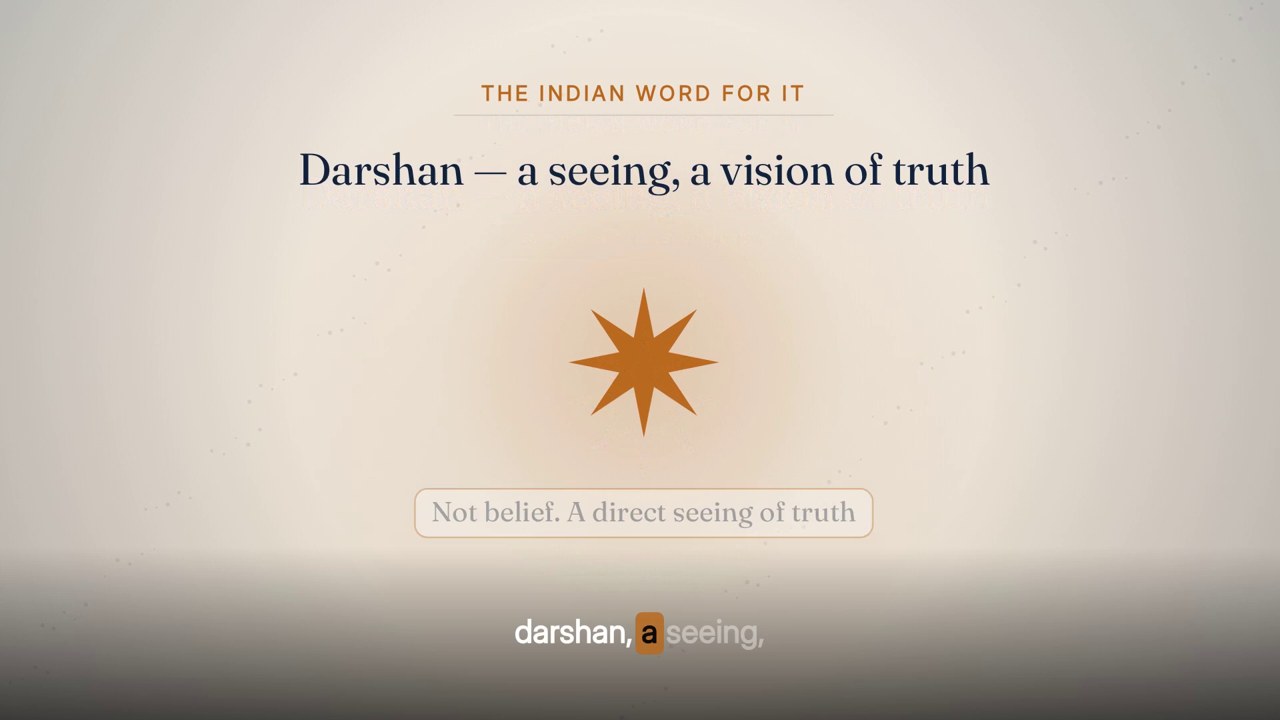
A burned-in transcript that follows the voice word by word: the phrase being spoken, the current word lit on an accent block, the words still to come waiting at 40%. It runs under the animated lecture, beside the presenter and straight over every cutaway, from one word timeline, so the words never disagree anywhere in the film.

Word-timed · ≤9 words · always on

The finished effect

What it looks like when it is done.

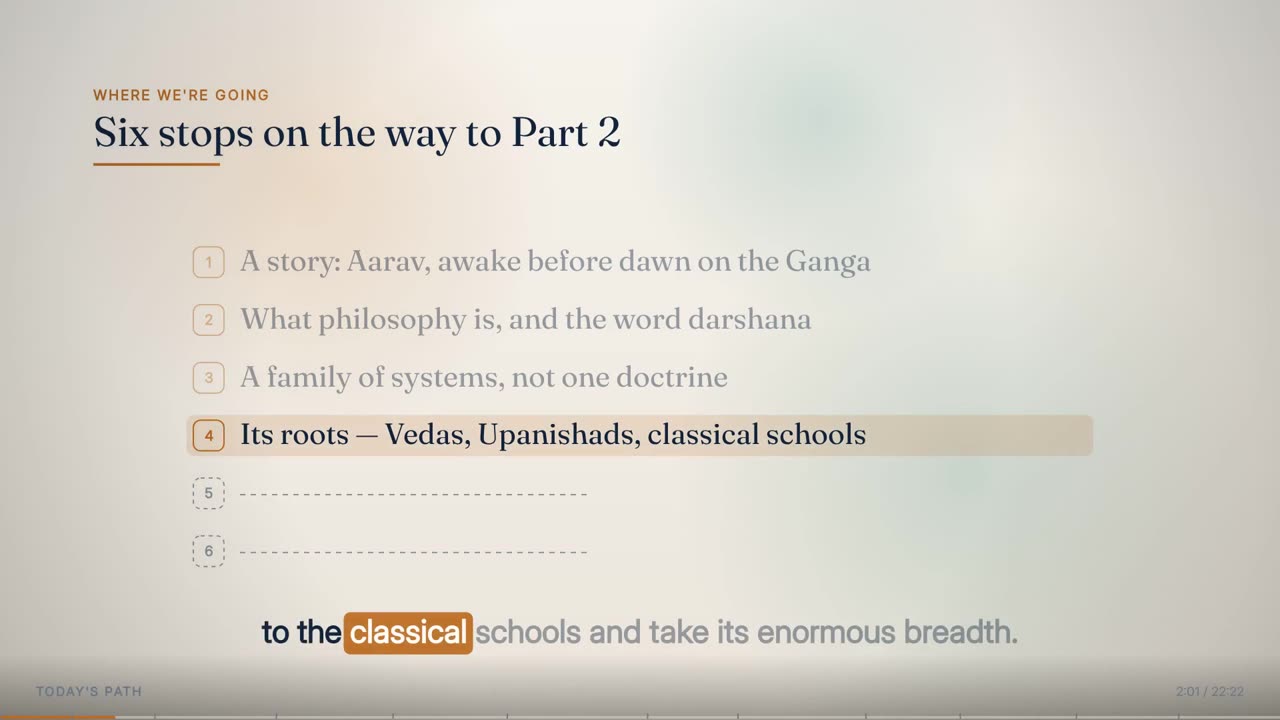
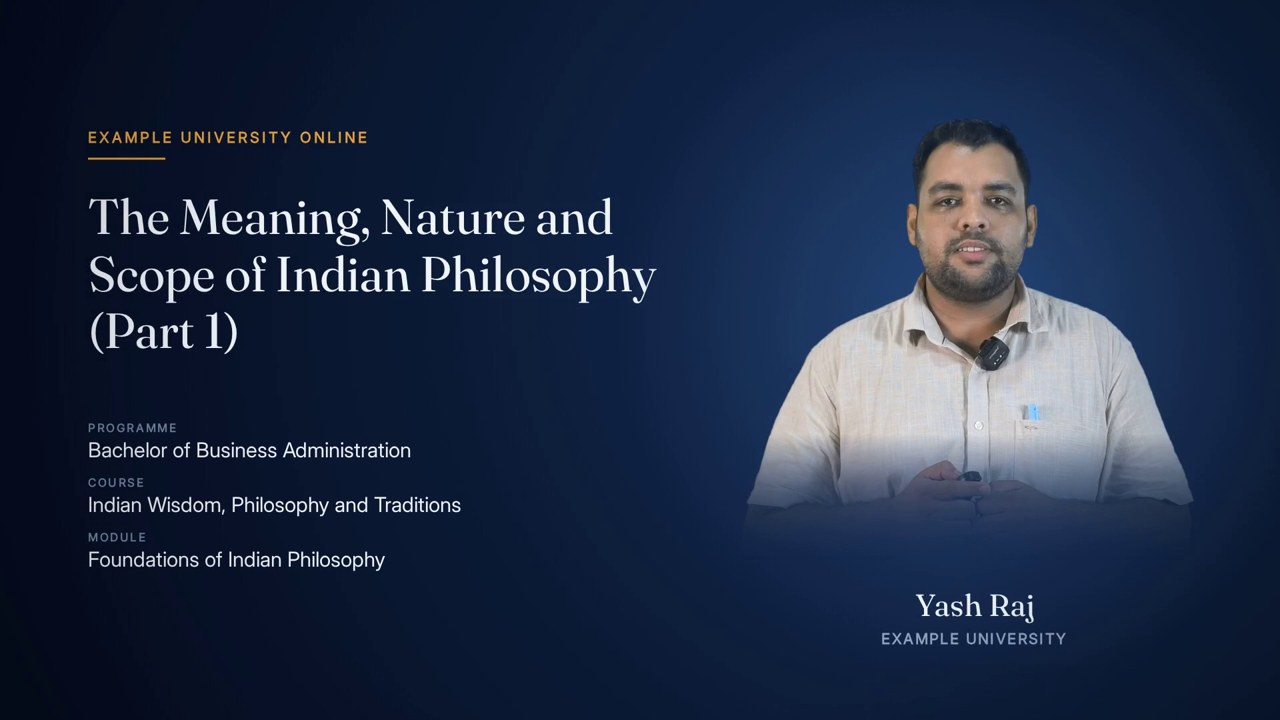
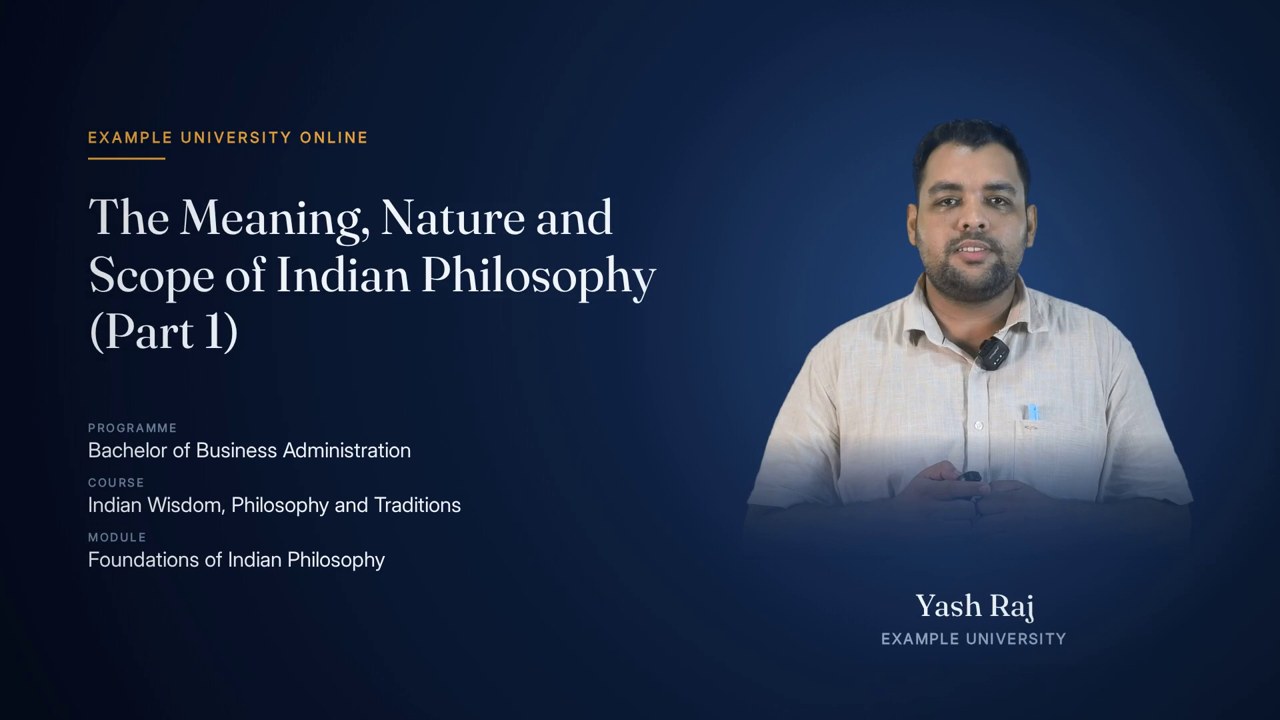
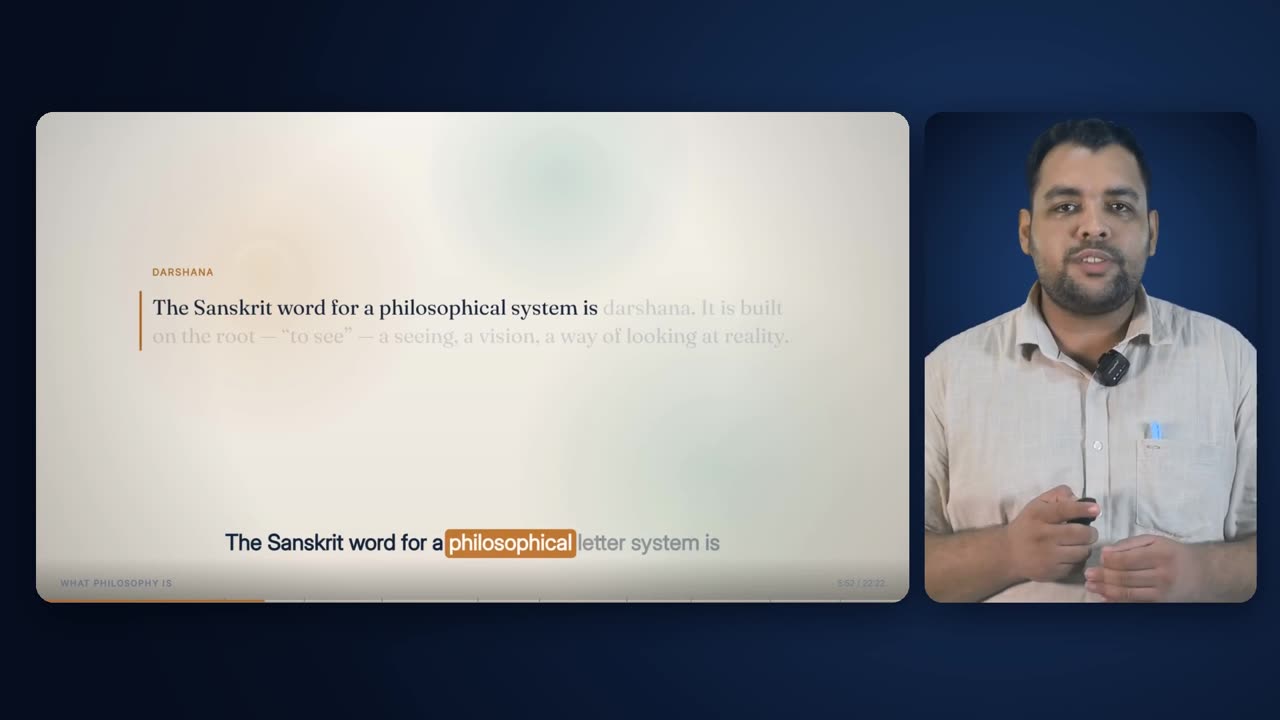
Burned-in captions from a produced lecture: short phrases in a band along the bottom, each word lit as it is spoken, held through every layout and every cutaway.

17 s · 1920 × 1080 · with sound

Overview

What it is, and why it exists.

Transcript and Captions puts the spoken words on screen for the whole lecture — for students watching without sound, for those who read faster than they listen, and for courses that must be captioned throughout. It is burned into the picture, so it plays the same on every device and in every player.

Its defining feature is word-level timing. Every word carries its own start and end time from the recording, so the caption does not just show the right sentence at roughly the right moment: it lights the exact word being said, as it is said. That same timeline drives the animated lecture's cues and the cutaway boundaries, which is why the captions, the deck and the cuts always agree.

It sits at the end of the ingest chain. Speech recognition transcribes the cleaned studio audio; cleanup re-times the words onto the cleaned clock; the lecturer's own script, where there is one, repairs the spelling; the words are grouped into caption phrases — nine words at most for the band, six for the column. Every layout and every cutaway then draws from those phrases.

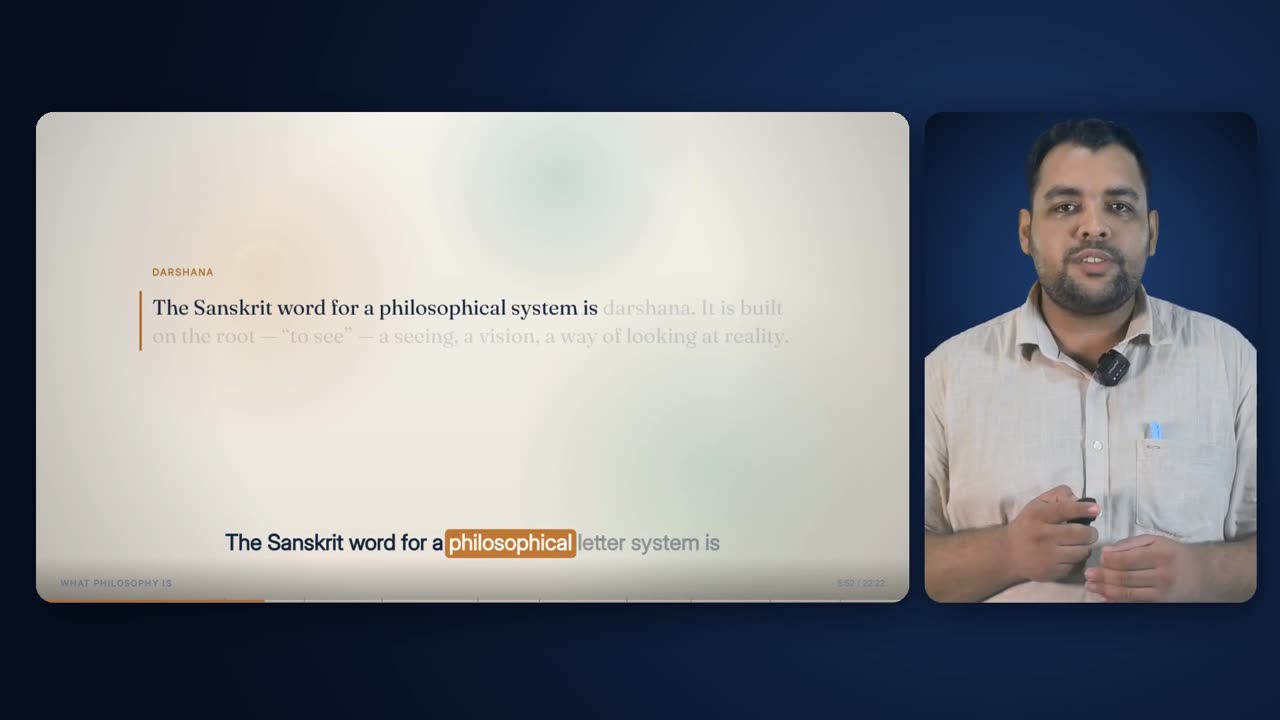
The caption takes one of three forms depending on what is on screen: a band under the full-frame deck in the chapter's own colours, a column beside the presenter in the caption layout, and a white band on a graded shade over pictures and the centred presenter. The words, the phrases and the highlight are identical in all three.

up to 9 wordsBand phrase
up to 6 wordsColumn phrase
a gap over 0.42 sPause break
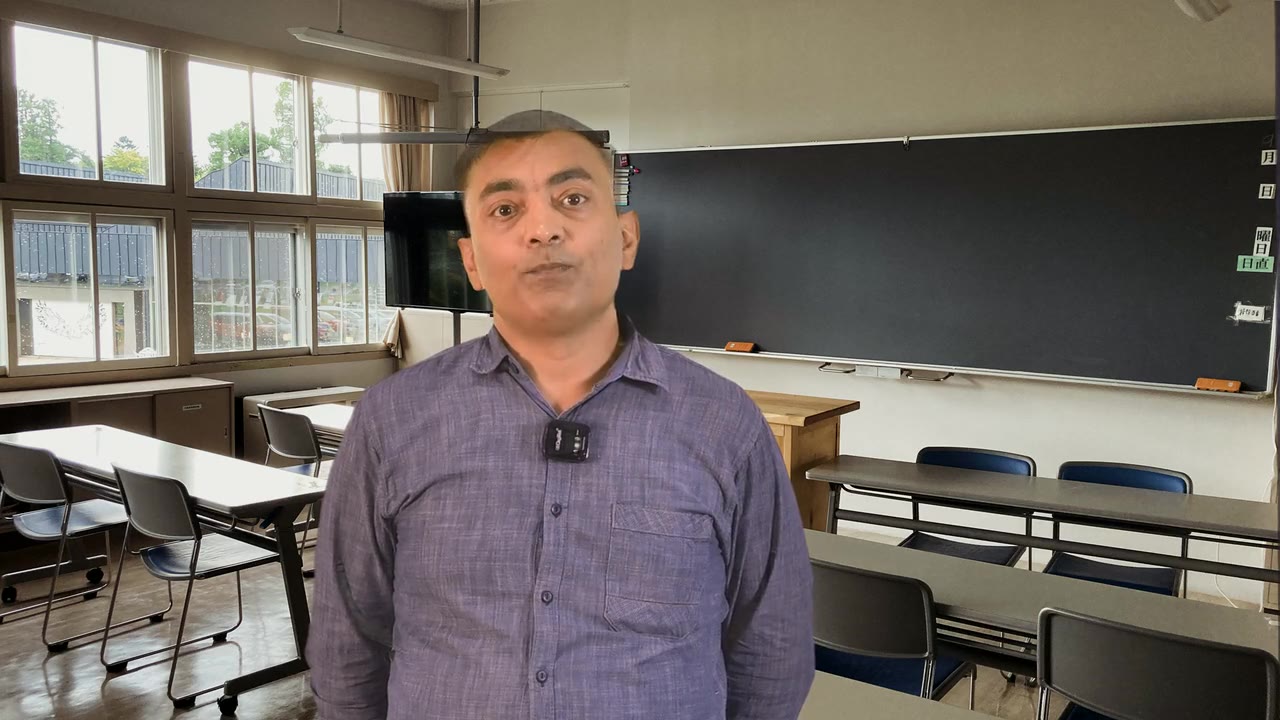
after 3.6 s of phraseDuration break
0.12 s before the first wordLead-in
fades from 1.9 s, gone at 2.8 sHold into silence
40% opacityUpcoming words
48 px down to 30 px, centred at y 950Band type

How it is made

Step by step, in the order the engine runs it.

Transcribe with word times

Speech recognition runs over the studio audio in chunks of about 24 s, each cut at the pause nearest the target so no word is split. Sub-word pieces become whole words, each with a start and end; a word's end is clamped to the next word's start and no word is shorter than 0.06 s.

Re-time onto the cleaned lecture

Cleanup removes dead air, false starts and lead-in; the words that survive are shifted onto the cleaned clock, and the words that were cut go with the audio they belonged to. Every later stage uses this clock.

Repair spelling from the script

Where the lecturer's script is available it is aligned against the transcript word by word. Small, well-anchored disagreements take the script's spelling on the transcript's timings; larger ones are listed for a person rather than applied. The repairs are stored as data for that lecture alone.

Apply name repairs

A short list of one-for-one substitutions catches names the recogniser has never heard. Each is a substitution or a deletion, so every remaining word keeps its time.

Group into phrases

The repaired words are grouped twice: into band phrases of up to nine words and column phrases of up to six, each breaking on punctuation, on a pause of more than 0.42 s, or once the phrase has run past 3.6 s, and never leaving a lone word mid-sentence.

Draw the band in the deck

The animated lecture draws the band into every frame of its render, in the chapter's palette, below the content and above the chrome.

Draw the column

For the Presenter + Captions layout a separate full-length plate is rendered: the blue stage, the chapter title, the column phrases fitted large beside the presenter, and the chrome along the foot.

Burn the band over cutaways and the centred presenter

For every cutaway and every Presenter Centred stretch, the band is rendered on transparency for exactly that window's frames and laid over the picture, with its graded shade. The narration underneath is never touched.

Verify

Short windows of audio are transcribed again independently and compared with the words the video displays; each assembled piece records the words and phrases it was drawn from, so a changed transcript forces the pieces to be rebuilt.

Elements

Everything this effect puts on screen, one piece at a time.

Each element below is shown as the engine actually produced it, in the real lecture, with its parts, and the rules that govern it.

The band at the start of a phrase, every word waiting for its own moment.
01

Word timeline

Every spoken word with its own start and end time

Everything in this effect is drawn from one list: every word the lecturer said, in order, each with a start and end time on the cleaned lecture's clock. Speech recognition produces it from the studio audio in chunks of about 24 s, each cut at a natural pause so no word is split between chunks; sub-word pieces are merged into whole words, and each word's end is clamped to the next word's start. The cleanup pass then re-times every surviving word onto the cleaned timeline. From that point no stage re-times a word: repairs change spelling, never timing.

Anatomy
  • Chunks: about 24 s, cut at the pause nearest the target, between 12 s and 32 s after the previous cut
  • Pause detection for chunking: -28 dB for at least 0.28 s
  • A word ends 0.24 s after its last sound piece unless the next word starts sooner; no word shorter than 0.06 s
  • Words removed by cleanup are dropped; the rest are shifted onto the cleaned clock
Rules
  • Timing comes from the audio, never from the script
  • Once built, word times are never changed downstream

02

Spelling repair from the lecturer's script

The script's spelling on the recogniser's timings

The recogniser hears the audio; the script is the audio, written down by the person who read it. So wherever the two disagree in a small, well-anchored way, the script's spelling is taken and the recogniser's timing kept. Alignment runs over normalised words (lower case, punctuation stripped). A difference is accepted as a repair only if it is a substitution of at most six transcript words, changes the word count by at most one, and has at least two matching words on each side. Anything larger is left alone and listed for a person, because it is probably the lecturer departing from the page rather than the recogniser failing.

Anatomy
  • Repair span: up to 6 words (MAXLEN), word-count change at most 1 (GROW)
  • Anchoring: 2 matching words either side (CONTEXT)
  • A single-word repair applies everywhere only if the word is distinctive and occurs once (MAXOCC 1); common words are repaired in place with a word of context either side
  • Multi-word repairs spread the new words across the old span's timings
Rules
  • The script outranks the recogniser on spelling, never on timing
  • Large differences are reported, not applied
  • Repairs are per-lecture data; a lecture with none carries none, and no lecture inherits another's
03

Hand repairs for names

A last pass for names the recogniser has never heard

Names are where a recogniser fails most — a textbook author heard as two words, a student's name heard as a surname. Where no script covers them, a short list of one-for-one substitutions (or deletions, where one name was heard as two words) is applied to the word list and to both phrase lists at once. Because each correction is a substitution, every word stays exactly where it was in time; nothing downstream has to re-align.
Anatomy
  • Exact-token replacement, or replacement only after (or before) a named neighbouring word
  • A deletion simply drops that word's time
  • Applied to the word list, the band phrases and the column phrases together
Rules
  • Corrections before drawing: a caption is burned into several layers and cannot be patched afterwards
  • Every change is logged
One band phrase, close up.
04

Band phrase

Up to nine words, broken where a reader would break them

The band shows one phrase at a time. Words are grouped in order and a phrase ends at the first of four things: it reaches nine words; a word ends in a full stop, question mark, exclamation mark, comma, semicolon or colon; the next word starts more than 0.42 s after this one ends; or the phrase has run for more than 3.6 s. The duration test is made after each word, so the word that crosses 3.6 s still belongs to the phrase. A phrase is never left as a single word unless a real pause or the end of the lecture forces it, so a one-word flash cannot happen mid-sentence.

Anatomy
  • Word cap: 9
  • Pause break: a gap of more than 0.42 s
  • Duration break: running length over 3.6 s (the crossing word is kept)
  • Punctuation break: . ? ! , ; :
  • Single-word phrases only before a pause or at the very end
Rules
  • The same grouping everywhere the band appears
  • Cutaways start and end only on these phrase boundaries
05

Column phrase

Up to six words, for the narrow column beside the presenter

The Presenter + Captions layout stacks its captions in a column rather than a band, and a narrow column cannot hold a nine-word line at a readable size. So the column gets its own grouping from the same words and the same rules — punctuation, a 0.42 s pause, 3.6 s of running phrase — with the word cap lowered to six. Column phrases wrap over up to several lines at a larger size than the band.

Anatomy
  • Word cap: 6 (the written rules ask for 5 when the column is as narrow as 670 px)
  • Same pause, duration and punctuation breaks as the band
Rules
  • Grouped from the same repaired words as the band, so the two never disagree on spelling
Mid-phrase: the spoken words at full ink, the rest waiting at 40%.
06

Word states

Said, being said, still to come

Every word in the current phrase is in one of three states. Words already finished are drawn at full ink. The word being spoken right now is lit. Words still to come are drawn at 40% opacity, so the viewer can read ahead to the end of the phrase without mistaking it for what has been said. Between two words, when nobody is mid-word, nothing is lit.

Anatomy
  • Said: the word's end time has passed — full opacity
  • Current: between the word's start and end — highlighted
  • Upcoming: before its start — 40% opacity
Rules
  • A word is never at full ink before it has been spoken
  • Positions never move as states change
The highlight on the word being spoken.
07

Current-word highlight

A solid accent block behind the word being spoken

The word being spoken is set in a heavier weight, in a colour that contrasts with the accent (the chapter's panel colour in the deck, near-black over pictures), on a solid, rounded block in the accent colour. The block is sized to the word at its regular weight plus a fixed margin, so it does not change size as the weight changes, and it moves word to word exactly on the word times. Its opacity follows the speaker's emphasis, so a stressed word lands a little harder.

Anatomy
  • Band: block extends 9 px beyond the word each side and 1.32x the type size tall; corner radius 10 px x style factor
  • Column: 10 px each side, 1.36x tall, radius 12 px x style factor
  • Word weight 800 (regular words 600)
  • Opacity 0.82 + 0.14 x emphasis
Rules
  • Exactly one word lit at a time, or none in a gap
  • The block never resizes within a word
The end of a phrase, held just before the next one takes over.
08

Phrase timing

In just ahead of the voice, out after a pause

A phrase becomes current 0.12 s before its first word, fading in over that 0.12 s, so the eye is already on it when the voice arrives. It stays until the next phrase takes over, which also happens 0.12 s early. If the speaker pauses, the last phrase holds, begins to fade 1.9 s after its last word and is gone at 2.8 s — long enough to finish reading, short enough that a stale line does not sit through a silence.

Anatomy
  • Lead-in: 0.12 s before the first word
  • Hold into silence: full for 1.9 s after the last word
  • Fade: 0.9 s, gone at 2.8 s
Rules
  • The next phrase always replaces the current one at once — no overlap, no stacking
A two-line phrase fitted to the band.
09

Fitting and line breaks

The phrase is fitted to the band, not the band to the phrase

Each phrase is measured before it is drawn. The type size starts at 48 px and steps down one pixel at a time until the wrapped phrase fits a 1500 px measure and 150 px of height — in practice one or two centred lines. Words are then placed one by one along each line at their regular-weight widths, which is what lets each word change state in place without the line reflowing.

Anatomy
  • Band: UI face 600, 48 px down to 30 px, line height 1.24, measure 1500 px, height 150 px
  • Column: 66 px down to 30 px, line height 1.3, measure = column width - 40 px, up to 620 px tall, left aligned
  • Band centre line y 950; column centred on y 540
Rules
  • At most two band lines at normal sizes
  • A long phrase gets smaller type, never a wider band
The band under a full-frame chapter of the deck.
10

Band in the full-frame animated lecture

Beneath the deck, on the chapter's own colours

In the Animated Lecture layout the band is part of the deck render. It sits centred at y 950, below every element box and above the chapter label and clock, and takes the chapter's palette: dark ink on a light chapter, light ink on a dark one, with the current word in the chapter's panel colour on its accent. It is drawn after the vignette and on its own layer, so nothing in the content can cover it. There is no plate or box behind it — the deck's grid leaves the band clear.

Anatomy
  • Scholar dark chapter: ink #F0EEE8, current word #10273F on #E8A03A
  • Scholar light chapter: ink #10243D, current word #FFFDFA on #BA6A1E
  • Foot shade under the chrome: transparent at y 980 to 34% black at y 1080
Rules
  • Follows the chapter's light-dark blend over 0.8 s
  • Never moves with any camera
The band inside the slide card, beside the presenter.
11

Band inside the Presenter + Animated slide card

The same band, scaled with the deck into its card

Beside the presenter the deck is scaled into a 1310 x 736 card, and the band comes with it: the same phrase, the same highlight, at about two thirds of its full-frame size, sitting near the bottom of the slide card. Because it is literally the same render, the words cannot disagree with the band anywhere else in the film.

Anatomy
  • Scale 0.68 (1310 / 1920); band centre near y 816 of the frame
  • Type roughly 20-33 px on screen
  • Chapter label, clock and progress bar scale with it inside the card
Rules
  • No second caption track is added in this layout
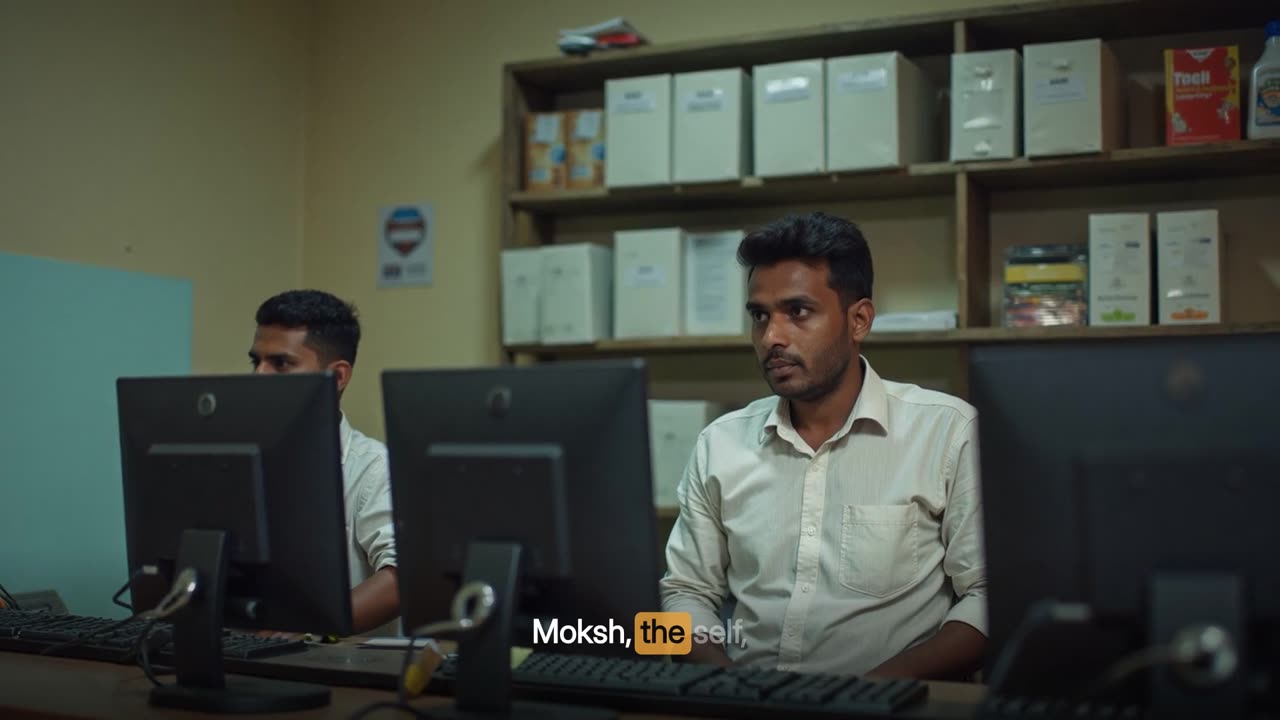
The band over a generated still.
12

Band over a generated still

Always light-on-dark over a picture

A cutaway replaces the whole frame, and the band is then drawn again over the top of it, frame by frame, by the same renderer — so the student following the text never loses their place when the picture changes. Over a picture the band cannot rely on the chapter's ground for contrast, so it is always white words on a graded dark scrim that rises from the foot of the frame, whatever the chapter's theme.

Anatomy
  • Words: white; upcoming at 40%
  • Current word: #0B0B0C, weight 800, on the accent block
  • Same phrase, size and position as the band either side of the cut
Rules
  • Captions look identical either side of every cut, apart from the scrim
  • The narration is never changed
The band over a generated video cutaway.
13

Band over a generated video clip

The same band over moving footage

Over a generated clip the band is drawn exactly as over a still: the phrase and highlight continue on the lecture's own word times, and the scrim keeps white text legible over a moving, uncontrolled background.

Anatomy
  • Band frames are rendered on transparency and laid over the clip for exactly the cutaway's frames
  • Clip fitted to 1920 x 1080 by cover-and-crop beneath
Rules
  • Word timing comes from the lecture clock, not the clip's
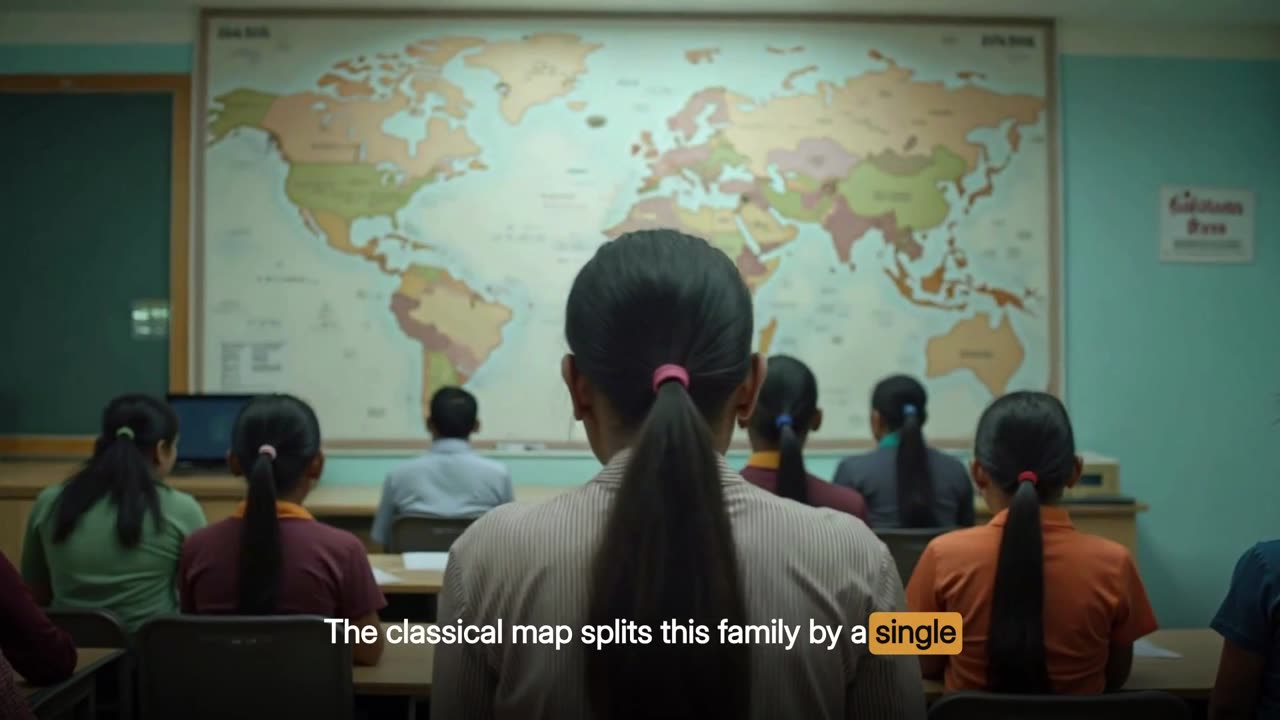
The band over a drawn cutaway.
14

Band over a drawn cutaway

The band over an illustration in the course's style

Over a drawn cutaway the band is the same white-on-scrim band used over photography, even though the drawing underneath is in the course's own palette. That is deliberate: a viewer sees one caption style across every kind of cutaway, and the band does not change character depending on what kind of picture happens to be behind it. The drawn scenes keep their cards in the middle of the frame, so the band mostly falls over the scene's plain ground.

Anatomy
  • Drawn scenes keep every card, icon and label above y 796, clear of the band's shade, which starts at y 820
  • Scrim from y 820 to the foot of the frame
Rules
  • One caption style for every cutaway kind
The scrim lifting the band off a bright picture.
15

Scrim

A graded shade behind the band over pictures

Where the band sits over a picture it gets a full-width graded shade: transparent at y 820, deepening to 66% black at the foot of the frame. It lifts the words off a bright sky or a white shirt without drawing a box around them, and because it has no edges it cannot flicker or resize as words change weight. An earlier design used a rounded plate sized once per phrase; the full-width grade replaced it.

Anatomy
  • Linear gradient, y 820 to y 1080, 0% to 66% black
  • Full frame width
  • Drawn under the words and under the highlight block
Rules
  • Only over cutaways and the centred-presenter layout; never over the deck's own band
16

Caption column

Presenter + Captions: the phrase stacked beside the presenter

In the Presenter + Captions layout the presenter stands full height on one side of a blue stage and the captions run down the other side as a column. Each column phrase is fitted large — up to 66 px — and left-aligned, centred on the frame's middle, with the same three word states and the same accent highlight. The chapter title sits above the column in tracked accent capitals with a hairline under it, and the chapter label, clock and progress bar run along the foot as in the deck.

Anatomy
  • Column 780 px wide in the engine's layout; text measure 740 px
  • Chapter title at y 150, rule at y 168 up to 430 px
  • Fixed colours on the stage: ink #F2F5F9, current word #0A1526 on #E8A03A
Rules
  • Column phrases, never band phrases
  • The presenter's side of the frame carries no text
17

Band under the centred presenter

Presenter Centred: the band across the bottom

In the Presenter Centred layout the presenter stands in the middle of the stage and the band runs across the bottom of the frame over the scrim, exactly as over a cutaway. It is the same transparent band layer, so a cut from the centred presenter to a picture and back does not change the captions at all.

Anatomy
  • Presenter scaled to 960 px tall, feet on the bottom edge
  • Band and scrim identical to the cutaway band
Rules
  • No chapter label or clock is drawn over this layout
A stressed word, its block at full strength.
18

Emphasis on the highlight

The speaker's stress reaches the caption

The strength of the highlight block follows a loudness envelope taken from the studio audio: the deviation above the speaker's usual level, not raw loudness, so a quiet lecturer and a loud one get the same range. When the lecturer leans on a word the block is a little more solid; at an ordinary level it sits at 82%.

Anatomy
  • Envelope: 55 ms window at 30 fps, normalised to the 92nd percentile of speaking frames
  • emphasis = clamp((envelope - 0.62) / 0.45, 0, 1)
  • Block opacity 0.82 to 0.96
Rules
  • Emphasis never changes which word is lit, only how strongly

Rules

The rules, and the reason for each.

Hard rules are checked by the engine and stop delivery if they fail. Guides steer the choice but can give way when the lecture needs it.

TypeRuleWhy
HardEvery word is timed from the audio; the script supplies spelling only.A lecturer never reads a script exactly. The caption must follow what was said, when it was said.
HardNo word is shown at full ink before it is spoken.Upcoming words are visible at 40% so a reader can look ahead, but the caption never claims a word has been said before it has.
HardBand phrases are at most nine words; column phrases at most six.Nine words fit two readable lines across the band; a narrow column needs shorter phrases stacked over more lines.
HardBreak on punctuation, on a pause over 0.42 s, or once the phrase has run past 3.6 s.A caption should end where a reader would pause — at a clause, a breath, or when it has been up long enough to read.
HardNo single-word caption mid-sentence.A one-word flash is unreadable and looks like a glitch; a lone word is only allowed before a real pause or at the end.
HardOnly one phrase on screen at a time.Captions that stack compete with each other and with everything else on screen.
GuideA phrase appears 0.12 s before its first word.The eye needs a moment to land before the voice arrives.
GuideHold the last phrase into a pause, then clear it by 2.8 s.Long enough to finish reading; short enough that a stale line does not sit through a silence.
HardExactly one word is lit, or none between words.The highlight is a pointer to the voice; two lit words would point at nothing.
HardWords never move as their state changes.Positions are laid out at regular weight so a word turning bold cannot reflow the line under the reader's eye.
HardType is fitted to the band per phrase, from 48 px down to 30 px.A long phrase gets smaller type rather than a wider band or a third line.
HardThe band is redrawn over every cutaway.A picture that replaces the frame should not also take the words away; the student would lose their place exactly when the screen changes.
HardOver pictures the band is always light text on a dark graded shade.A picture gives no guaranteed contrast; the shade lifts the words without drawing a box that could flicker.
GuideThe deck's own band carries no shade or plate.The deck's grid keeps the band area clear, so the chapter's own ground already gives controlled contrast.
HardCaptions are identical either side of every cut.Same words, same size, same position, same highlight — only the picture changes.
HardSpelling repairs never change timing.Every layer that draws the words would otherwise need to be re-aligned.
HardRepairs are per-lecture data, never inherited.A correction written for one lecture applied to another turns right words into wrong ones.
HardOnly small, anchored differences from the script are repaired automatically.Large differences are usually the lecturer departing from the page; those are for a person to judge.
HardA common word is repaired only in place, never everywhere.Turning one 'a' into 'the' globally would rewrite every 'a' in the lecture.
HardCaptions are corrected before anything is drawn.They are burned into several layers at once and cannot be patched afterwards.

Settings

Every setting, with its value.

These are the values the engine runs with today. The name in small type is the setting as it appears in the engine, for anyone comparing notes with a producer.

SettingValueWhat it does
Band word capmaxw (band)9 wordsLongest phrase in the band.
Column word capmaxw (column)6 wordsLongest phrase in the caption column.
Pause breakgap0.42 sA silence longer than this between two words ends the phrase.
Duration breakmaxdur3.6 sA phrase that has run longer than this ends at the current word.
Punctuation break. ? ! , ; :A word ending in any of these ends the phrase.
Lead-in0.12 sHow early a phrase appears and fades in.
Hold and fadehold 1.9 s, fade 0.9 sWhat happens to the last phrase in a pause.
Upcoming-word opacity40%How faint the not-yet-spoken words are.
Highlight opacity0.82 + 0.14 x emphasisThe accent block's strength.
Band type range48 px to 30 px, line height 1.24Fitted per phrase.
Band area1500 x 150 px, centred on y 950The space a phrase must fit.
Column type range66 px to 30 px, line height 1.3Fitted per phrase, left aligned.
Column widthcol_geom780 px (740 px text measure), up to 620 px tallThe caption column beside the presenter.
Scrim over picturesy 820 to 1080, 0% to 66% blackThe graded shade behind the band over cutaways.
Current-word margin9 px (band), 10 px (column)How far the accent block extends past the word.
Recognition chunkTARGET24 s, cut 12-32 s after the last cutHow the audio is split for transcription.
Chunk-cut pause-28 dB for 0.28 sWhat counts as a pause to cut a chunk at.
Word end padding0.24 s after the last sound pieceClamped to the next word's start.
Repair reachMAXLEN / GROW6 words / 1 wordLargest difference taken as a repair, and the word-count change allowed.
Repair anchoringCONTEXT2 words each sideMatching words required around a repair.
Global repair limitMAXOCC1 occurrenceA single-word repair applies everywhere only if the word occurs once.
Verification windows14 windows of 7 s; pass at 0.85Independent re-transcription against the displayed words.

Checks

What is verified before it ships.

Words shown against words heard

Fourteen 7-second windows of the audio are transcribed again, independently, and compared with the words the video displays in each; a mean similarity below 0.85 means the alignment is wrong and the lecture is not shipped.

Repair report

The script alignment lists every repair it made and every larger difference it left alone, so a person can see what reached the screen.

Cut edges on phrase boundaries

The composition plan confirms every cutaway starts and ends on a caption-phrase boundary, so a cut never lands mid-caption.

Pieces match their words

Every assembled piece that carries a band records the word list and phrases it was drawn from; if either changes, the piece is rebuilt rather than reused.

Caption identical across cuts

Frames either side of a cutaway's first and last frame should show the same words, size, position and highlight; only the shade differs.

Master resolution

Captions are burned at 1920 x 1080 into a master-quality encode, so type stays crisp on a large screen.

Worked example

In a real lecture

The 22-minute Indian philosophy lecture has 2,663 spoken words. Grouped for the band they make 482 phrases, averaging 5.5 words and 2.6 s each; 83 run to the full nine words, and only 7 stand as a single word, each before a real pause. The longest band phrase stays up for just under 5 s, because the duration test keeps the word that crosses 3.6 s.

The same words make 587 column phrases for the eight Presenter + Captions stretches, averaging 4.5 words; 274 of them reach the six-word cap, which is what a narrower line looks like in practice.

The lecturer paused for more than 0.42 s 68 times, and each of those ends a phrase. Twelve of the pauses ran past 0.75 s and are also marked on screen by the animated lecture's silence beat.

The captions never leave the screen. They run under the full-frame deck for about 15 minutes, inside the slide card beside the presenter for about 4, down the column beside the presenter for about a minute and a half, across the bottom of the centred-presenter shots, and straight through all 50 cutaways — 22 stills, 9 video clips and 19 drawings.

2,663Words
482 (mean 5.5 words)Band phrases
83At the 9-word cap
587 (mean 4.5 words)Column phrases
68 gaps over 0.42 sPause breaks
4.96 sLongest band phrase
50 of 50Cutaways captioned
ScholarStyle

Limits

What it deliberately does not do.

  • It is burned into the picture. It is not a separate subtitle track that a player can switch off, restyle or translate.
  • It shows what was said, not a cleaned-up paraphrase: a lecturer's false start that survives cleanup is captioned as spoken.
  • Spelling is only as good as the recogniser plus the repairs. Without the lecturer's script, a name the recogniser has never heard can reach the screen as it was heard.
  • Larger differences from the script are never applied automatically; they wait for a person.
  • It captions one speaker's words. It does not label speakers or describe sounds.
  • Captions are in the language spoken; the effect does not translate.

Works with

How it meets the other effects.

Questions

What educators ask about it.

Are these real captions or generated text?

They are the lecturer's own words, transcribed from the recording with a time for every word, and spelled from the lecturer's script where one is available.

Why does the current word have a box behind it?

So a student can follow exactly where the speaker is. It moves on the word times, one word at a time, and never runs ahead of the voice.

Do the captions disappear when the video cuts to a picture?

No. The band is drawn back over every cutaway — stills, video clips and drawings — so the words run straight through the cut.

What if a name is spelled wrongly?

Repairs are made before anything is drawn, from the lecturer's script or a short list of corrections for that lecture. Because a repair changes only spelling, nothing else in the film has to be re-timed.

Can students turn them off?

Not in this effect: the captions are burned into the picture so they play identically everywhere. A switchable subtitle file is a different deliverable.

How long does each caption stay up?

Typically two to three seconds: up to nine words, broken at punctuation, at a pause over 0.42 s, or once the phrase has run past 3.6 s. After the last phrase before a pause, it holds for 1.9 s and is gone by 2.8 s.

All effects

Every effect has a page like this one.

See this effect on your own lecture.

Send a recording and we'll run it through the pipeline as a pilot — one free sample per institution.