Engine/Effects/How it fits together

Composition Plan

The composition planner decides what the frame shows, second by second, for the whole lecture: which of the four layouts plays over each stretch, where the picture cuts away to an illustration, what kind of illustration it is and how it moves. It runs with no person in the loop, so every decision is a measurement against a stated threshold, and every rule is checked before the plan is released.

four layouts · cutaway budget · hard checks

The finished effect

What it looks like when it is done.

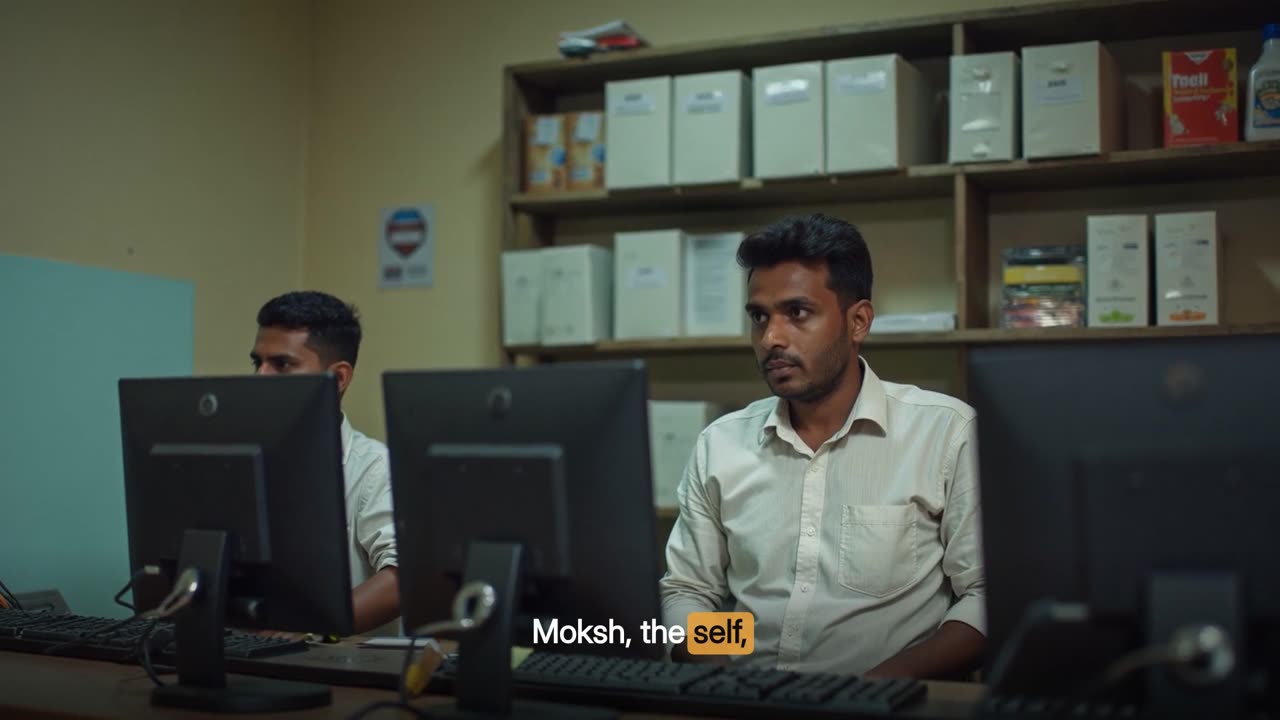
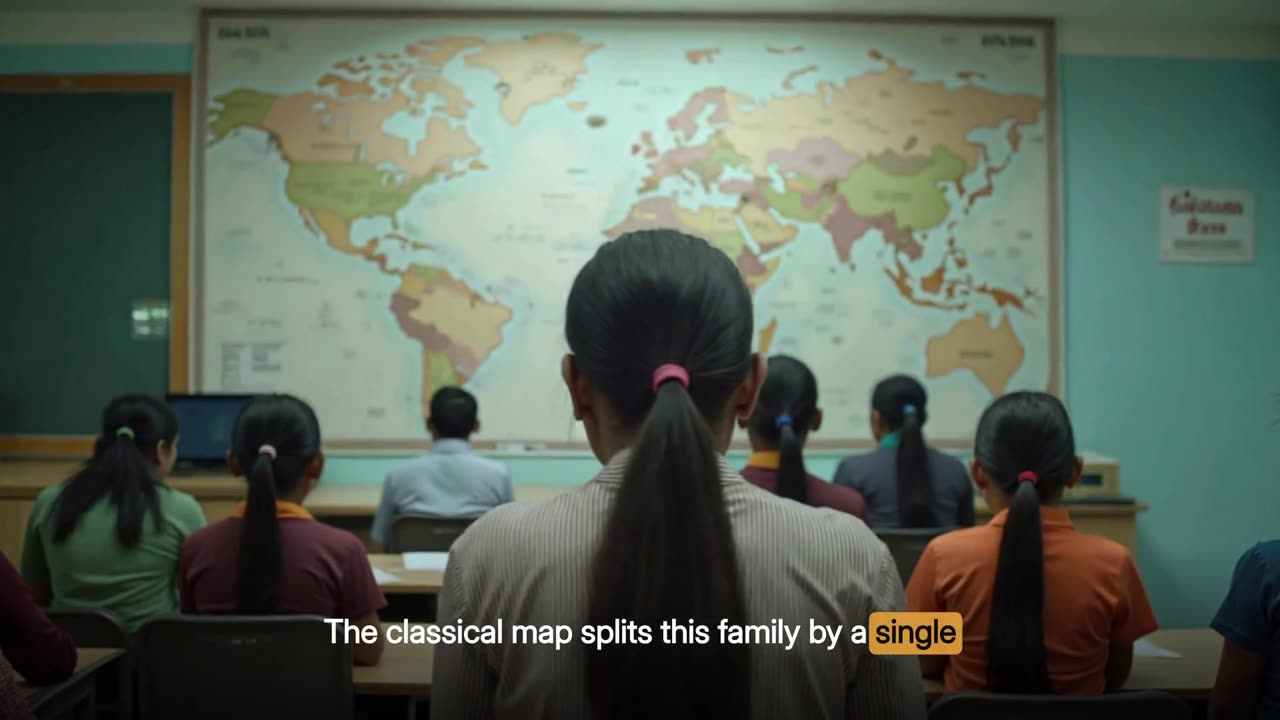
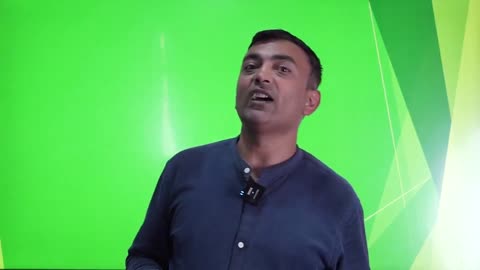
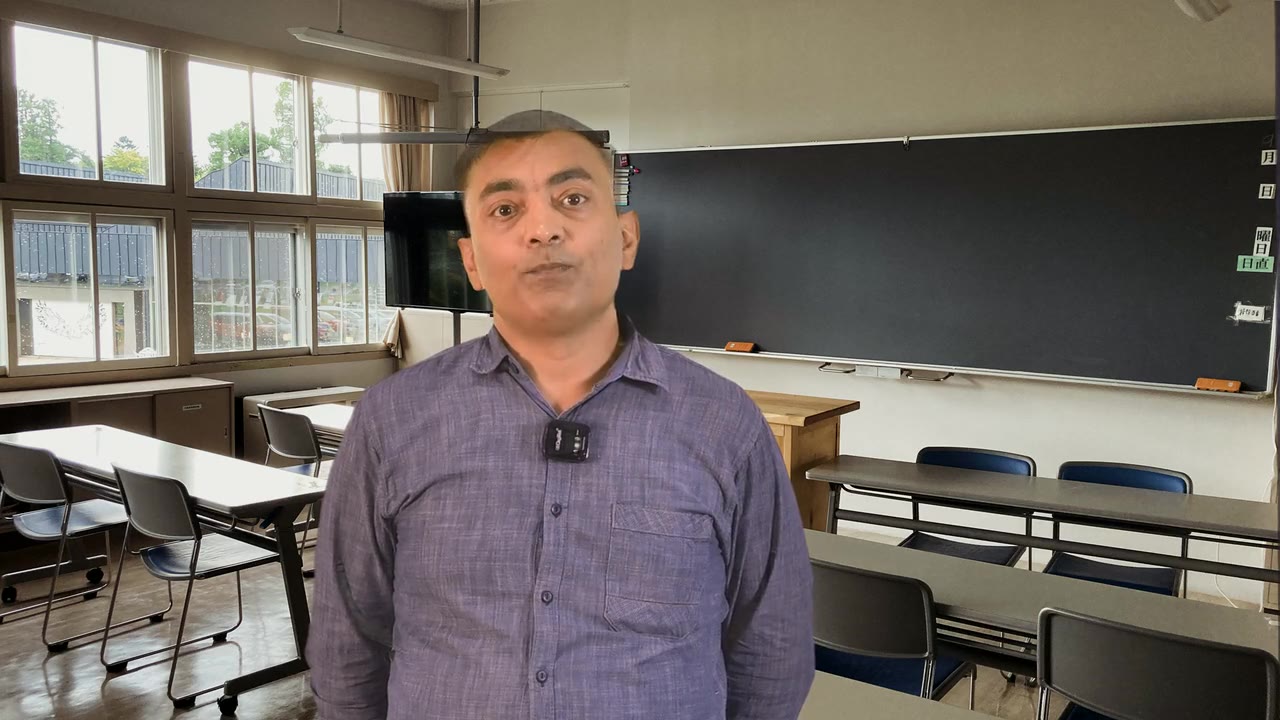
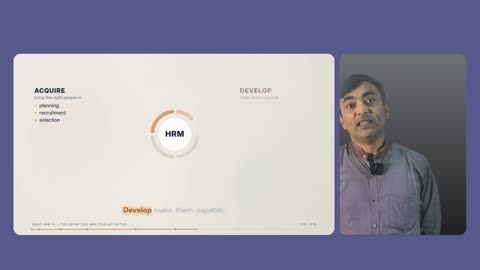
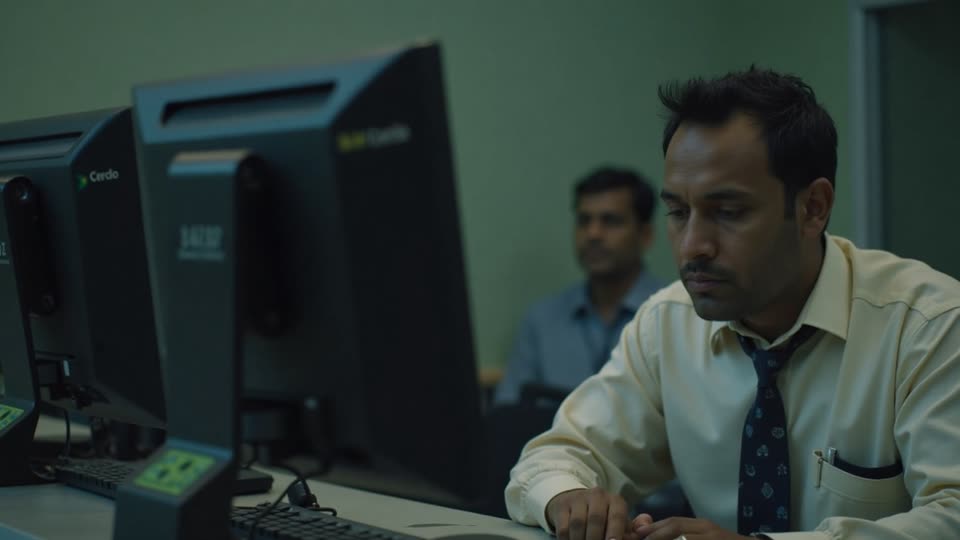
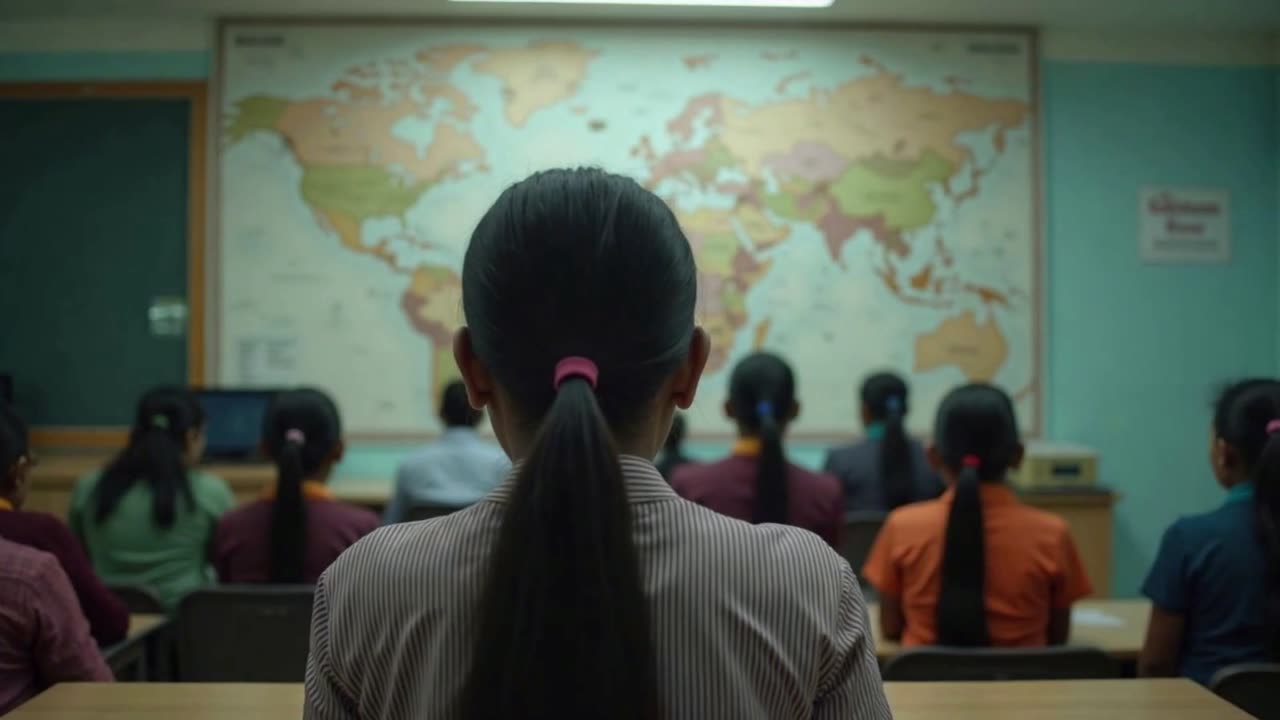
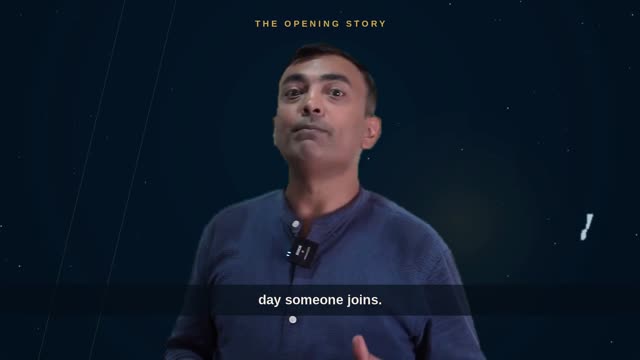
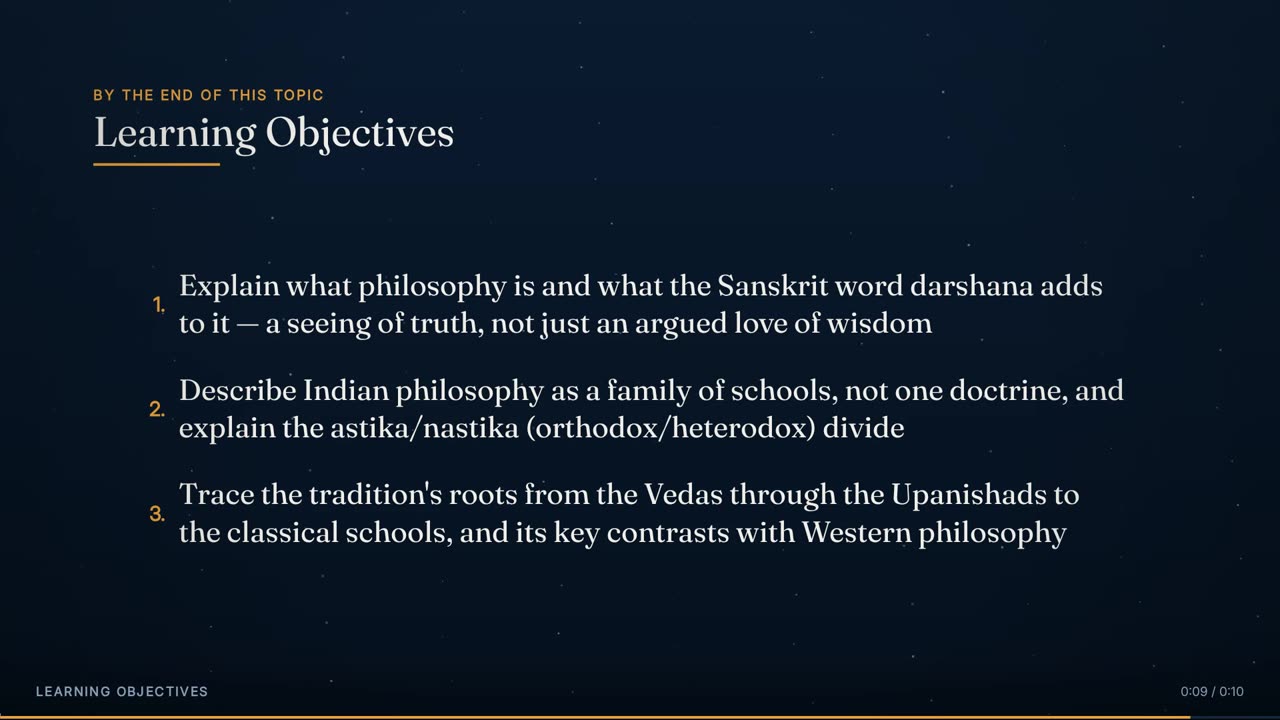
One minute of the 22-minute Indian Wisdom lecture used throughout this page (0:25 to 1:25 of the lecture). Watch the layout change on phrase boundaries — presenter with captions, a drawn cutaway, presenter centred with a generated still, then the full animated lecture — all from one plan.

60 s · 1920 × 1080 · with sound

Overview

What it is, and why it exists.

Every other effect draws something. This one decides. It reads the cleaned word-level timeline, the measurements taken from the recording (the green screen, the presenter's range of movement) and the animated deck's own cue sheet. It writes a single plan: the lecture divided into beats, each beat's scores, a schedule of layouts, a list of cutaways with their kind, treatment, source ladder and the rule that placed them, the budgets, and a pass-or-fail verdict for every constraint. It renders nothing. The assembler then carries out the plan piece by piece.

Four layouts are available. Full Animated Lecture is the typographic deck filling the frame. Presenter + Animated puts the deck in a card beside the presenter in theirs. Presenter + Captions has the presenter standing on the stage with the words running down a column beside them. Presenter Centred puts the presenter in the middle with a caption band across the bottom. The first two are scenes that can hold for a minute or more. The last two are cuts of 4.5 to 15 seconds. Over all of them, the plan schedules full-screen cutaways: drawn scenes, generated stills and generated video.

Because nobody watches the plan being made, it is designed to fail softly, not impressively. There is no randomness: the same inputs produce the same plan on every run, ties are broken by earlier start time and then lower index, and the ruleset is versioned (composition-v1), so a re-render that differs can be traced to a rule, not to chance. Every choice records the rule that fired and the score behind it. Where rules conflict, the plan states which one gives way. Where a target cannot be met, it writes an escalation note and carries on.

It runs third, after Video Cleanup and Studio Sound, and it runs once per lecture. The plan is kept, and everything after it (rendering, keying, drawing, mixing, encoding) is local and deterministic. A re-render of the same lecture costs no planning at all, and a lecture that already has its plan can finish even while new planning work is queued.

4: two scenes, two cutsLayouts
66% of runtime, all framings (hard)Presenter cap
presenter first, animated by 0:15Opening
scenes 8–120 s; animated ≤ 60 s; presenter cuts 4.5–15 sLayout runs
generated ≤ 18%, drawn ≤ 10% (hard)Cutaway budgets
≥ 1 per minute; first by 1:30; no 60 s gapPicture floor
no cutaway in first 15 s or last 25 sHead / tail clear
window score ≥ 4.0Quality bar

The whole plan for one 22-minute Indian Wisdom lecture

Every layout run and every cutaway, to scale, from the plan the engine wrote before rendering: 45 layout runs, 50 cutaways covering 19.7% of the runtime, presenter on screen 25.6% of the time against what is now a 66% cap. Hover a block for its time or its line.

Presenter + CaptionsPresenter + AnimatedFull Animated LecturePresenter CentredDrawn cutawaysGenerated stillsGenerated video0:002:004:006:008:0010:0012:0014:0016:0018:0020:0022:00
Presenter + CaptionsPresenter + AnimatedFull Animated LecturePresenter CentredDrawnStillVideo

How it is made

Step by step, in the order the engine runs it.

Group the words into phrases

The cleaned, spelling-repaired words are grouped into caption phrases. A phrase breaks at 9 words, at . ? ! , ; or :, at a pause longer than 0.42 s, or once it has run 3.6 s. Phrase boundaries are the only places the plan ever cuts: every layout change and every cutaway edge must land on one.

Segment the lecture into beats

A new beat starts where a pause of at least 0.9 s follows the end of a sentence, or where a pause of at least 0.45 s precedes a discourse cue: so, now, next, let's, let, here, back, first, finally, before, and that brings. Beats shorter than 12 s are merged forward, since they are usually a breath mid-thought. Beats longer than 150 s are split at their largest internal pause, repeatedly, until none is left. The target is roughly one beat per 40–60 s. Fewer than one per 120 s, or more than one per 20 s, counts as a failed segmentation and is reported.

Score each beat on five signals

Each beat's text is scored per 100 words, so length does not distort it. Narrative counts past-tense verbs (×1), temporal markers such as 'that evening' or 'one morning' (×4) and third-person pronouns (×1.2). Enumeration counts ordinals and counting words (×2), phrases like 'four ways' or 'three reasons' (×8) and commas (×0.8). Definition counts definitional frames such as 'is a', 'is called', 'refers to' and 'we call' (×1.6). A bare 'is' does not count, because it fires constantly in narrative prose. Comparison counts contrast phrases such as 'rather than', 'whereas', 'the difference' and 'instead of' (×6). Address counts 'you/your' (×2) and sentences that open with an imperative such as 'imagine', 'notice' or 'consider' (×3). Structure = enumeration + definition + comparison. Delivery = narrative + address.

Apply the source gates

Before any content logic runs, the footage itself can remove layouts. With no usable green screen, a presenter out of frame for more than 8% of the lecture, or a key that failed its edge check, both kinds of presenter layout are dropped and the lecture is planned as Full Animated. The presenter's measured range of movement then sizes Presenter + Captions (the widest panel that leaves a 670 px caption column and puts the head at or above y = 270). That layout is removed only if no panel width passes.

Classify each beat

If structure is more than 1.6 × delivery, the beat is Full Animated. If delivery is more than 1.6 × structure, it is Presenter + Captions. Anything in between is Presenter + Animated: ambiguity always resolves to the middle. Beats whose two scores fall within 10% of each other are flagged as ambiguous for audit. The beat record also runs the classic smoothing (minimum run, holding one layout across a narrative run, breaking long runs) until nothing changes.

Cut the runtime into schedulable segments

The sequence is scheduled, not patched. The earlier approach, deciding per beat and patching with three passes that undid each other, let the presenter's share swing between 33% and 74% depending on which pass ran last. Beats are packed into segments that close before they would pass 120 s, provided they have reached 40 s. A leftover under 40 s joins the previous segment. The opening is its own segment, ending at the phrase boundary nearest 15 s. A single beat longer than 120 s is divided into even pieces of about 96 s at phrase boundaries, at least 40 s from its ends.

Assign a layout to each segment

Each segment has three preferences: Full Animated = 1.25 × structure, Presenter + Animated = delivery + 0.35 × structure, and Presenter + Captions = 0.55 × delivery + 1.4 × definition. The opening is Presenter + Captions by rule. The other segments are served most-decisive first, and each gets its strongest preference unless that would put the same layout twice in a row or spend more than the scene budget. The scene budget is 50% of runtime: the 66% presenter cap minus 16% held back for the short presenter cuts made later. Full Animated is always available as the fallback. A repair pass then removes any two identical layouts left adjacent.

Hold the presenter to short cuts

Any Presenter + Captions segment longer than 16 s keeps its first 15 s, cut at the nearest phrase boundary, and the rest goes to the segment's next preference that is neither Presenter + Captions nor the next segment's layout.

Cover empty slides with the presenter

The deck's cue sheet shows exactly when the slide holds nothing but its chapter heading. Any such stretch of 4.5 s or more inside a Full Animated run is given to the presenter, alternating Presenter + Captions and Presenter Centred, and capped at 15 s. At least 8 s of animated lecture must remain either side. If only a sliver would remain, the cut absorbs it, provided the whole cut stays within 15 s. Beside the presenter, in Presenter + Animated, a quiet slide is not dead air, so only full-frame slides count.

Break long animated stretches

Adjacent Full Animated runs are first merged for measuring, because two back-to-back 40 s and 24 s runs are 64 s of unbroken slides to a viewer. Any animated stretch over 62 s is split into n = ⌊length ÷ 60⌋ + 1 pieces by 8-second presenter cuts, alternating Presenter Centred and Presenter + Captions. Each cut sits at least 12 s from either end of the stretch. An 8 s cut does the same work as a 40 s Presenter + Animated scene at a fifth of the presenter budget.

Make sure every register appears

If Presenter + Animated has not appeared anywhere, the longest animated run of at least 12 s that fits under the 66% cap becomes Presenter + Animated. Runs that are not already next to a presenter shot are preferred, so the same face does not fill thirty seconds in a row.

Build and score cutaway candidates

Every window of 1 to 3 consecutive phrases is considered. It must start and end on phrase boundaries, last 2.8–7.5 s, sit between 15 s from the start and 25 s from the end, not straddle a beat or layout boundary, and not start or end within 1 s of a layout change. Each window gets a score: 2.0 × concrete nouns, + 3.0 for an explicit list, + 3.0 for an explicit comparison, + 2.5 for a named process, + 1.5 for a number that is not a year, − 4.0 for a pure connective with nothing concrete, and − 2.0 when the same subject already has a cutaway within 90 s. Windows scoring 4.0 or more form the main pool. A wider pool keeps every window regardless of score, for drawn cutaways only.

Place cutaways in four passes

Pass 1 places generated video first, because it is the scarcest kind, preferring windows with a motion word. Pass 2 alternates generated stills and drawn scenes, serving whichever is further behind its per-minute target, so neither kind uses up the schedule before the other starts. Pass 3 enforces the floor of one picture a minute, relaxing the spacing to 3 s between starts only where the floor is unmet. It meets the floor with drawing where nothing can honestly be photographed. Pass 4 closes the gaps: the first picture must arrive by 1:30 and no stretch may run 60 s without one. It takes the best legal window in each gap from the main pool, or from the wide pool as a drawn scene.

Choose treatment and source, then verify

Drawn cutaways get a motion treatment by rule, and no treatment may repeat twice in a row. Every cutaway gets a source ladder: real stock first, then a generated kind, then drawing, with the source left open until the build resolves it. The whole plan is then checked against its hard constraints and advisory targets, and the result is written with the escalation list and the price of the generated clips, before any clip is made.

Elements

Everything this effect puts on screen, one piece at a time.

Each element below is shown as the engine actually produced it, in the real lecture, with its parts, and the rules that govern it.

One minute of the sample lecture, 0:25 to 1:25: Presenter + Captions with a drawn cutaway, Presenter Centred with a generated still, then the Full Animated Lecture.
01

The layout schedule

The single sequence of layouts that tiles the lecture from first word to last.

The schedule is the plan's spine: a list of runs, each with a start, an end, a layout and a reason, covering the whole runtime and changing only at phrase boundaries. Scenes (Full Animated and Presenter + Animated) last 8 to 120 seconds, and the animated lecture never holds the frame for more than about a minute without a break. Presenter cuts (Presenter + Captions and Presenter Centred) last 4.5 to 15 seconds. The result is a lecture whose shot changes follow what is being said, not a stopwatch, and that never holds one shot long enough to become the format.

Anatomy
  • Each run records start, end, layout, seconds and reason
  • Presenter + Captions runs also carry the computed panel width, caption column and head line
  • Changes land on phrase boundaries and are joined as straight cuts. Gaps under 1.5 s left by removed pauses are absorbed into the piece before them
  • A run's reason names the rule that set it, e.g. 'the slide is empty here' or 'a cut to the presenter, breaking a long animated run'
Rules
  • No two adjacent runs share a layout
  • Changes happen only between words
  • The schedule must tile the runtime with no gaps or overlaps
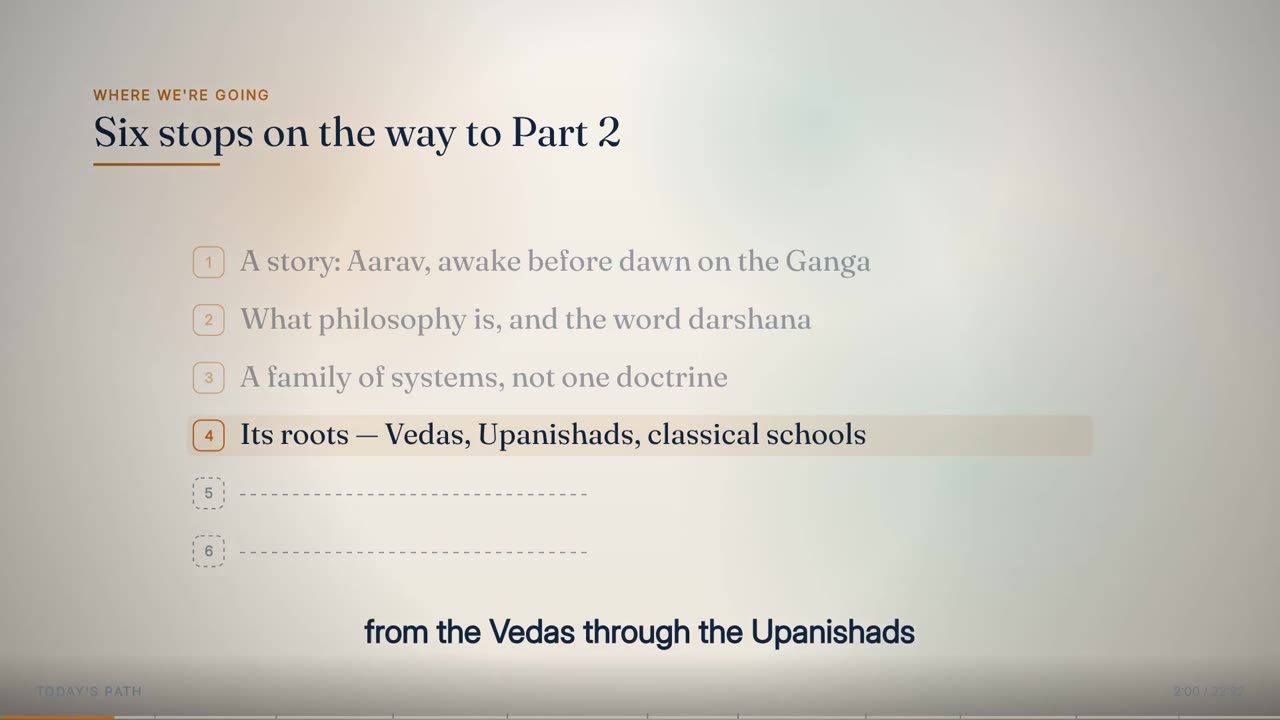
Full Animated Lecture at 2:00 in the sample lecture.
02

Full Animated Lecture

The typographic deck filling the frame, for structural material.

The animated lecture takes the stretches where the lecturer is building something: a list, a definition, a comparison, a sequence. The planner prefers it at 1.25 × a segment's structure score, and it is the fallback whenever no other layout fits the rules or the presenter budget. It is also the layout that must take over by 0:15. In most lectures it holds the largest share of the runtime, but never in one long block. Adjacent animated runs are measured together, and any stretch over about a minute is broken by a short presenter cut.

Anatomy
  • Preference: 1.25 × structure
  • Scene length at least 8 s
  • Continuous stretch at most 60 s (checked at 62.5 s)
  • Every stretch in which the slide shows only its heading for 4.5 s or more is covered by a presenter cut
Rules
  • Always available: it never counts against the presenter budget
  • No unbroken animated stretch longer than 60 s (hard)
  • No full-frame empty slide longer than 4.5 s (hard)
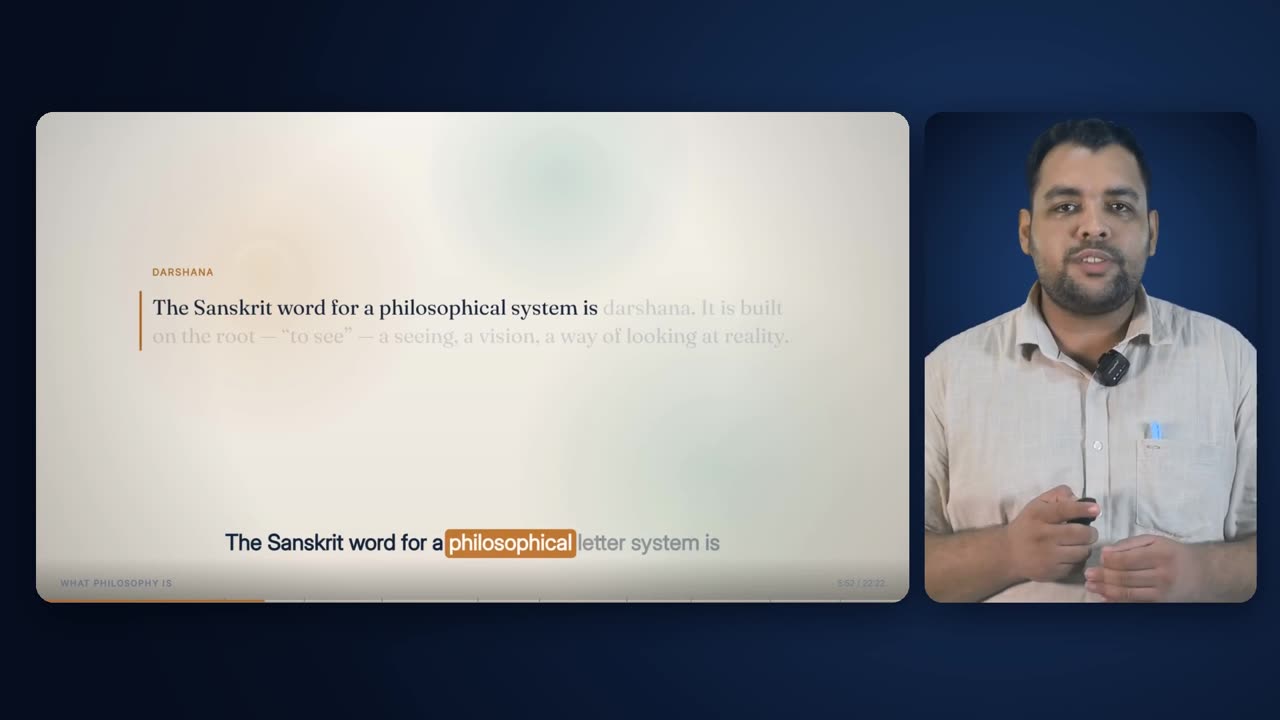
Presenter + Animated at 5:52 in the sample lecture.
03

Presenter + Animated

Deck and presenter side by side, the middle layout for mixed material.

Presenter + Animated puts the animated slide in a rounded card on the left and the keyed presenter in a portrait card on the right, on one blue stage. The planner gives it every beat where neither structure nor delivery wins by 1.6×, and it scores segments for it at delivery + 0.35 × structure. It is a scene: at least 8 s, at most 120 s. The planner guarantees it appears at least once, because a short lecture can otherwise lose it to the animated lecture on structure alone.

Anatomy
  • Slide card 1310 × 736 at (54, 168); presenter card 498 × 736 at (1387, 168)
  • Preference: delivery + 0.35 × structure
  • Scene length 8–120 s
Rules
  • Ambiguous material goes here
  • Counts toward the 66% presenter cap, and toward the 16% talking-head cap
  • Used at least once when the cap allows
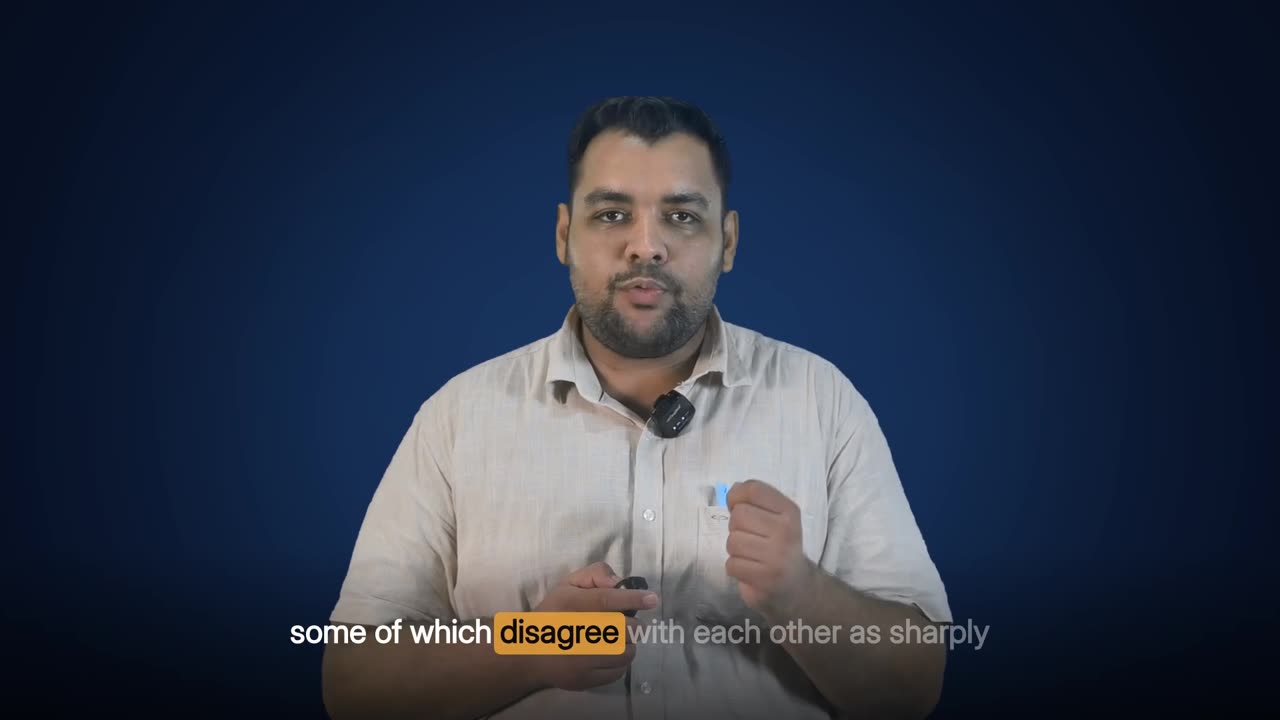
Presenter + Captions at 9:01 in the sample lecture.
04

Presenter + Captions

The presenter on the stage beside a caption column. The opening shot, and a short cut.

The presenter stands full-height on the right of the blue stage, with the phrase being spoken set large in a column on the left, one word lit at a time. The planner gives it the lecture's opening by rule and otherwise scores it at 0.55 × delivery + 1.4 × definition. That favours a lecturer reading out a definition or speaking directly to the student. It never runs longer than 15 s at a stretch. With Presenter Centred it covers empty slides and breaks long animated runs, and the two alternate so consecutive cuts do not look the same.

Anatomy
  • Presenter 1004 px tall, right-aligned; caption column x 60–840
  • Preference: 0.55 × delivery + 1.4 × definition
  • Length 4.5–15 s, except the opening, which ends at the phrase nearest 15 s
Rules
  • Opens every lecture
  • Held to 15 s (hard)
  • Removed only if the sizing test finds no panel width, and never merely because the presenter is wide
Presenter Centred at 7:20 in the sample lecture: the presenter centred on the head, captions in the band beneath.
05

Presenter Centred

The presenter in the middle of the frame, captions in a band across the bottom: the second short-cut framing.

Presenter Centred exists so that a cut away from the slide is not always the same shot. The presenter stands in the centre of a dedicated stage, a pool of light low and central in the same blue as the other presenter layouts. They are drawn 960 px tall, feet on the bottom edge, and placed so that the head, not the middle of the gesture box, lines up with the frame's vertical centre line. Across the bottom runs the same word-highlighted caption band the animated lecture uses. There is no chapter heading, timer or progress bar, so the frame is just the person and their words. It is never a scene. It is used only as a 4.5 to 15 second cut, alternating with Presenter + Captions: to cover a stretch where the slide shows only its heading, and as the 8-second break inside a long animated stretch.

Anatomy
  • Stage: radial ground centred (960, 560), radius 1250 px, plus a soft ellipse of light x 340–1580, y 210–1080 at 120/255, blurred 170 px, toward the lighter card blue
  • Presenter: full movement box scaled to 960 px tall (1028 × 960 in the sample lecture), top at y = 120
  • Horizontal position: x = 960 − (head centre − box left) × scale, so the head sits on the centre line (x ≈ 463 in the sample lecture)
  • Caption band: dark gradient from y 820 to the bottom edge (to 66% black); white words, weight 600, fitted 48 → 30 px into 1500 × 150 px, line height 1.24, centred on y = 950
  • Band phrases up to 9 words; current word on an accent block, reversed out at weight 800; upcoming words at 40%
  • No chrome: no chapter title, timer or progress bar
Rules
  • Only ever a cut of 4.5–15 s (hard)
  • Covers empty slides in turn with Presenter + Captions (Presenter + Captions first)
  • Breaks long animated runs in turn with Presenter + Captions (Presenter Centred first), 8 s each
  • Counts toward the 66% presenter cap, and toward the 16% talking-head cap
  • Uses the same key, shadow lift and stage colours as every other presenter layout
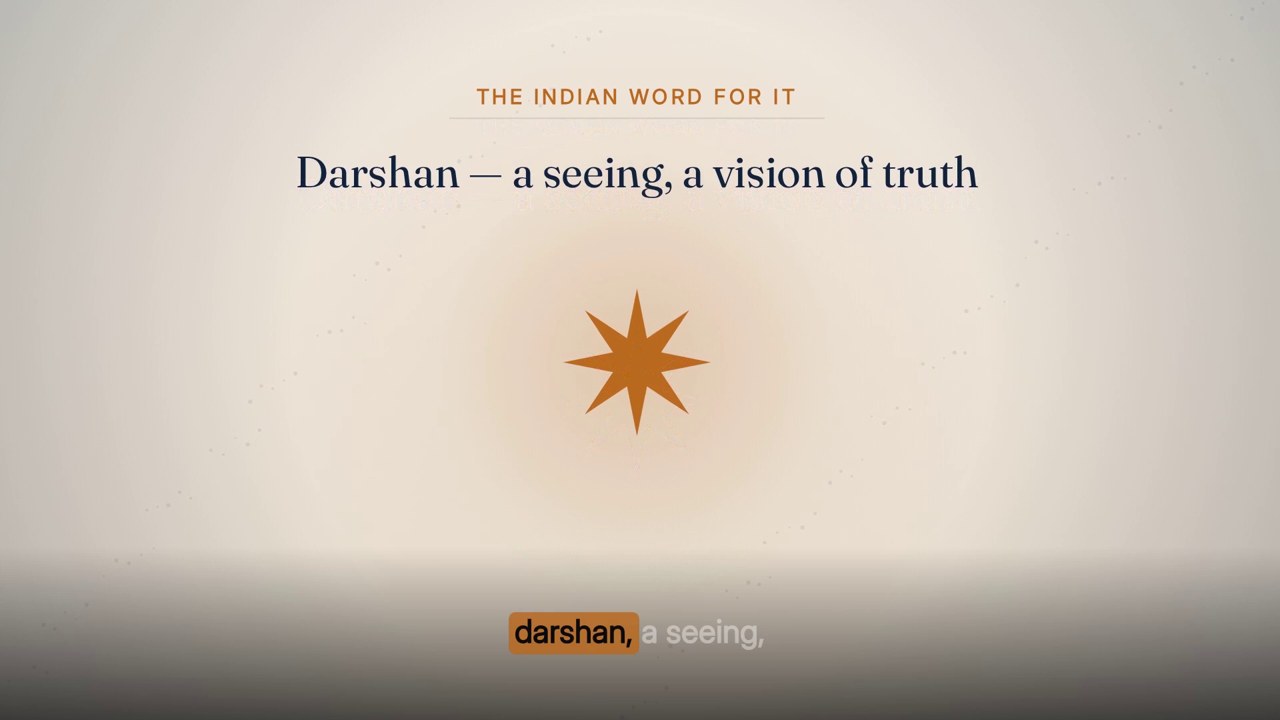
A drawn Progressive Build-On cutaway at 1:43 in the sample lecture, over the line 'darshan, a seeing, a vision of truth'.
06

Drawn cutaways

Full-screen scenes drawn by the engine, which cannot fabricate anything.

A drawn cutaway is a short animated scene of shapes, icons and type, drawn by the engine, not generated. It is the default kind and the only kind allowed where a passage names a real entity or reads like a document, because nobody mistakes a flat drawing for a photograph of the real thing. Drawn scenes have their own quota (one a minute) and their own budget (10% of runtime), so they never compete with generated clips for the same seconds. Each gets a motion treatment by rule: Progressive Build-On for a list, process or comparison; Pan & Zoom for a short single subject under 6 s; Floating & Pulsing Glow over Presenter + Captions; otherwise Parallax Layers. No treatment may run twice in a row.

Anatomy
  • Quota: 1 per minute (target), from its own pool
  • Budget: at most 10% of runtime (hard)
  • Treatment order: Build-On (list / process / comparison) → Pan & Zoom (< 6 s) → Floating & Pulsing Glow (over Presenter + Captions) → Parallax Layers → Glow → Pan & Zoom → Build-On
  • The wide candidate pool, with no score bar, is used for drawn cutaways only
Rules
  • Real entities and document-like passages may only be drawn
  • No treatment twice in a row (hard)
  • A passage too abstract to photograph honestly gets a drawing, never a generated photograph
A generated still at 0:43.5 in the sample lecture, over 'Moksh, the self, the good life', cut in from Presenter Centred with the caption band over it.
07

Generated stills

A generated photograph of a generic physical thing, animated locally.

A generated still is used where a sentence names something a camera could be pointed at, whose appearance matters but whose motion does not: a river at dawn, a lamp, a crowded platform. The planner finds it by shape. It looks for a determiner followed by a concrete noun that is not an abstraction (words ending -tion, -ment, -ness, -ity, -ship, -ing and so on are excluded), and not on a list of things no camera can show, such as a path, a story or a concept. Stills aim for two a minute, but that target is advisory. The hard promise is one picture a minute of any kind.

Anatomy
  • Target 2 per minute; floor: 1 picture per minute of any kind
  • Clip length 3.0–6.5 s, preferring about 5 s
  • Shares the 18% generated-cutaway budget with video
Rules
  • Only if the real-entity and document gate passes
  • Only where the passage is photographable
  • If the budget is spent, the window becomes a drawn scene. It is never dropped for that reason alone
A generated video cutaway at 7:39 in the sample lecture.
08

Generated video

A generated motion clip where the movement is the point.

Generated video is the scarcest and most valuable cutaway, so it is placed first. It is reserved for photographable passages that contain a motion word such as running, scrolling, crossing, spreading, streaming, watching or rolling. Every clip is made from text to a still first and then from the still to motion, which keeps the style consistent and makes a failed generation cheaper to retry. Each clip has a hard cost cap, and the plan states the total before any clip is made. The quota is 0.4 per minute, at least one.

Anatomy
  • Quota: 0.4 per minute (9 in a 22-minute lecture)
  • Placed in pass 1, before stills and drawings
  • Around 5 s: what motion generation natively produces. Stitching two generations shows a seam
Rules
  • Same real-entity and document gate as stills
  • Hard per-clip cost cap; a brief that would exceed it falls back to drawing
  • Counts against the 18% generated-cutaway budget
09

Beats and their scores

The lecture divided into topics, each scored for what it is doing.

Beats are built from phrases, never from the clock. Each beat carries five scores per 100 words (narrative, enumeration, definition, comparison and address) and the two totals that decide the layout: structure and delivery. The plan keeps the first 110 characters of each beat's text, its scores, the layout it argued for and why. That is what lets someone who was not there reconstruct why minute six looks the way it does.

Anatomy
  • New beat: pause ≥ 0.9 s after a sentence end, or ≥ 0.45 s before a discourse cue
  • Merge under 12 s; split over 150 s at the largest pause
  • Expected one per 40–60 s; outside one per 20–120 s the segmentation is reported and fixed 60 s beats are used instead
Rules
  • Scores are normalised per 100 words
  • Beats must tile the runtime exactly (hard)
  • Beats within 10% on structure and delivery are listed as ambiguous
10

The real-entity gate and source ladder

What a cutaway may be made from, and in what order.

Before any window is sent to a generator, its text is scanned for real entities: named companies, platforms, broadcasters, institutions, public figures and national or place names. A single 'Indian' is enough. Any such window is barred from generated imagery. So is anything that reads as a chart, graph, statistic, study, report, headline, screenshot, front page, masthead, survey or percentage, because a generated chart is a fabricated statistic. The gate is checked again after placement. Each cutaway also carries a source ladder, the sources it may use in order, cheapest and most real first: real stock footage, then the generated kind, then drawing. Stock is removed from the ladder where there is nothing a camera could film. Document-like passages get drawing only.

Anatomy
  • Document-like → [drawn]
  • Names a real entity → [stock, drawn]
  • Video → [stock, video, drawn]; Image → [stock, image, drawn]; Drawn → [stock, drawn]
  • Nothing filmable → 'stock' removed
  • The source stays open until the build resolves it
Rules
  • Generated imagery of a real entity is forbidden (absolute)
  • A near-miss stock clip never ships. It falls through to the next rung
  • The gate is re-checked after every fallback (hard)
11

Spacing and protected moments

The constraints that keep cutaways punctuation, not a slideshow.

A cutaway is punctuation, not a scene. At seven or eight seconds it starts to feel as if the lecture has stopped. At four or five it reads as emphasis, and three fit where one used to. So cutaways are placed at 6.5 s or less and ideally about 5 s. Two cutaways never butt together, their starts are at least 6 s apart, and no more than 14 fall in any 120 s. The deck's set pieces (the title, a definition being read out, a quotation) are protected: no cutaway may cover them, because covering the best thing on screen with a stock-looking picture is how a definition ends up illustrated by a stranger at a desk.

Anatomy
  • Placed length ≤ 6.5 s (ideal 5 s); candidates 2.8–7.5 s
  • Start-to-start ≥ 6 s (3 s only while filling the per-minute floor)
  • At least a sliver of base view between two cutaways
  • ≤ 14 per 120 s window
  • A repeated subject within 90 s needs a score of at least 6
  • No cutaway over a definition, quotation or title element
Rules
  • No overlaps (hard)
  • Edges on phrase boundaries (hard)
  • No cutaway within 1 s of a layout change
  • Head and tail clear: none in the first 15 s or the last 25 s (hard)
12

Budgets and the quality bar

How much screen time cutaways may take, and how good a window has to be.

There are two allowances of screen time, not one. Generated cutaways (stills and video, the kinds that cost money and can get a subject wrong) may hold at most 18% of the runtime. Drawn cutaways, which are free and cannot fabricate, have their own 10%. The ceilings are hard. The 12% floor on total cutaway time is advisory, because padding a lecture with weak cutaways is a worse defect than running light. The quality bar is a window score of 4.0. It is the single most important number in the planner, because it stops a budget being filled with weak candidates. Windows placed below it by the floor or gap passes are counted and reported.

Anatomy
  • Generated cutaways ≤ 18% of runtime (hard)
  • Drawn cutaways ≤ 10% of runtime (hard)
  • Total cutaway ≥ 12% (advisory)
  • Quality bar: score ≥ 4.0; the count placed below it is reported
  • Cost block: counts, whether each quota was met, what one more of each would cost, and headroom left in seconds and clips
Rules
  • The ceiling beats the floor
  • Never lower the 4.0 bar or relax spacing to hit a quota
  • The generated-clip cost is stated before any generation, and the stated figure is a ceiling: every window real stock covers reduces it
13

Verification and escalation

The checks every plan is run against, and the notes it leaves for a person.

Hard checks mean the plan is wrong. Advisory targets mean the content or the constraints did not allow it. Mixing the two produces a planner that either refuses a perfectly good plan or quietly breaks a rule that mattered, so they are kept apart. Every verdict is written into the plan. Alongside them is an escalation list, notes that never stop the render but tell a person exactly where to look first: presenter layouts dropped and why, the computed sizing numbers, any layout that never appeared, a cutaway total under 12% with the constraint that caused it, stretches with no candidate at all, and beats the classifier was unsure about.

Anatomy
  • Hard: presenter ≤ 66%; talking head ≤ 16%; settled text ≤ 20 s; picture floor; scene runs ≥ 8 s; presenter cuts 4.5–15 s; animated ≤ 60 s; no empty slide over 4.5 s; runs ≤ 120 s; edges on phrase boundaries; no overlaps; generated ≤ 18%; drawn ≤ 10%; per-clip cost cap; presenter opens and animated by 0:15; head and tail clear; first picture by 90 s; no 60 s without a picture; no repeated treatment; gate re-checked; beats tile the runtime
  • Advisory: total cutaway ≥ 12%; still quota; video quota
Rules
  • The plan never hides a failed check. It records it
  • Escalations never stop the build: degrade, never refuse, but say so

Rules

The rules, and the reason for each.

Hard rules are checked by the engine and stop delivery if they fail. Guides steer the choice but can give way when the lecture needs it.

TypeRuleWhy
HardThe same inputs produce the same plan, byte for byte, with no randomness. Ties are broken by earlier start, then lower index.A plan nobody watches being made must be reproducible and auditable, so any difference traces to a rule, not to chance.
HardEvery decision records the rule that fired and the score behind it.When someone asks why minute six looks the way it does, the answer is in the plan.
HardThe presenter is on screen at most 66% of the runtime, every framing with a person in it combined.The cap exists to stop a lecture becoming a recording of someone talking. The presenter beside the slide is not that, so the two are capped separately and this ceiling is the looser of the pair.
HardThe framings that are only the presenter — a face with captions, a face alone — hold at most 16% of the runtime between them.This is the one that was really meant by the old 40%. A face holds the eye without adding information; the slide with the lecturer beside it adds both.
HardThe animated lecture holds the frame alone only while it is moving. Where nothing on it would change for more than 20 seconds, the plan is rejected.Settled text is not a shot. It is the defect a student feels first and the one that was hardest to see from inside the engine.
GuideAim for no stretch over 8 seconds in which the animated lecture does not change. Where a full-frame run would hold still longer, the whole run goes to Presenter + Animated instead; where the presenter budget cannot reach, a cutaway is placed over it.Eight seconds is about as long as a settled slide holds attention. Three budgets bind at once, so what cannot be reached is reported rather than forced.
HardEvery company the script names has a card before the teaching visual is chosen.A lecture that says Maruti and shows a generic office has wasted the moment it was given.
HardA window naming the lecture's own story character scores higher, and every shot of that person is generated from one fixed description.A story with a different stranger in every shot is a story with no face at all.
HardThe lecture opens on the presenter and is in an animated layout by 0:15.A course needs a face before a deck, but a talking head that stays tells the viewer in fifteen seconds this is just a recording. Drop-off research puts a large share of abandonment in the first few percent of runtime.
HardStructure over 1.6 × delivery goes to Full Animated, delivery over 1.6 × structure goes to Presenter + Captions, and everything else goes to Presenter + Animated.A stretch must be clearly one thing to earn a committed layout. Ambiguity always resolves to the middle layout, which reads acceptably for both.
HardNo layout run lasts longer than 120 s.Held longer, a layout stops being a choice and becomes the format: six minutes of deck is a slideshow with narration.
HardScenes (Full Animated, Presenter + Animated) last at least 8 s.The floor stops the edit flickering. A scene that has been cut into by a presenter shot is doing its job.
HardPresenter + Captions and Presenter Centred last 4.5 to 15 s.They are cuts, not scenes, used to open the lecture, cover an empty slide or break a long animated run.
HardThe animated lecture never holds the frame for more than 60 s without a break.A short presenter cut gives the viewer a change of shot for a fifth of the presenter budget a full scene would cost.
HardNo full-frame slide shows only its heading for more than 4.5 s.A slide with nothing on it, held for five seconds, reads as a stall. Those stretches are known exactly and given to the presenter.
HardNo two adjacent runs share a layout.Two consecutive runs of the same layout are one run with a visible seam.
HardEvery layout change and cutaway edge sits on a phrase boundary.This is the only thing standing between an automated pipeline and a cut in the middle of a word.
HardA measured wide presenter changes the size of the Presenter + Captions split and never removes the layout.A gate that preferred another layout for wide presenters removed Presenter + Captions from a whole lecture, and the story beats lost their face.
HardOnly the source gates may remove presenter layouts: no usable green screen, a presenter out of frame more than 8% of the time, or a failed key edge.Those are the cases where the footage genuinely cannot support them, and the plan records the reason.
HardGenerated cutaways take at most 18% of the runtime and drawn cutaways at most 10%.Two separate allowances mean free drawing never competes with paid generation for the same seconds, and neither can take over the lecture.
HardThere is at least one picture a minute, the first by 1:30, and no 60 s stretch without one.An average can be met by nine pictures in the middle third and none for two minutes. Distribution has to be checked directly.
HardNo cutaway lands in the first 15 s or the last 25 s.The lecture opens and closes on the presenter. Gaps are measured only inside the window where a picture is allowed.
GuideCutaway windows must score at least 4.0 to join the main pool.This threshold stops a budget being filled with weak candidates. Windows placed below it by the floor or gap passes are counted and reported.
HardPlaced cutaways are 6.5 s or shorter, ideally 5 s.A cutaway is punctuation. Held for seven or eight seconds, it feels as if the lecture has stopped.
HardNo cutaway covers a definition, a quotation or a title in the deck.Those are the moments the deck was written for. Covering them replaces the best thing on screen.
HardA window that names a real entity, or reads as a document, chart, statistic or headline, is never given generated imagery.With no one reviewing, a generated image of a real brand, place, person or statistic is a fabricated depiction published under an institution's name.
HardReal stock footage is tried before any generation, and a near-miss never ships.Real footage is free and genuinely real. A clip that does not clearly show what the sentence says drops to the next rung, never fills a slot.
HardWhere nothing can honestly be photographed, the picture is drawn.Forcing a generated photograph onto a roadmap line is how a lecture on human resources ends up illustrated with a field of cows.
HardNo drawn treatment runs twice in a row.Variety across cutaways is worth more than a slightly better fit for any one of them.
HardThe 18% ceiling beats the 12% floor, and the 40 s / 120 s run rules give way to the stated precedence.Padding with weak cutaways is worse than running light, and churn is worse than a single mismatched beat.
HardThe generated-clip total is stated before any generation starts.A cost reported afterwards is an invoice, not a decision.
HardA cutaway's id is its own start time in hundredths of a second, never its position in the list.Position-based names shift when the plan changes and quietly open the wrong clip. An id made from the cutaway's own timestamp cannot shift.
HardA failed check or a missed target is written into the plan and the escalation list. The build carries on.The pipeline must always produce something and must be honest about where that something is below standard.

Settings

Every setting, with its value.

These are the values the engine runs with today. The name in small type is the setting as it appears in the engine, for anyone comparing notes with a producer.

SettingValueWhat it does
Presenter capPRESENTER_MAX0.66Share of runtime every framing with the presenter in it may hold together.
Talking-head capTALKING_HEAD_MAX0.16Of that, the share the framings that are only his face may hold.
Settled-text ceilingSTATIC_MAX8 sHow long the animated lecture may hold the frame alone with nothing changing on it before the run is handed to Presenter + Animated.
Presenter reservePRES_RESERVE0.16Share of runtime held back from scene assignment for the short presenter cuts made later.
Minimum runMIN_RUN40 sMinimum length when cutting the runtime into schedulable segments.
Maximum runMAX_RUN120 sNo layout holds longer than this.
Presenter + Captions ceilingPC_MAX15 sLongest presenter cut.
Animated ceilingFULL_MAX60 sLongest unbroken animated stretch.
Presenter break lengthBREAK_LEN8 sLength of the presenter cut that breaks a long animated stretch.
Empty-slide thresholdEMPTY_MIN4.5 sA slide showing only its heading for this long is covered by the presenter. Also the shortest presenter cut.
OpeningOPEN_PC15 sHow long the lecture opens on the presenter.
Head / tail clearHEAD_CLEAR / TAIL_CLEAR15 s / 25 sNo cutaway before this point, or within this distance of the end.
First pictureOPENING_MAX90 sThe first cutaway must start by this point.
Longest gapMAX_GAP60 sNo stretch inside the allowed window may go this long without a cutaway.
Still target / floorIMG_PER_MIN / IMG_FLOOR_MIN2.0 / 1.0 per minuteTarget for generated stills; floor for pictures of any kind.
Drawn targetANIM_PER_MIN1.0 per minuteDrawn cutaways' own quota.
Video targetVID_PER_MIN0.4 per minute (min. 1)Generated motion clips.
Clip lengthCLIP_MAX / CLIP_IDEAL6.5 s / 5.0 sLongest placed cutaway, and the preferred length.
Quality barSCORE_GOOD / SCORE_FLOOR4.0Minimum window score for the main candidate pool.
Generated cutaway ceilingAI_HI18% of runtimeScreen time generated stills and video may hold.
Drawn cutaway ceilingDRAWN_HI10% of runtimeScreen time drawn cutaways may hold.
Cutaway floorLO12% of runtime (advisory)Total cutaway time the plan aims to reach.
Cutaway spacingstarts ≥ 6 s apart, ≤ 14 per 120 sHow tightly cutaways may be woven.
Floor-fill spacingCLOSE_GAP3 sStart-to-start spacing allowed only while filling the one-a-minute floor.
Layout margin1.6×How clearly a beat must lean one way to leave the middle layout.
Ambiguity band10%Beats scoring this close are flagged for audit.
Beat rulescue gap 0.45 s, sentence gap 0.9 s, merge < 12 s, split > 150 sHow phrases become beats.
Source gate: out of frame8% of runtimeBeyond this, presenter layouts are dropped.
Landscape ratio1.25Movement wider than this × its height is a landscape subject, sized accordingly.
RulesetRULESETcomposition-v1Version written into every plan. It changes whenever a threshold does.

Checks

What is verified before it ships.

presenter ≤ 66% (hard)

Presenter + Animated, Presenter + Captions and Presenter Centred are summed against the runtime, with 0.5 s tolerance.

talking head ≤ 16% (hard)

Presenter + Captions and Presenter Centred — the framings that are only his face — summed separately.

no settled text over 20 s (hard)

Measured on the stretches of full-frame animated lecture that no cutaway covers, against the moments the deck actually changes. Anything over 8 s is reported as an advisory.

picture floor ≥ 1/min (hard)

Stills + video + drawn must reach the rounded number of minutes in the runtime.

scene runs ≥ 8 s (hard)

Every Full Animated and Presenter + Animated run.

presenter cuts 4.5–15 s (hard)

Every Presenter + Captions and Presenter Centred run, with a 0.6 s / 1.5 s tolerance.

animated lecture ≤ 60 s (hard)

Every Full Animated run, with a 2.5 s tolerance.

no empty slide over 4.5 s (hard)

Stretches where the deck shows only its heading are measured against full-frame animated runs only.

layout runs ≤ 120 s (hard)

All runs after the opening.

edges on phrase boundaries

Every cutaway start and end matches a phrase boundary to within 0.01 s.

no overlaps

No cutaway overlaps the next.

generated ≤ 18%, drawn ≤ 10% (hard)

Two separate screen-time ceilings.

per-clip cost cap

No generated clip may exceed the hard per-clip cap.

presenter opens, animated by 0:15 (hard)

The first run is Presenter + Captions and ends by about 0:21, and an animated layout starts by 0:15.5.

head / tail clear

No cutaway before 15 s or within 25 s of the end.

first picture by 90 s; no 60 s without a picture (hard)

Measured only inside the window where a cutaway is allowed. Unfillable stretches are named.

no repeated treatment

Consecutive drawn cutaways never share a treatment.

gate re-checked

Every non-drawn cutaway must have no real entity after all fallbacks.

beats tile the runtime

The first beat starts at the first phrase and the last ends at the last.

advisory: cutaway ≥ 12%, still quota, video quota

Reported either way. A miss goes to the escalation list with its cause.

downstream re-checks

Each effect re-checks the constraints that apply to it when it renders. The assembler checks every piece's frame count, and the delivery check traces the film's sound back to the cleaned voice.

Worked example

In a real lecture

The sample lecture, Indian Wisdom, Philosophy and Traditions (Scholar style), ran 1,342.3 s after cleanup. The planner grouped its words into 482 phrases and 16 beats, one per 84 s, then scheduled 45 layout runs. The Full Animated Lecture held 24 runs and 894.9 s (66.7%), with its longest unbroken stretch 57.0 s. Presenter + Animated held 5 runs and 249.2 s (18.6%). Presenter + Captions held 8 runs and 95.0 s (7.1%), and Presenter Centred 8 runs and 93.2 s (6.9%). The presenter was on screen 32.6% of the time, inside the cap. This plan was made before the settled-text rule; the same lecture planned today would spend far more of itself on Presenter + Animated and less on the slide alone. The plan's own headline presenter figure, 25.6%, counts only the two side-by-side layouts. The hard check counts all three.

The opening followed the rule exactly. Presenter + Captions ran from 0:00.45 to 0:12.93, and an animated layout took over at 0:12.93. The minute from 0:25 shows how the cuts interleave: Presenter + Captions at 0:25.7 with a drawn Pan & Zoom cutaway at 0:30.5, Presenter Centred at 0:39.0 with a generated still at 0:42.0, then the animated lecture from 0:52.5.

Of 157 windows above the 4.0 bar, the planner placed 50 cutaways: 22 generated stills, 9 generated videos and 19 drawn scenes. That is 264.6 s, 19.7% of the runtime. Generated cutaways took 169.2 s (12.6%, ceiling 18%) and drawn cutaways 95.4 s (7.1%, ceiling 10%). The video quota (9) was met. The still target of 45 was not, as an advisory miss, but the hard floor of 22 pictures was met more than twice over. Ten cutaways were placed below the quality bar by the floor and gap passes, and the plan counts them. The first cutaway arrived at 0:30.5. 47 windows kept real stock on their ladder, and 3 document-like passages were limited to drawing. Four drawn cutaways had the gate close on them because their text named a real entity. The drawn treatments rotated Pan & Zoom ×8, Parallax Layers ×6, Progressive Build-On ×3 and Floating & Pulsing Glow ×2.

The plan was honest about what bent. 15 of its 17 hard checks passed. The two that failed were a 3.6 s Presenter + Animated run squeezed between the opening and the first animated scene, which is under the 8 s scene floor, and at least one stretch where a full-frame slide sat empty for more than 4.5 s. It was written by an earlier revision of the planner, before the gap limit was tightened to 60 s, and its three longest stretches without a picture (62.6, 63.1 and 64.6 s) would now be flagged. Its escalation list recorded the presenter sizing (a movement box of 1062 × 992, 1120 px panel, head line at y = 33.8) and two beats the classifier found ambiguous. The assembler turned the plan into 135 pieces, 85 layout stretches and 50 cutaways, and every cutaway had its clip. None fell back to the layout underneath.

1,342.3 s (22:22)Runtime
482 / 16 / 45Phrases / beats / runs
24 runs, 66.7%Full Animated
5 runs, 18.6%Presenter + Animated
8 runs, 7.1%Presenter + Captions
8 runs, 6.9%Presenter Centred
32.6% (cap 66%)Presenter total
50: 22 still, 9 video, 19 drawnCutaways
19.7% (generated 12.6%, drawn 7.1%)Cutaway time
157Candidates ≥ 4.0
0:30.5First picture
15 of 17Hard checks passed

Limits

What it deliberately does not do.

  • It does not understand the lecture the way a person does. It measures words: tense, counting words, definitional frames, contrast phrases, second-person address. A subtle argument phrased as a story will score as a story.
  • It will not lower the 4.0 quality bar or relax spacing to hit a quota. An abstract script gets fewer photographs and more drawings, and the plan says so.
  • It never schedules generated imagery of a real company, brand, institution, place name or public figure, or of anything that reads as a chart, statistic or headline. Where a lecture truly needs a real logo or masthead, that is a licensed asset a person supplies.
  • It does not dissolve between layouts. Changes are straight cuts at phrase boundaries.
  • It cannot fix footage. If the green screen is unusable or the presenter leaves frame too often, it plans the lecture as Full Animated rather than composite a bad key.
  • It does not decide what a cutaway looks like in detail. It chooses the window, the kind, the treatment and the source ladder, and the cutaway effects write and render the picture.
  • It does not refuse to produce a plan. When it cannot meet a target, it degrades and records the shortfall in the escalation list, which only helps if someone reads it.

Works with

How it meets the other effects.

Questions

What educators ask about it.

Can I choose the layouts myself?

The planner is built to run without anyone choosing, and every choice it makes is recorded with its reason. The thresholds (the presenter cap, run lengths, cutaway budgets) are settings, so a course that wants more of the presenter or more pictures is a changed setting, not a hand-edit of one lecture.

Why is the presenter capped at 66%, and the talking head at 16%?

A face holds attention without adding information, and that is what the cap was always for. But 'the presenter' covers two different things: a face with captions, which adds nothing but the face, and the slide with the lecturer beside it, which adds both. Early plans capped all of them together at 30%, then 40%, and the effect was that the lecture spent most of its time on a slide with nobody on screen — including long stretches where the slide had stopped changing. The two are now capped separately: 16% for the framings that are only him, 66% for every framing he appears in. In practice the slide with the lecturer beside it carries between a half and two thirds of a lecture.

Why does every lecture open on the presenter but switch within 15 seconds?

A course needs a face and a voice before it needs a deck, but a lecture that stays on a talking head tells the viewer in fifteen seconds what kind of video it is. Research on lecture-video drop-off shows much of the abandonment happens in the first few percent of the runtime.

What stops it from putting a fake photograph of a real institution in my lecture?

An absolute gate. Any passage that names a real company, brand, institution, place or public figure, or that reads as a chart, statistic or headline, is barred from generated imagery. It gets real stock footage or a drawing instead, and the gate is checked again after placement.

What happens if my script is very abstract?

Fewer passages pass the photograph test, so more of the pictures are drawn, which can carry an idea no photograph can. The floor of one picture a minute and the 60-second gap rule still hold. If a stretch truly has nothing that can be placed, the plan names it in its escalation list rather than forcing something weak onto it.

Will a re-render change my lecture?

Not unless the inputs or the ruleset change. The planner has no randomness, breaks ties by time and then index, and stamps every plan with its ruleset version, so a different result always traces back to a changed rule or a changed input.

All effects

Every effect has a page like this one.

See this effect on your own lecture.

Send a recording and we'll run it through the pipeline as a pilot — one free sample per institution.